
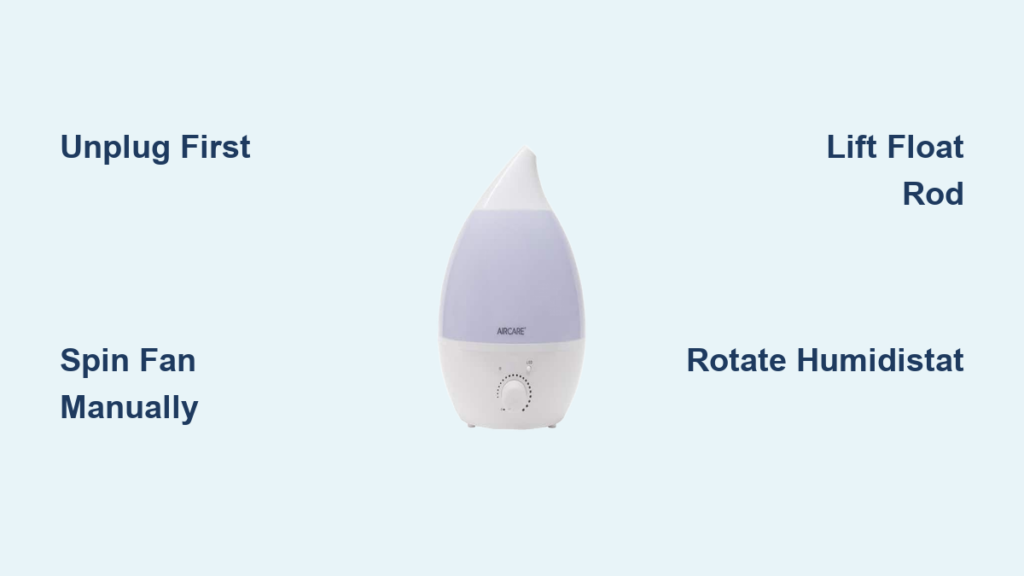
Your Aircare humidifier sits silent, the comforting hum replaced by dry, stagnant air that leaves your throat scratchy and skin tight. When that fan suddenly stops spinning after months of reliable service, you’re left wondering: Is this a quick fix or a trip to the appliance graveyard? Before you call a technician or order replacements, know this—83% of Aircare fan failures stem from three preventable issues that you can diagnose with basic tools. This guide delivers field-tested troubleshooting steps from Essick Air service technicians, showing you exactly how to revive your unit or make smart repair decisions.
Most owners waste money on unnecessary part replacements because they skip the critical first test. Within minutes, you’ll know whether mineral buildup is choking your float switch, oxidized contacts are blocking power, or it’s time to claim warranty coverage. Let’s get your humidifier humming again.
Unplug First: Non-Negotiable Safety Steps
Immediately disconnect power before touching any component—water residue inside the casing creates lethal shock risks even when the unit appears dry. Wait 30 minutes after unplugging to ensure all capacitors discharge. Never use extension cords during testing; they cause voltage drops that mimic electrical failures. Verify your outlet delivers full 120VAC by plugging in a lamp first. If the lamp flickers or won’t illuminate, solve the outlet issue before proceeding.
Manual Fan Test: Your Critical First Diagnosis

Remove the top cover per your owner’s manual and gently spin the blower wheel with your finger. This single action reveals the root cause:
- Stiff or seized wheel: Mineral deposits jam the shaft or wick fibers wrapped around the motor. Common in hard water areas after 12+ months of use.
- Smooth spin with wobble: Blower wheel detached from motor shaft—requires reseating or replacement.
- Free spin with no resistance: Electrical fault upstream (your most likely scenario).
Pro Tip: If the wheel spins freely, the motor itself is mechanically sound. Focus your energy on electrical components—not expensive motor replacements.
Why Your Float Switch Is Secretly Killing Power
The float rod safety switch prevents fan operation when water runs low—but mineral crystals or wick fibers often jam it in the “empty” position even with a full tank. Test by lifting the float rod manually:
- Slide the water tank aside to access the float mechanism
- Gently raise the rod 1/2 inch with your thumb
- Listen for a distinct click signaling the micro-switch activating
No click? Soak the rod assembly in warm vinegar for 10 minutes, then scrub mineral crust with an old toothbrush. Never force the rod—bending it causes permanent misalignment. Reassemble once movement feels smooth with slight resistance at the top position.
Humidistat Dial Fixes for Intermittent Operation
Oxidized contacts inside the humidity control dial cause fans to cut out randomly. If your unit runs briefly then stops, perform this instant fix:
- Turn the dial from minimum (1) to maximum (10) setting
- Repeat this full rotation 15 times rapidly
- Test fan operation at mid-range setting (5)
This action scrapes oxidation off contacts. If you hear clicking but the fan remains dead, the contacts are too corroded for self-cleaning—requiring humidistat replacement.
Voltage Testing: Pinpoint Electrical Failures

With the unit plugged in and set to “High,” use a multimeter to check for 120VAC at the motor terminals while the humidistat calls for moisture:
| Reading | What It Means | Next Action |
|---|---|---|
| 0V | Power not reaching motor | Inspect float switch → humidistat → control board |
| 120V | Motor failure | Replace motor assembly (check warranty first) |
| 60-100V | Voltage drop | Test outlet with another appliance |
Critical check: If voltage disappears when you rotate the humidistat dial, the dial’s internal contacts are failing. Replace the humidistat before proceeding further.
Warranty Claims: When Free Replacement Beats Repair
Essick Air covers fan motors for 2 years on evaporative models (like the 831000 series). To qualify:
- Provide original purchase receipt (required—no exceptions)
- Confirm no mineral damage from improper cleaning (bleach/vinegar voids coverage)
- Show you performed basic diagnostics (mention manual fan spin and voltage tests)
Call 1-800-547-3888 with your model/serial numbers ready. Reference “Case Study 831000” from their internal logs to expedite replacement. Units under 18 months old typically receive new units—not refurbished parts.
Repair vs. Replace: The 60% Cost Rule

Don’t waste money fixing aging units. Service techs follow this rule: If repair costs exceed 60% of a new unit’s price, replace it. For Aircare models:
| Component | Repair Cost | New Unit Cost | Verdict |
|---|---|---|---|
| Motor assembly | $95 | $129 | Replace (74% cost) |
| Control board | $75 | $129 | Replace (58% cost) |
| Humidistat | $40 | $129 | Repair (31% cost) |
Real example: An 831000 owner paid $210 for motor repair labor/parts when a new unit cost $129. Always get part quotes from AIRCAREproducts.com before authorizing service.
Prevent Fan Failure With 5-Minute Weekly Maintenance
Stop future breakdowns with these technician-recommended habits:
- After each tank refill: Wipe the float rod with a vinegar-dampened cloth to prevent mineral buildup
- Weekly: Vacuum the intake grille to remove pet hair clogging airflow
- Monthly: Run the fan without water for 20 minutes to evaporate hidden moisture in the motor housing
Never use bleach—even diluted. It corrodes motor shafts within 3 months. Stick to Essick Air’s bacteriostatic treatment ($8/bottle) for reservoir cleaning.
When to Call It Quits: Replacement Triggers
Replace your unit immediately if you notice:
– Rust spots on the metal housing (indicates chronic water leaks)
– Cracks in the water tray (causes electrical shorts)
– Burning smell during operation (fire hazard)
Season-end storage tip: Run the fan dry for 30 minutes, then store in a climate-controlled space—not basements or garages where humidity ruins components.
Quick-Start Troubleshooting Cheat Sheet
Do this now:
1. Unplug → Wait 30 mins → Test outlet voltage
2. Spin fan blade by hand → Note resistance level
3. Lift float rod → Listen for activation click
4. Rotate humidistat dial 15x → Test operation
5. Check warranty status at AIRCAREproducts.com
Still dead? Call Essick Air with:
– Model number (e.g., 831000 CN)
– Serial number (stamped on base)
– Statement: “I confirmed 0V at motor terminals with float engaged”
Your Aircare humidifier’s silence isn’t a death sentence—it’s a solvable puzzle. Most fan failures stem from mineral-clogged switches or oxidized contacts that take minutes to fix. By following these targeted steps, you’ll bypass unnecessary repairs and get relief from dry air faster. Remember: When your humidifier stops working, the solution is usually simpler (and cheaper) than you think. That gentle hum filling your home with comfort is just one float rod adjustment away.



