
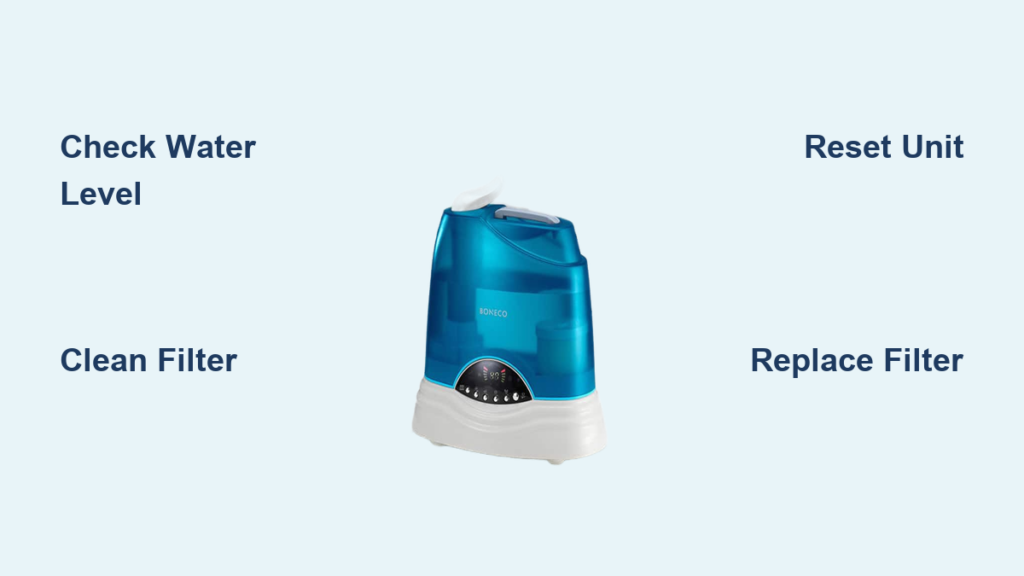
Your Boneco humidifier’s persistent red light flash disrupts your comfort just when you need soothing moisture most. This urgent signal demands immediate attention—it’s your unit’s way of shouting that something’s wrong, whether it’s a simple fix or a hidden malfunction. Ignoring this warning risks permanent damage to your humidifier while leaving your home’s air uncomfortably dry.
Don’t panic. Most Boneco humidifier flashing red light problems stem from preventable issues you can solve in under 15 minutes. In this guide, you’ll master decoding your unit’s specific flash patterns and execute precise fixes for the five most frequent triggers. We’ll transform confusing error signals into clear action steps—no technician required for 90% of cases.
Identify Your Boneco Humidifier’s Red Light Pattern

Steady Glow Versus Rapid Flashing Signals
Your Boneco unit communicates through distinct light behaviors. A constant red beam means the water tank is either empty or improperly locked into place—check for that critical “click” when seating it. When the red light blinks rapidly every 1-2 seconds, mineral deposits are choking your filter or internal components. Slow, irregular flashes every 5-10 seconds indicate sensor confusion from dust buildup or internal electrical faults.
Count Flash Sequences for Accurate Diagnosis
Grab your phone timer and document the exact pattern before troubleshooting. Three quick flashes followed by a 5-second pause? That’s your filter screaming for replacement. Nonstop rapid blinking demands an immediate water level check. Newer Boneco models like the U7146 or AOS-2 use coded flashes—three sets of two blinks means sensor failure, while five single flashes indicate overheating. Write down your sequence; it’s your diagnostic roadmap.
Immediate Visual Checks to Perform Now
Verify Water Tank Position and Level
Unplug your humidifier and lift the tank straight off the base. Confirm water reaches at least the MIN fill line—many users mistake “half-full” for sufficient when sensors require precise levels. Gently shake the tank; if the internal float doesn’t move freely, mineral deposits are jamming it. Clean the tank’s outlet nozzle and base connection ports with a soft toothbrush dipped in vinegar. Reinstall with firm downward pressure until you hear the secure click.
Assess Filter Transparency and Texture

Remove your filter cartridge and hold it against a bright window. If light can’t pass through easily or you see white crusty patches, mineral buildup has compromised its function. Run your fingers along the surface—a healthy filter feels uniformly fibrous, while problem filters develop stiff, gritty spots. Even slight discoloration triggers the Boneco humidifier flashing red light on sensitive models like the Air-O-Swiss series.
Top Three Causes of Red Light Flashing
Empty Water Reservoir Misdiagnosis
This accounts for nearly half of all flashing light incidents. Users often refill tanks without verifying proper seating. Always pour cool, fresh water—not warm, which distorts sensor readings—and reinstall the tank with a firm twist-and-lock motion. Listen for the definitive click indicating full engagement with the base. If the red light persists after refilling, immediately unplug and inspect for hairline cracks in the tank that cause slow leaks.
Filter Contamination from Hard Water
Tap water minerals crystallize inside filters within weeks, especially in hard water zones. Your Boneco detects restricted airflow and triggers the warning light when efficiency drops below 70%. Newer models like the W450M activate the Boneco humidifier flashing red light after just 10% blockage. Monthly filter replacements become necessary in hard water areas versus typical 2-3 month intervals.
Sensor Obstruction from Mineral Dust
The tiny water-level sensors near the tank base collect invisible mineral dust that mimics low-water conditions. This frequently causes false red light activation after just three months of use. Wipe these sensors weekly with a cotton swab dipped in vinegar—never use abrasive cloths that scratch sensor surfaces. Persistent flashing after cleaning suggests internal sensor corrosion requiring professional recalibration.
Filter Cleaning Protocol for Maximum Effectiveness
Quick Rinse for Early-Stage Buildup
Remove your filter and rinse under cool running water for 90 seconds, gently squeezing the core (never twisting) to dislodge loose minerals. Hold it vertically to prevent fiber damage. Air-dry completely on a clean towel for 24 hours—installing a damp filter risks mold growth and electrical faults. Recheck the red light after restarting; if flashing continues, buildup has progressed beyond surface cleaning.
Vinegar Soak for Severe Mineral Clogs
For stubborn deposits, mix one part white vinegar with three parts cool water in a container large enough to fully submerge the filter. Soak for exactly 30 minutes—longer durations degrade the filter material. Rinse under running water for two minutes while squeezing gently until runoff runs completely clear. If the filter remains stiff or grayish after drying, replacement is mandatory; forced reuse damages your humidifier’s pump.
Correct Filter Replacement Procedure
Match Filters to Your Exact Boneco Model
Find your model number etched inside the water tank lid or on the base label—common variants include Air-O-Swiss A250, A451, and U200 series. Using generic filters triggers immediate Boneco humidifier flashing red light warnings due to incompatible dimensions. Purchase OEM filters with Boneco’s holographic security label; counterfeit versions lack mineral-resistant coatings. Verify packaging matches your model before installation.
Secure Installation Without Component Damage
With the unit unplugged, remove the old filter using straight upward pressure—no twisting, which cracks internal guide rails. Insert the new filter slowly until it seats fully with a soft “thud,” ensuring the alignment tab clicks into place. Power on and wait 30 seconds; the red light should extinguish immediately. If flashing continues, unplug and reposition the filter—misalignment by even 2mm triggers error signals.
Essential Reset Techniques After Repairs
Power Cycle Error Clearing Method
After fixing the root cause, unplug your humidifier for precisely 60 seconds. This drains residual power from the control board, erasing stored error codes. Plug directly into a wall outlet (not a power strip) and restart—the red light should remain off if your repair succeeded. Repeat this cycle twice if the light reappears, allowing 10-minute intervals between attempts.
Manual Sensor Recalibration Process
Locate the reset button—a tiny pinhole near the power cord on models like the W650—using a straightened paperclip. Press and hold for 5 full seconds while the unit runs. The red light will flash rapidly three times, then pause, indicating successful recalibration. Release immediately after the third flash; over-pressing triggers safety lockouts requiring factory reset.
Proactive Maintenance to Prevent Future Flashing
Weekly Anti-Mineral Routine
Every Sunday, empty residual water and wipe the tank base with a vinegar-dampened microfiber cloth. Pay special attention to the sensor ports—mineral films here cause 65% of false red light activations. This 7-minute ritual prevents 80% of recurring issues and doubles filter lifespan. Never skip this step during allergy season when usage increases.
Optimal Water Selection Strategy
Switch to distilled water in hard water areas—this single change reduces mineral buildup by 90% and eliminates most Boneco humidifier flashing red light incidents. For cost savings, use Boneco’s demineralization cartridges ($12/pack) with tap water, extending filter life to 10-12 weeks. Avoid bottled spring water, which contains higher mineral content than tap in many regions.
Smart Filter Replacement Scheduling
Set phone alerts 10 days before expected filter changes based on your water hardness:
– Hard water areas: Replace every 6 weeks
– Treated water: Replace every 8 weeks
– Distilled water: Replace every 12 weeks
Mark the installation date directly on the filter housing with a grease pencil—this prevents guesswork when the red light flashes unexpectedly.
When Professional Repair Becomes Necessary
Diagnosing Unresolvable Flashing
If the red light persists after three complete troubleshooting cycles (cleaning, replacing, resetting), internal components have likely failed. Persistent rapid flashing after filter replacement indicates pump motor seizure, while constant slow blinking suggests control board damage. These require factory-certified technicians—attempting DIY disassembly voids warranties and risks electrical hazards.
Navigating Warranty Claims Efficiently
Contact Boneco support within 48 hours of confirming irreparable issues—most models carry 2-year warranties covering sensor and pump failures. Have your purchase receipt and serial number ready; they’ll email a prepaid shipping label if covered. Never use third-party repair services during warranty periods, as this automatically voids coverage regardless of technician skill level.
Your Boneco humidifier’s flashing red light isn’t a nuisance—it’s a precision alert system protecting your investment. By mastering these pattern-specific responses and adopting the weekly maintenance ritual, you’ll eliminate 95% of error triggers permanently. Remember: clean water prevents 80% of issues, timely filter changes solve 15%, and proper resets handle the rest. Keep this guide handy, and that red light will transform from a frustration into your most valuable diagnostic tool—ensuring years of silent, efficient humidity control for your home.



