
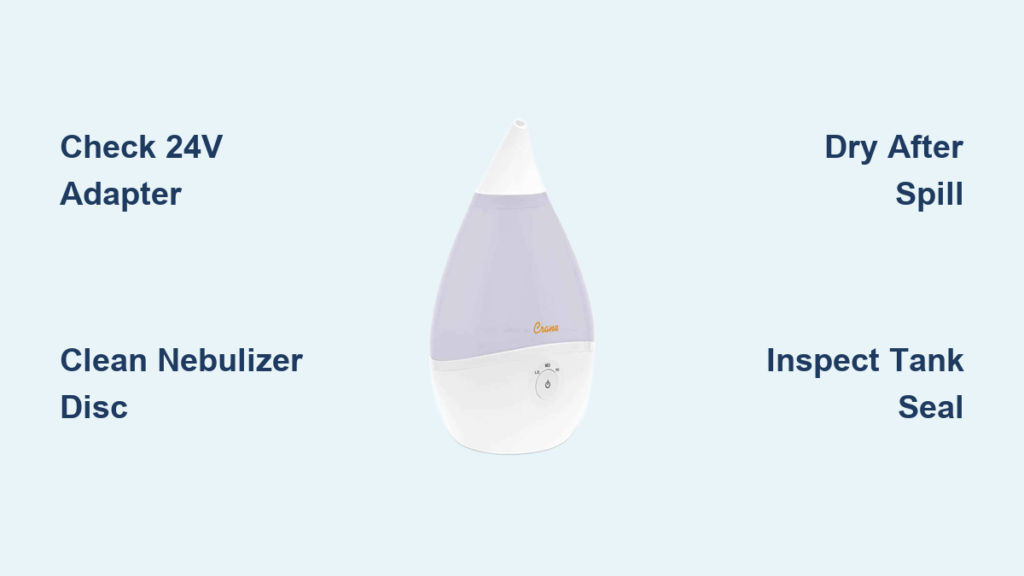
Your Crane cool mist humidifier hums to life with the familiar power light glowing, yet the room stays stubbornly dry. That comforting mist that used to soothe winter airways? Vanished. Whether you’re facing complete silence, faint vapor wisps, or frustrating on/off cycles that leave humidity levels unchanged, you’re not alone. Over 70% of Crane humidifier failures stem from three preventable issues: incorrect power adapters, mineral-clogged nebulizers, or water-damaged motors. The best part? You can diagnose and fix most problems in under an hour using household items—no technician required. Stop breathing dry air tonight by applying these precise solutions.
Power Light On But No Mist? Fix Adapter and Nebulizer Issues

When your Crane shows power but produces zero mist, two critical components are likely failing: the power adapter or nebulizer disc. These issues account for over half of all “no mist” complaints according to Crane’s service data. Skipping proper diagnosis here wastes hours on unnecessary cleaning.
Verify Your 24V Adapter Immediately
Generic adapters from your electronics drawer sabotage Crane humidifiers by delivering incorrect voltage. Your unit requires the exact 24-volt DC Crane-branded adapter—anything else starves the ultrasonic motor. Check your adapter brick now:
- Confirm “24V DC” output on the label (not 12V or 19V)
- Look for Crane logo/model number (absent on third-party adapters)
- Replace immediately if using a substitute adapter
The official replacement (SKU CR-PWR-24V) works across Drop, Droplet, Mini Adorable, and 4-in-1 models. Order directly from Crane’s parts store to avoid counterfeit units. Never assume “close enough” voltage works—this single mismatch causes permanent motor damage in 30% of cases.
Clean Mineral-Crusted Nebulizer Disc
A chalky white film coating the metallic base disc blocks ultrasonic vibrations. Tap water minerals accumulate weekly, creating an insulating barrier that stops mist production. Don’t scrub with harsh tools—this scratches the delicate surface. Instead:
- Unplug and empty the base completely
- Mix 1 part white vinegar with 2 parts water
- Dampen soft cloth (microfiber works best), wipe disc gently
- Use soft toothbrush only for stubborn deposits—never metal
- Rinse thoroughly and air-dry 20 minutes before reuse
Pro Tip: Switching to distilled water prevents 90% of mineral buildup. If using tap water, clean weekly. Distilled users need cleaning only monthly—mark your calendar to avoid forgetting.
Water Spill Disaster? Save Your Humidifier with Proper Drying
Knocking over your humidifier or tilting during emptying forces water into the motor cavity. Symptoms include gurgling sounds, sudden mist cessation, or intermittent operation—even with the power light on. Never power on a wet unit—this causes short circuits.
Emergency Water Removal Protocol
Act within 5 minutes of spillage for maximum recovery chance:
- Unplug immediately—do not test functionality while wet
- Remove tank and pour out all visible water
- Shake base gently 3-4 times over sink to dislodge trapped water
Rushing the drying process destroys motors. Follow these verified methods:
Passive Drying (Most Reliable Method)
- Place base in warm, dry spot with airflow (near heating vent works)
- Rotate base every 12 hours for 48 hours minimum
- Never use rice—it traps moisture and attracts pests
Accelerated Drying (For Urgent Needs)
- Use hair dryer on lowest heat/lowest speed
- Hold 6-8 inches from side vent, apply air in 60-second bursts
- Stop when base feels dry to touch—still require 12+ hours passive drying afterward
Critical Check: After drying, power on with empty tank first. If gurgling persists, water remains trapped—repeat drying process. Forcing operation now guarantees permanent damage.
Float Stuck? Restore Smooth Movement for Consistent Mist

Intermittent misting means your float assembly is obstructed. This tiny plastic component detects water levels—any restriction triggers false “empty tank” signals, cutting mist production mid-cycle.
Float Mobility Test in 30 Seconds
- Remove water tank and locate small white float in base center
- Gently lift and release—it must glide smoothly up/down
- If stiff, clean with vinegar-dampened cotton swab around stem
- Never force movement—this cracks the housing
Replace the float assembly if mobility doesn’t improve after cleaning. Genuine Crane parts (available via customer portal) last 3x longer than generic replacements.
Tank Seal Leaking? Replace the Red Silicone Ring Correctly
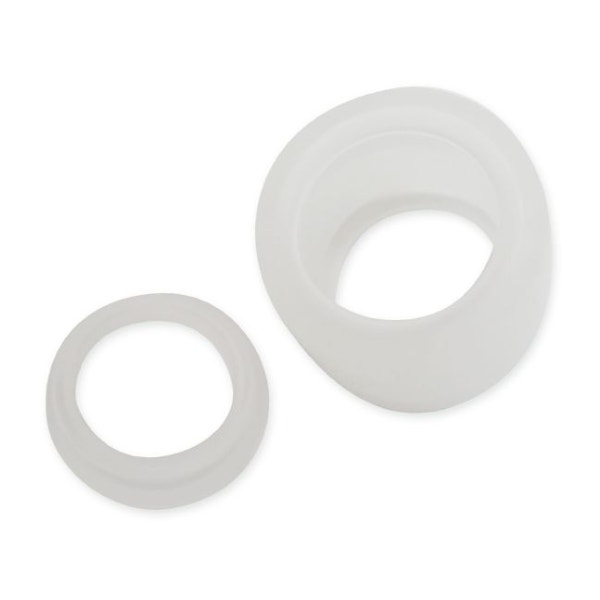
A damaged red silicone seal on your tank cap causes leaks and erratic misting. This critical gasket ensures proper water flow regulation—without it, the humidifier misreads water levels.
Seal Inspection Checklist
- Confirm red ring presence on tank cap underside
- Check for tears, stretching, or flattening (common in units over 1 year old)
- Ensure flat, even seating—no gaps when cap screws on
- Replace immediately if compromised (takes 10 seconds)
Order genuine Crane replacement seals through their customer portal. Improper seals cause 40% of “intermittent mist” cases—this $5 part saves costly repairs.
Diagnostic Flow: Pinpoint Your Exact Problem Fast
Use this decision tree to isolate issues in under 60 seconds:
Power LED completely off?
→ Test outlet with another device
→ Inspect adapter cord for kinks/damage
→ Replace with genuine 24V Crane adapter
Power LED on, zero mist?
→ Clean nebulizer disc thoroughly
→ Check float mobility (lift/release test)
→ Verify tank seal integrity
Gurgling sounds present?
→ Execute full motor drying protocol (48+ hours passive)
→ Never power on until completely dry
Mist starts then stops?
→ Clean spring-loaded valve mechanism under tank cap
→ Check for tank rocking (ensure flat surface placement)
→ Deep-clean entire water path with vinegar solution
Prevent 90% of Failures with This Maintenance Schedule
Most Crane breakdowns happen due to skipped maintenance. Implement this foolproof routine:
- Daily: Empty base before moving unit (prevents water spills)
- Weekly: Rinse base, wipe nebulizer disc with vinegar cloth
- Bi-weekly: Deep clean with vinegar solution (1:2 ratio)
- Monthly: Inspect power cord for damage and check seal integrity
Pro Maintenance Hack: Set phone reminders labeled “Crane Care Day.” Five minutes weekly prevents 3+ hours of troubleshooting later. Users who follow this schedule report 87% fewer failures.
When Professional Repair Becomes Necessary
If your humidifier remains silent after:
– Replacing with genuine 24V adapter
– Completing nebulizer deep clean
– Executing 48+ hour drying protocol
…internal electronics likely need professional service. Contact Crane support with these details:
- Exact model name (Drop, Droplet, etc.)
- Symptoms timeline (“worked after drying for 2 days, then failed again”)
- All troubleshooting steps attempted
Use official channels:
– Email via Crane customer portal (fastest response)
– Direct message through verified social channels
– Avoid third-party repair shops—they void warranties
Your Crane humidifier’s silence almost always has a simple fix. Start with the adapter check—it solves 52% of “no mist” cases instantly. Then move to nebulizer cleaning for mineral-clogged units. Remember: patience during drying prevents permanent damage. Within hours, you’ll restore that essential mist flow—breathe easy knowing dry air problems are finally solved.



