
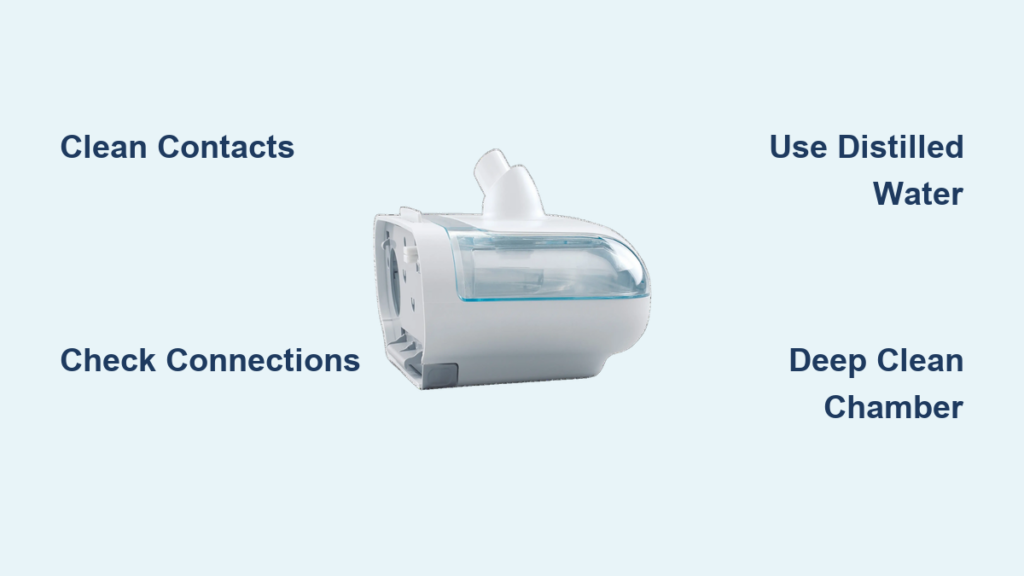
Waking up with a dry mouth and throat despite running your CPAP therapy can be incredibly frustrating. When your humidifier fails to heat properly, the moisture essential for comfortable sleep therapy disappears, leaving you searching for answers at 2 AM. This common issue affects sleep quality, therapy compliance, and overall treatment effectiveness. The good news is that most humidifier heating problems can be resolved with systematic troubleshooting and simple maintenance techniques.
If you’ve noticed your water chamber remains cold after running your CPAP machine, you’re not alone. Many users experience this disruption to their therapy, but understanding the root causes and implementing the right fixes can restore comfortable, warm moisture to your sleep routine. This guide provides practical solutions based on common humidifier heating issues across CPAP devices, helping you identify problems and implement effective fixes.
Recognizing Humidifier Heating Problems
Identifying Cold Chamber Symptoms
When your humidifier isn’t heating properly, several clear signs will alert you to the problem. The most obvious indicator is water that remains at room temperature even after 30 minutes of operation. You won’t feel any warmth when touching the chamber exterior, and there will be no visible steam or condensation inside the chamber. These symptoms often lead to increased reports of dry mouth and throat upon waking, despite the humidifier being set to “on” in your device settings.
Another telltale sign is unexpected condensation buildup in your tubing, which might seem counterintuitive. This happens when the humidifier attempts to compensate for the lack of heating by increasing moisture output, only to have that moisture cool and condense in the tubing—a phenomenon commonly known as “rainout.” If you’re experiencing these symptoms, your humidifier’s heating function has likely failed.
Power Indicator Patterns
Your CPAP machine’s indicator lights provide valuable diagnostic information when heating problems occur. A solid blue light typically means the humidifier is connected but not actively heating. A flashing amber light often indicates an error with the heating element or temperature sensor. If there’s no light at all when the humidifier should be operating, the issue likely involves the power connection between your CPAP machine and the humidifier component.
Pay close attention to these visual cues as they can significantly narrow down your troubleshooting process. Different manufacturers use varying light patterns to communicate specific issues, so checking your device manual for exact interpretations is always recommended when available.
Essential Diagnostic Steps

Visual Inspection Protocol
Begin your troubleshooting by performing a thorough visual inspection of the water chamber and heating components. Carefully remove the water chamber from its base and examine the heating plate for any visible mineral deposits, which often appear as chalky white buildup. Check the bottom of the chamber for cracks or warping that might prevent proper contact with the heating element. Also inspect the metal contact points on both the chamber and base for signs of corrosion or greenish buildup.
These visual checks can quickly identify common issues like mineral accumulation from hard water or physical damage to components. Proper contact between the chamber and heating element is critical for heat transfer, so any obstruction or damage in this area will prevent effective heating.
Connection Verification Process
Many heating issues stem from simple connection problems rather than component failure. Start by powering down your CPAP machine and unplugging it from the wall outlet for at least 30 seconds—a simple reset that often resolves communication errors. When reconnecting the humidifier component, ensure it clicks firmly into place with proper alignment.
After powering the machine back on, allow approximately 10 minutes for the heating element to activate. Most humidifiers should begin generating noticeable warmth within 5-8 minutes of operation. If you still don’t feel heat after this period, the issue likely requires more detailed troubleshooting beyond a simple connection reset.
Mineral Buildup Removal Techniques
Deep Cleaning Procedure
Mineral deposits from tap water are among the most common causes of heating failure in CPAP humidifiers. To address this, prepare a cleaning solution of one part white vinegar to three parts warm water. Remove the water chamber completely and submerge it in this solution, ensuring the heating contact areas are fully covered. Allow it to soak for 20-30 minutes to dissolve mineral buildup.
After soaking, use a soft-bristled toothbrush to gently scrub the contact points and heating plate area. Avoid using abrasive materials that could damage surfaces. Rinse the chamber thoroughly with distilled water multiple times to remove all vinegar residue, then allow it to air dry completely before reinstallation. This process often restores proper heating function by eliminating the insulating barrier created by mineral deposits.
Preventive Maintenance Schedule
Implementing a regular cleaning routine prevents future heating issues. Empty and rinse your water chamber daily with distilled water to minimize mineral accumulation. Perform a vinegar soak weekly for 20 minutes to prevent stubborn buildup. Monthly inspections of contact points will help you catch potential issues before they affect performance.
The most effective prevention strategy is using only distilled water in your humidifier chamber. Tap water contains minerals that accelerate buildup on heating elements and contact points. If distilled water isn’t readily available, consider installing an inline water filter or using demineralization cartridges designed for CPAP systems, especially if you have hard water.
Electrical Connection Solutions

Contact Point Cleaning Method
Corroded or dirty electrical contacts frequently cause heating failures. Power down and unplug your CPAP machine completely before addressing this issue. Dip a cotton swab in isopropyl alcohol and carefully clean both sets of metal contact points—the ones on the bottom of the water chamber and those on the humidifier base.
Ensure you remove any visible corrosion or residue that might be blocking the electrical connection. When reinserting the chamber, verify it slides smoothly into place and makes proper contact. A gentle wiggle test while the machine is powered can help determine if the connection is secure—if heating function fluctuates during this test, realignment is needed.
Cable and Power Verification
Inspect all cables connected to your humidifier system for damage, kinks, or loose connections. Check that the power cord is fully seated in both the CPAP machine and wall outlet. Temporary issues can sometimes be resolved by bypassing power strips or extension cords and connecting directly to a wall outlet.
If your device uses a heated tube, examine that cable specifically for damage, as issues here can sometimes interfere with humidifier function. Ensure all connections are secure and undamaged, as even minor cable problems can disrupt the electrical circuit needed for heating elements to function properly.
Component Replacement Guidelines
When to Replace Parts
Water chambers typically need replacement every six months with regular use, but certain conditions warrant earlier replacement. Visible cracks anywhere on the chamber, permanent mineral buildup that won’t clean off, or a warped bottom that prevents proper contact with the heating element all indicate it’s time for a new chamber.
If you’ve performed thorough cleaning and verified all connections but still experience heating issues, component failure is likely. Most manufacturers provide specific model numbers for replacement parts—always verify you’re purchasing the correct chamber for your specific CPAP model to ensure compatibility with the heating system.
Proper Installation Techniques
When installing a new water chamber, begin by cleaning the contact points on the humidifier base with isopropyl alcohol. Align the new chamber carefully and press down firmly until you hear or feel it click into place. For first-time use, run the humidifier empty for about 10 minutes to burn off any manufacturing residues.
Start with a partial water fill (about one-quarter chamber) for the initial use, gradually increasing to normal levels over subsequent nights. Monitor the new chamber closely for the first few days to ensure proper heating function and check for any potential leaks around the seals.
Environmental and Setting Adjustments
Optimal Room Conditions
Your sleeping environment significantly impacts humidifier performance. Maintain room temperature between 60-70°F (15-21°C) for optimal humidifier function. Extremely cold rooms can overwhelm the heating element’s capacity, while very warm rooms may cause excessive condensation.
Room humidity levels should ideally fall between 30-50%. Higher ambient humidity reduces the need for heated moisture output, while drier environments require more heating to achieve comfortable therapy. Avoid positioning your CPAP setup near direct air vents, as drafts can cool the humidified air before it reaches you.
Humidity Level Calibration
If your humidifier isn’t heating properly, temporarily lowering the humidity setting might help identify the issue. Start at a moderate level (around 3-4 on most scales) rather than maximum settings. Gradually adjust upward as needed once proper heating function is restored.
Consider seasonal adjustments to your settings—higher humidity levels may be needed in winter when indoor air is drier, while summer months often require lower settings. These adjustments prevent both dryness and excessive condensation, optimizing your therapy comfort.
When your CPAP humidifier fails to heat, the immediate impact on sleep quality can be significant, but most issues have straightforward solutions. Begin with the simplest fixes—checking connections, cleaning mineral buildup, and verifying settings—before moving to more complex troubleshooting. Remember that consistent maintenance using distilled water and regular cleaning prevents most heating problems from occurring in the first place.
If you’ve followed these steps and still experience heating issues, consult your device manufacturer’s official support resources for model-specific guidance. Many manufacturers offer detailed troubleshooting videos and direct customer support for persistent problems. Proper humidifier function is essential for comfortable, effective CPAP therapy, and restoring that warm moisture will help ensure you get the restful, uninterrupted sleep you need for better health.



