
Your Dreo humidifier was quietly keeping your home comfortable until it suddenly stopped producing mist. Whether it’s refusing to turn on, mysteriously shutting off after minutes of operation, or running without generating any visible vapor, a malfunctioning humidifier can leave your living space uncomfortably dry. This guide delivers targeted troubleshooting steps that address the most common reasons your Dreo humidifier not working properly, helping you restore proper function without unnecessary replacement.
As many Dreo owners discover, most “broken” humidifiers are actually suffering from simple, fixable issues rather than catastrophic failures. You’ll learn to diagnose problems systematically, perform safe repairs at home, and implement maintenance practices that prevent future breakdowns—saving you money and keeping your indoor air quality optimal.
Power Supply Failures
Verify Your Electrical Source Before Blaming the Humidifier
Before assuming your Dreo humidifier not working is due to internal damage, confirm your power source functions correctly. Plug another device like a phone charger or lamp into the same outlet to verify electricity flow. Test multiple outlets throughout your home, as GFCI outlets in kitchens and bathrooms often trip without obvious visual indicators. If other devices work in the same outlet but your humidifier remains unresponsive, the problem likely resides within the unit itself rather than your home’s electrical system.
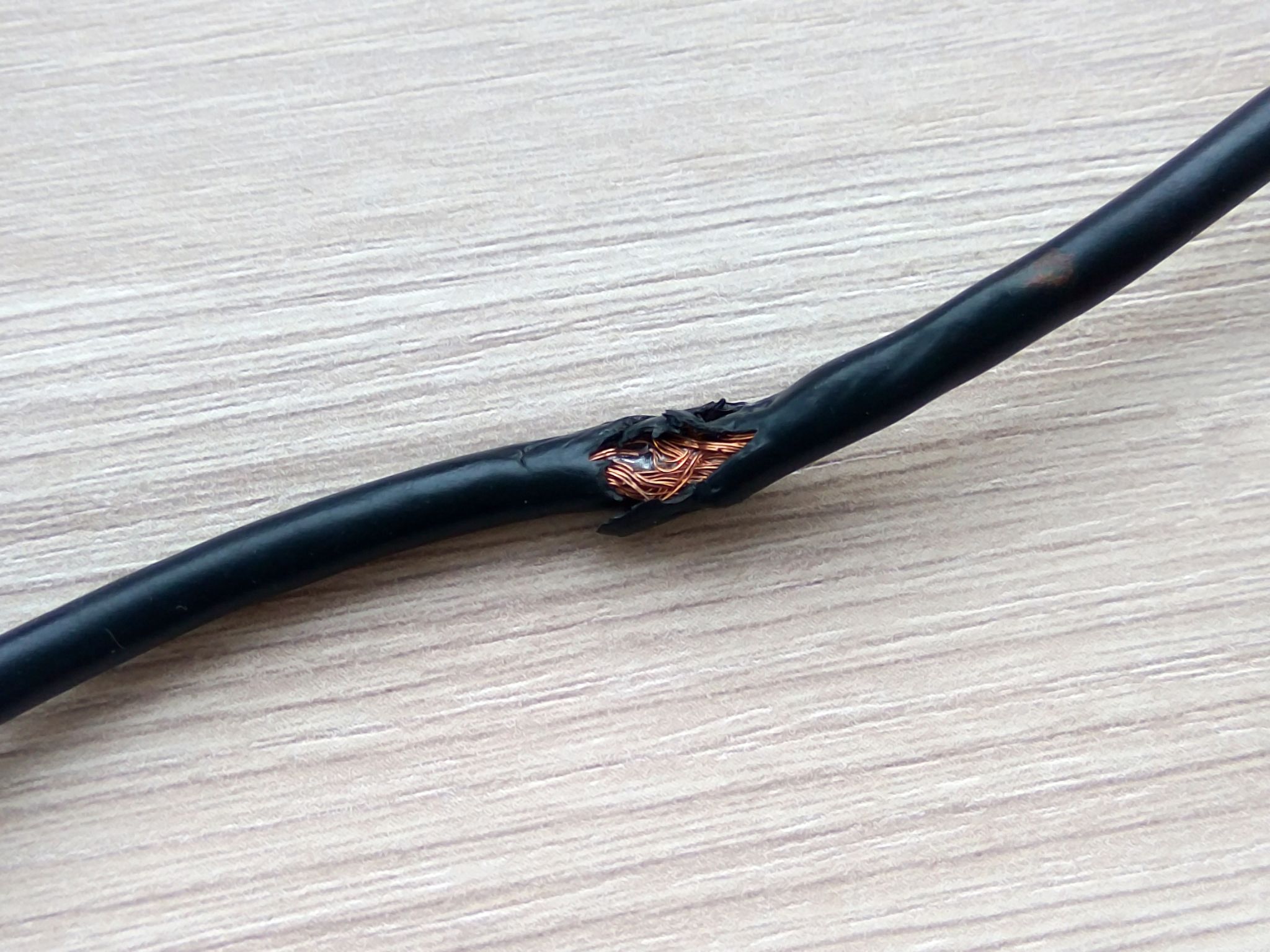
Inspect Power Cord for Hidden Damage
Examine the entire length of your humidifier’s power cord for signs of wear that could interrupt electricity flow:
– Kinks or sharp bends that break internal wires over time
– Chewed sections from pets or furniture pressure
– Loose connection points where the cord enters the humidifier base
– Burnt smell indicating electrical short circuiting
Warning: Never attempt to repair a damaged power cord yourself—this creates serious electrical hazards. Contact Dreo support for replacement options or consider replacing the unit entirely if under warranty.
Reset Built-In Safety Mechanisms
Many Dreo models incorporate thermal protection that automatically cuts power during overheating. When your Dreo humidifier not working after running briefly, unplug it for at least 30 minutes to allow internal components to cool completely. After the waiting period, plug in and restart. If the unit operates normally for a short time before shutting off again, overheating is likely the root cause requiring further investigation of ventilation and internal components.
Water Level Problems
Recognize Automatic Shut-Off Signals
Dreo humidifiers feature safety mechanisms that disable operation when water runs low. Identify these specific warning signs:
– Indicator light changes from blue to red or orange
– Unit emits three distinct beeps before powering down
– Digital display shows “E1” or similar error code
These aren’t signs of malfunction but rather proper safety functionality. Simply refill the tank to restore operation, but investigate if the unit shuts off prematurely with adequate water levels.
Free a Stuck Float Switch
The magnetic float that detects water levels can become lodged due to mineral deposits or debris. When your Dreo humidifier not working despite having water, gently shake the tank while it’s seated or tap the base firmly to dislodge the float mechanism. For recurring issues, clean the float chamber monthly with warm water and a soft brush to prevent sticking—this simple maintenance prevents many common shutdowns.
Ensure Perfect Tank Alignment
Remove and completely reseat the water tank, listening for the definitive click that confirms proper placement. Many Dreo owners mistakenly believe their humidifier is broken when the issue is simply a misaligned tank triggering false empty-tank errors. Apply firm, even pressure when inserting the tank until you feel and hear the secure engagement with internal contacts.
Filter Blockages
Identify Clogged Filter Warning Signs
When your Dreo humidifier not working produces significantly reduced mist or none at all, inspect the filter for these critical indicators:
– Grayish or brownish discoloration instead of pristine white
– Visible white mineral deposits coating the surface
– Filter material feels hard or crusty rather than soft
– Musty odor when the unit operates
These signs confirm filter replacement or cleaning is necessary before the humidifier can function properly again.
Execute Proper Filter Maintenance
For washable filters, soak in undiluted white vinegar for 30 minutes to dissolve mineral deposits, then rinse thoroughly under running water until vinegar smell disappears. Replace disposable filters every 1-3 months depending on your water hardness—those in hard water areas need replacements at the one-month mark to maintain optimal performance. Never reinstall a damp filter as this promotes mold growth inside your unit.
Conduct the Filter Bypass Test
Temporarily remove the filter completely and run your Dreo humidifier not working for no more than 5 minutes. If mist output improves dramatically, the filter was definitely the culprit. Important: Never operate your humidifier without a filter long-term, as this allows mineral deposits to accumulate directly on internal components, causing permanent damage.
Mineral Buildup Issues
Recognize Hard Water Damage Symptoms
Hard water deposits create distinctive problems that mimic more serious malfunctions:
– White film accumulating on nearby furniture and surfaces
– Gradually reduced mist output over weeks of operation
– Unusual grinding or rattling noises during operation
– Persistent error codes despite adequate water levels
These symptoms indicate mineral accumulation interfering with your humidifier’s proper function rather than component failure.
Perform Effective Descaling
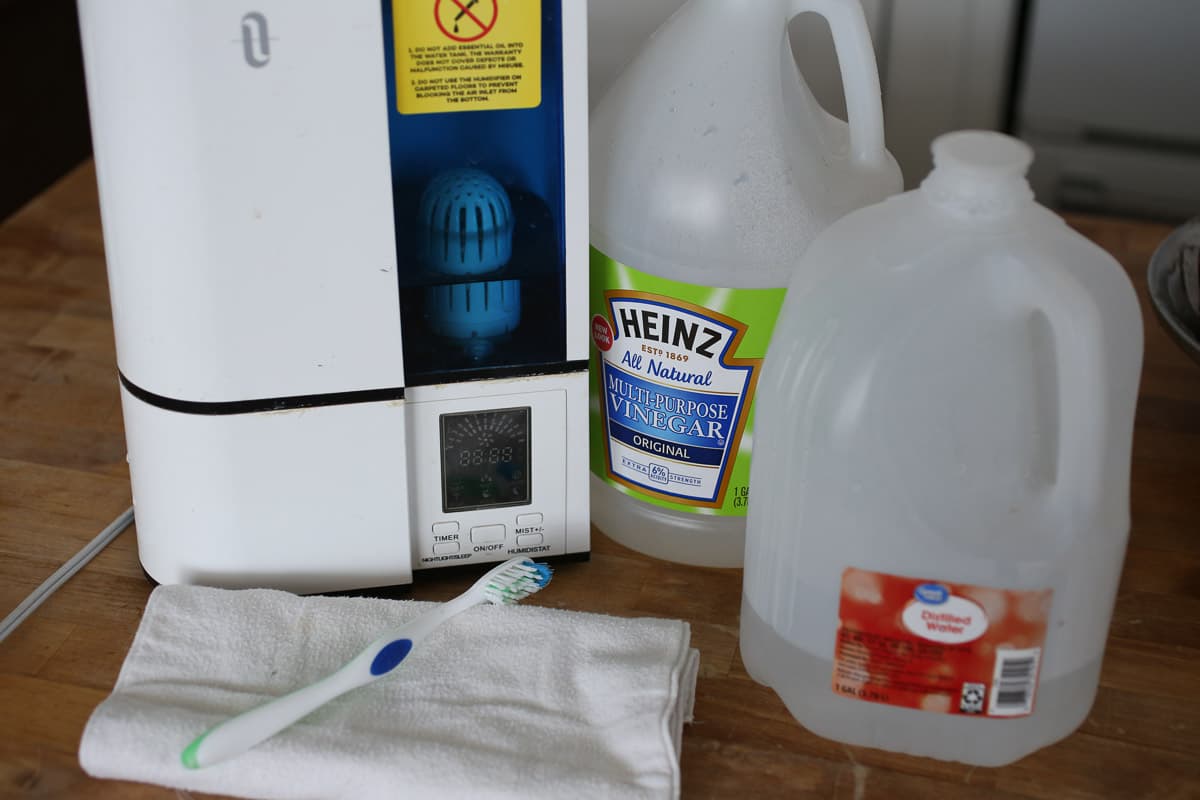
Create a solution of equal parts white vinegar and water in the tank. Run your Dreo humidifier not working on high setting for 30 minutes, then empty and rinse the tank thoroughly with clean water. Repeat this process monthly if you live in a hard water area. Critical: Never use bleach or harsh chemicals for descaling, as these damage the delicate ultrasonic components beyond repair.
Implement Long-Term Prevention Strategies
Switch to distilled or demineralized water to eliminate mineral problems immediately. If your tap water exceeds 7 grains per gallon hardness, consider installing a water softener for whole-house protection. Some Dreo models accept demineralization cartridges that provide ongoing protection against mineral buildup when used with tap water.
Fan Motor Malfunctions
Diagnose Fan Operation Issues
When your Dreo humidifier not working produces no mist despite running, determine if the fan functions properly by:
– Listening closely for motor hum without corresponding airflow
– Placing your hand near vents to feel for air movement
– Checking for visible obstructions blocking fan rotation
If the motor hums but no air moves, debris is likely jamming the fan blades rather than motor failure.
Address Dry Bearing Problems
Squealing or grinding sounds often indicate dry bearings in the fan motor. Apply exactly one drop of light machine oil to the motor shaft through accessible points, being careful not to over-lubricate, which attracts dust and creates more problems. Wipe away any excess oil before restarting the unit.
Evaluate Replacement Economics
Fan motors typically last 3-5 years with proper maintenance. If cleaning and lubrication don’t restore operation, calculate whether repair costs justify replacement. In most cases, professional fan motor replacement costs exceed 50% of a new unit’s price, making replacement the more economical choice for older models.
Ultrasonic Transducer Problems

Confirm Transducer Failure Symptoms
The ultrasonic transducer creates mist through high-frequency vibration. When your Dreo humidifier not working produces no visible mist despite normal operation sounds:
– Water level drops slowly without increasing room humidity
– Unit runs continuously without fulfilling its purpose
– Transducer surface appears darkened or damaged
These indicate transducer failure rather than simple clogs or user errors.
Clean Transducer Safely
Mineral deposits coat the transducer, preventing proper vibration. Gently scrub with a soft toothbrush dipped in vinegar solution, applying minimal pressure to avoid damaging the delicate surface. Rinse completely with distilled water before restarting—any residual vinegar can damage components during operation.
Understand Replacement Realities
Transducer replacement requires specialized tools and technical expertise. Factory replacement parts typically cost 60-75% of a new unit’s price, making professional repair economically unviable for most owners. Consider warranty service first, but be prepared to replace the unit if transducer failure occurs outside warranty periods.
Preventive Maintenance Schedule
Implement Weekly Cleaning Routine
Prevent 90% of common Dreo humidifier not working issues with this simple weekly routine:
– Empty and rinse the water tank completely after each use
– Wipe down exterior surfaces with a damp microfiber cloth
– Inspect for early signs of mineral buildup or debris
This minimal effort prevents bacterial growth and mineral accumulation that cause most operational failures.
Conduct Monthly Deep Cleaning
Once monthly, perform a thorough cleaning:
– Disassemble completely following your model’s instructions
– Soak all removable parts in vinegar solution for 30 minutes
– Replace filters according to your water quality and usage patterns
– Check error codes don’t appear during test operation
This deeper maintenance extends your humidifier’s lifespan significantly.
Store Properly During Off-Seasons
Before storing your humidifier for extended periods:
– Completely dry all components to prevent mold growth
– Store in original packaging if available to protect delicate parts
– Run briefly with fresh water before first seasonal use
Proper storage prevents the “mystery malfunction” that often occurs when retrieving stored units.
Key Takeaway: Most “broken” Dreo humidifiers aren’t actually faulty—they’re suffering from preventable issues like mineral buildup, dirty filters, or simple user errors. Start troubleshooting with the basics (power, water level, filters) before assuming catastrophic failure. Consistent maintenance prevents the vast majority of common problems, ensuring your humidifier delivers reliable performance season after season.
Next Steps: If these solutions don’t restore operation to your Dreo humidifier not working, document your troubleshooting attempts with specific details about symptoms and error codes. Contact Dreo customer support with your model number and purchase date—most issues are resolved quickly with proper guidance, but knowing when replacement makes more sense than repair saves both time and money.



