
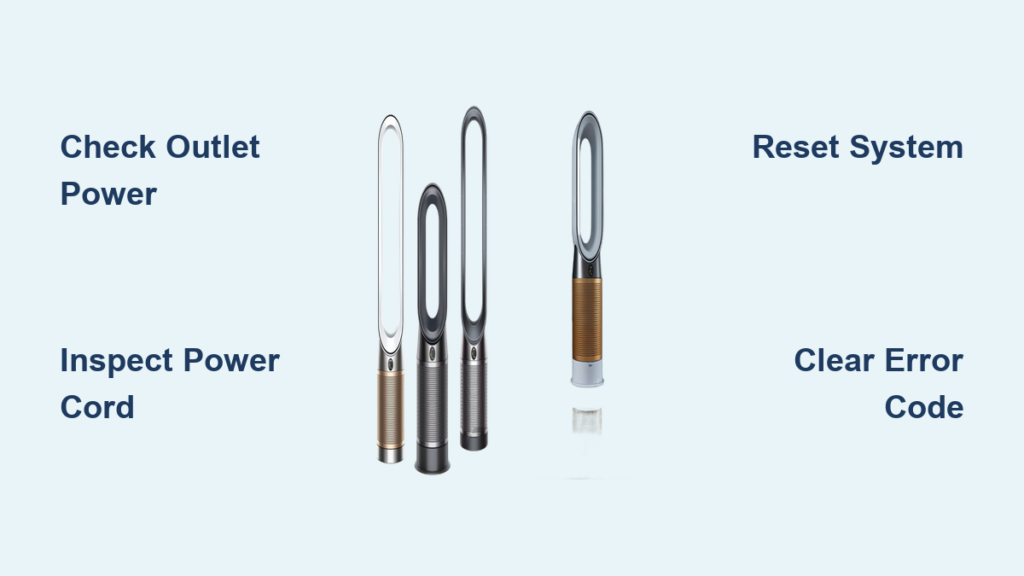
Your Dyson air purifier suddenly refusing to power on can transform your comfortable home into a frustrating environment, especially when you rely on it for clean air quality. This common issue affects thousands of Dyson owners across multiple model lines, including the Pure Cool Link, Humidify+Cool, Hot+Cool, and Purifier Cool series. The good news is that most power-on failures stem from solvable problems ranging from simple outlet issues to component malfunctions that require professional attention. This comprehensive troubleshooting guide walks you through every diagnostic step, helping you identify whether you can fix the problem yourself or need to contact Dyson’s support team.
Before you panic about expensive repairs or replacement costs, work through this systematic troubleshooting process. Many “won’t turn on” scenarios resolve in minutes with basic checks or a simple reset procedure. Even when internal component failure is responsible, understanding exactly what has failed helps you make informed decisions about repair versus replacement options. By the end of this guide, you’ll know precisely what’s causing your Dyson air purifier won’t turn on issue and the most cost-effective path forward.
Confirm Your Wall Outlet Is Delivering Power
Electrical power problems represent the single most common reason a Dyson air purifier won’t turn on, yet they’re also the easiest to diagnose and resolve. Before assuming your purifier has suffered a serious malfunction, confirm that your wall outlet actually delivers power to other devices in your home.
Start by unplugging your Dyson air purifier from its current outlet. Then plug a simple test device like a lamp, phone charger, or clock into the same outlet. If the test device doesn’t work, you’ve identified a dead outlet that requires electrical repair or use of a different outlet. Even if other outlets in your home work, test both receptacles on a dual outlet individually—one side may have failed while the other continues functioning due to internal wiring issues or a partially tripped circuit breaker.
If the outlet tests fine with your test device, try plugging your Dyson purifier into a different outlet that you know works from another appliance. This simple step eliminates the outlet as a suspect and narrows the problem to either the purifier’s power cord or the unit itself. Remember that Dyson air purifiers require consistent, uninterrupted power delivery—fluctuating outlets or overloaded circuits can sometimes cause protective shutdowns that prevent your purifier from cycling back on normally.
Examine Power Cord and Plug for Damage
A damaged or defective power cord frequently causes a Dyson air purifier won’t turn on scenario, and the damage isn’t always obvious at first glance. Power cords endure constant bending, flexing, and stress at connection points, which can cause internal wire breakage even when the external cord sheath appears perfectly intact.
Examine your power cord along its entire length, looking for visible signs of damage including fraying, cuts, exposed wires, kinks, or areas where the cord feels unusually soft or mushy. Pay particular attention to both ends of the cord—the plug prongs where connections occur and the point where the cord enters the purifier’s base. These stress points experience the most mechanical stress during regular use and cleaning. If you notice any damage whatsoever, discontinue use immediately. Damaged power cords pose serious electrical shock and fire hazards in addition to preventing your purifier from functioning.
Inspect the plug prongs carefully for signs of bending, corrosion, or debris accumulation that could interfere with electrical contact. Bent prongs may not fully insert into outlets, creating intermittent connections that prevent proper power delivery. Corroded contacts can be cleaned carefully, but significantly damaged prongs require complete cord replacement. The power switch on your Dyson unit connects directly to the internal control board, and while the switch itself rarely fails, the internal solder connections can break from vibration or age. If your switch appears to be in the correct position but the unit remains unresponsive, internal wiring faults may be responsible.
Interpret Triangle with “i” Error Code Meaning
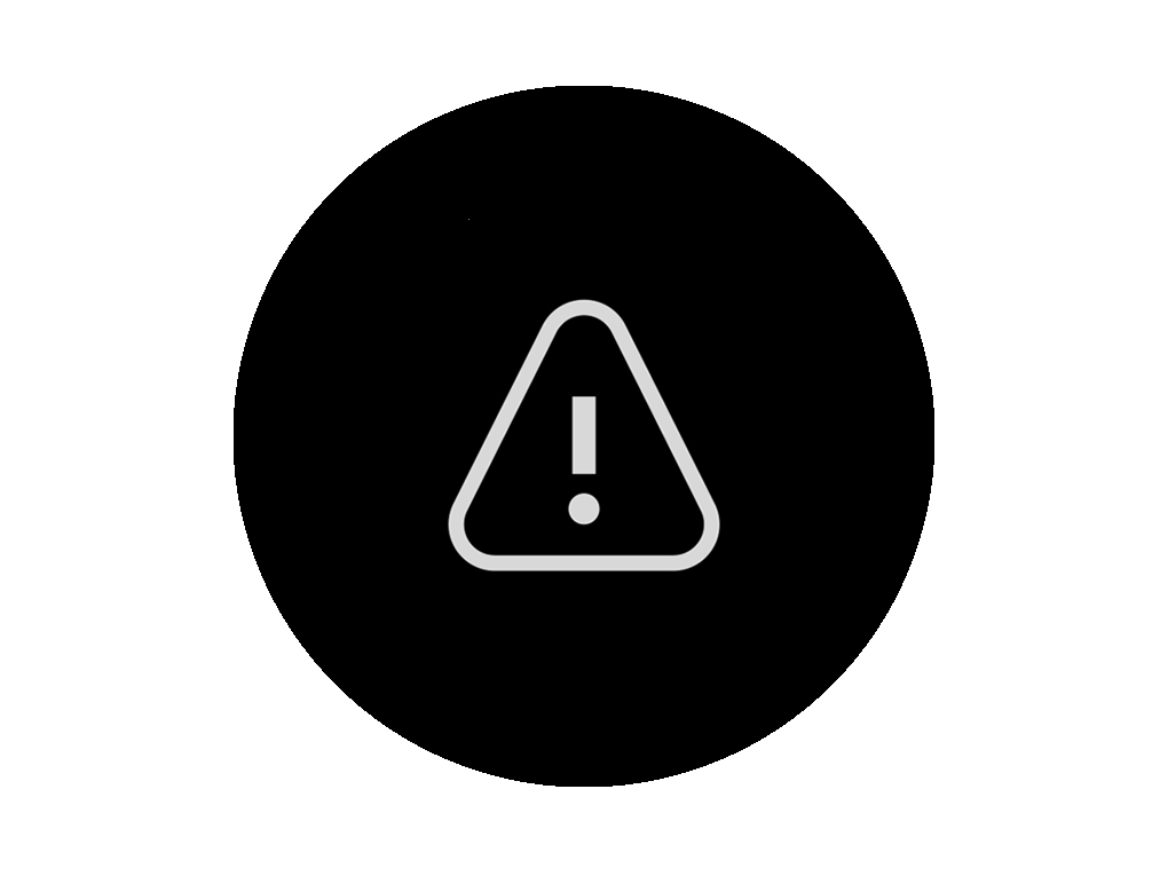
When your Dyson air purifier displays unusual symbols or refuses to respond to commands, the display provides valuable diagnostic information about what component requires attention. Learning to interpret these codes saves time and helps you communicate effectively with Dyson support if professional service becomes necessary.
The triangle with an inverted “i” symbol (ℹ) serves as Dyson’s general fault indicator, appearing when internal systems detect an error serious enough to prevent normal operation. This symbol commonly manifests when the main control board fails, when the display printed circuit board malfunctions, when internal sensors detect critical faults, or after firmware errors occur during operation. According to Dyson’s technical documentation, this warning indicates that the unit has detected an internal fault or requires a hard reset. The symbol acts as a catch-all alert, meaning diagnostic systems have identified a problem significant enough to warrant preventing startup rather than pointing to a specific component failure.
When this error appears alongside a complete failure to power on, the issue typically resides in one of three areas within Hot+Cool series units: the power board that regulates electricity distribution to components, the display PCB that handles user interface functions, or an internal sensor that has failed and is signaling a fault condition. In all these cases, the control electronics actively prevent startup to avoid potential damage or unsafe operation, which explains why the unit appears completely dead despite being connected to power.
Execute a Full System Reset Properly
Before pursuing component replacement or professional service, attempt a comprehensive reset procedure that clears temporary faults and restores internal electronics to their default state. Many “won’t turn on” issues resolve through this process alone, making it the most cost-effective first step in your troubleshooting journey.
Unplug your Dyson air purifier from the wall outlet and allow it to remain disconnected for at least 60 seconds. This duration ensures internal capacitors fully discharge and the processor resets completely. Some technical sources recommend extending this waiting period to 10 minutes for stubborn firmware-related issues, as this allows all volatile memory to clear thoroughly. The extended wait proves particularly valuable when your Dyson air purifier won’t turn on after a power outage or surge event.
After the waiting period, plug the unit back in while simultaneously pressing and holding the power button on the unit itself—not the remote control—for 10 to 15 seconds. This forced reset procedure works even when remote control functions normally, as it bypasses the remote receiver entirely and directly signals the main processor. During this process, watch the display for any flashing lights or reset patterns, which indicate the procedure is working correctly. Once completed, release the button and attempt to turn the unit on normally. If the triangle error clears and the unit powers on, monitor it closely for recurring issues that might indicate an underlying component beginning to fail.
Clean Air Quality Sensors and Verify Filter Installation

While less common than pure power problems, filter and sensor issues can trigger protective shutdowns that prevent your Dyson air purifier from turning on. Regular maintenance prevents these scenarios and extends your unit’s operational lifespan significantly.
Dyson recommends replacing filters every 12 months under normal use conditions, though environments with high pollution levels or heavy dust accumulation may require more frequent replacement. When installing a new filter, ensure it seats correctly in its casing with all locking mechanisms fully engaged. A filter that doesn’t fit properly can leave gaps in the air pathway or trigger sensor warnings that disable the unit as a protective measure.
The air quality sensor measures temperature, humidity levels, and volatile organic compounds to determine pollutant types and adjust purification settings accordingly. When sensors become clogged with dust, they can malfunction and trigger false fault conditions. Locate the sensor on most Dyson units to the left of the LCD display—it’s identifiable by two tiny sensor holes. To clean it properly, turn off the unit, dust the sensor holes using a dry dusting brush, vacuum debris from the holes using a HEPA vacuum attachment for complete particle capture, or use a blow dryer on a cool setting to dislodge stubborn debris. After cleaning, switch the purifier back on and allow it to recalibrate. A blocked or malfunctioning sensor can prevent the unit from starting if it reports impossible environmental conditions to the control board.
Test Remote Control and Direct Power Button Function
Before concluding that your Dyson air purifier won’t turn on due to internal failures, verify that the remote control functions properly and that no connectivity issues exist between the remote and the unit. Remote-related problems sometimes masquerade as unit failures when they’re actually communication issues.
The remote control requires fresh, correctly installed batteries to transmit signals effectively. Remove the battery cover and inspect the batteries for corrosion, leakage, or depletion. Even batteries that appear functional may have insufficient charge for reliable signal transmission—replace them with fresh batteries as a first troubleshooting step. Ensure the batteries install with correct polarity matching the positive and negative markings inside the compartment. After battery replacement, aim the remote directly at the purifier’s receiver, typically located near the display, and press buttons firmly while watching for any display response indicating the signal is being received.
Physical obstructions between the remote and the purifier can block infrared signals, so ensure nothing blocks the line of sight between the remote’s transmitter and the purifier’s receiver. Other electronic devices emitting infrared signals nearby can sometimes interfere with remote operation, though this rarely completely prevents power-on functionality. If the remote consistently fails to communicate with the unit, operate the purifier using the manual power button directly on the unit itself. This test determines whether the issue lies with the remote’s transmission or the purifier’s receiving systems.
Recognize When Internal Component Replacement Is Needed
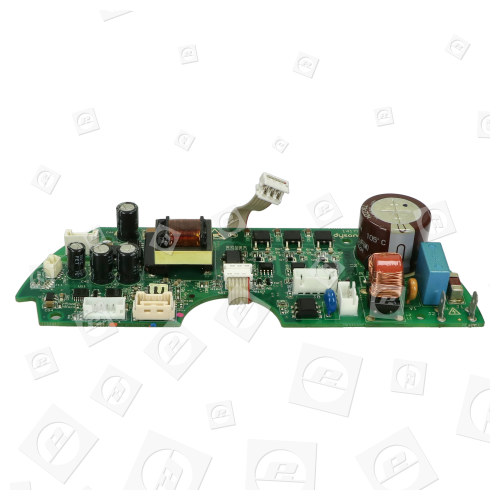
When external troubleshooting proves unsuccessful, internal component failures typically cause the Dyson air purifier won’t turn on condition. These failures require either professional repair or component replacement, and understanding what has failed helps you make informed decisions about repair versus replacement options.
The power board, also called the main PCB assembly, regulates and distributes electricity to all internal components including the motor, heating elements, display, and sensors. When this board fails, the unit may show no signs of life whatsoever—no display, no lights, no fan movement. Power board failures in Dyson Hot+Cool units typically result from component degradation over time, power surges through the outlet, or manufacturing defects. The power board isn’t available for public purchase through retail channels—Dyson requires replacement through their authorized service network or service exchange program. This program allows customers to send their defective unit to Dyson and receive a refurbished replacement, often at a significant discount compared to out-of-warranty repair costs.
The display printed circuit board handles user interface functions and communicates with the main control board. When this component fails, the display may show error codes including the triangle with inverted “i” while actual purification functions remain operational but are prevented from running due to the communication error. Display PCB failures often manifest as partial display segments, flickering, or complete display darkness while the unit may still attempt to run, producing fan noise without proper control. Like the power board, the display PCB requires authorized service replacement.
Contact Dyson Support With Critical Information Ready
When DIY troubleshooting fails to restore operation, Dyson offers several support pathways to resolve your air purifier won’t turn on issue efficiently. Having the right information ready expedites the service process significantly.
Dyson customer support can be reached by telephone at 844-705-4777, with phone lines open 8:00 AM to 8:00 PM CST Monday through Friday and 9:00 AM to 6:00 PM CST Saturday. Alternatively, use the live chat function on Dyson’s website—the chat button appears on the bottom right corner when a Dyson Expert becomes available. The live chat provides immediate troubleshooting guidance and can connect you with technical specialists who can assess whether your unit requires service.
For units out of warranty or where warranty doesn’t cover the specific failure, Dyson offers a service exchange program. This program allows customers to send their defective unit to Dyson and receive a refurbished replacement at a reduced cost compared to purchasing a new unit. Before contacting support, gather your exact model number (located on the base or underside label), the serial number if visible, a description of exactly what happens when you attempt to turn on the unit including any sounds or display symbols, the troubleshooting steps you’ve already attempted, and whether the unit was recently moved, cleaned, or experienced any power events like outages or surges.
Prevent Future Power-On Failures With Regular Maintenance
Regular maintenance extends your Dyson air purifier’s lifespan and reduces the likelihood of startup failures caused by preventable issues. Implementing a consistent maintenance routine protects your investment and ensures reliable operation for years to come.
Perform monthly visual inspections of the power cord for damage, quarterly cleaning of the air quality sensor using the dry brush or vacuum method, and filter replacement according to the 12-month guideline or sooner if the display indicates reduced filtration performance. Keep exterior surfaces clean using a damp microfiber cloth, avoiding the sensor ports during cleaning. Ensure adequate airflow around the unit by maintaining clearance from walls and furniture—the air quality sensor needs unrestricted access to room air to function properly, and restricted airflow can cause sensor errors that trigger protective shutdowns.
Operate your Dyson air purifier within the recommended room size for your model to ensure proper performance and avoid overworking the motor and electronics. The Pure Cool Link TP02 and Hot+Cool HP04 are rated for rooms up to 400 square feet, while all other models are optimized for rooms up to 290 square feet. Operating in spaces larger than the rated capacity forces the unit to run at maximum output continuously, accelerating wear on internal components. Avoid placing the unit in areas with excessive moisture, direct sunlight, or temperature extremes, as these conditions can degrade electronic components over time.
Final Diagnosis and Resolution Path
A Dyson air purifier won’t turn on issue most commonly stems from power supply problems, error code conditions, or internal component failures that require systematic troubleshooting to diagnose accurately. The triangle with inverted “i” error specifically indicates a detected internal fault requiring reset or professional service. Begin troubleshooting with basic power verification before proceeding to the hard reset procedure. If reset attempts fail and power supply components are confirmed functional, internal electronics including the power board, display PCB, or sensors likely require professional service through Dyson’s authorized network.
The Dyson service exchange program offers a cost-effective alternative to complete unit replacement for out-of-warranty repairs, often providing substantial savings compared to purchasing new. Regular maintenance including sensor cleaning and timely filter replacement prevents many startup issues and extends overall unit lifespan significantly. By following this troubleshooting sequence systematically, you can either resolve your Dyson air purifier won’t turn on problem yourself or gather the diagnostic information needed to obtain efficient, effective support from Dyson’s technical team.



