
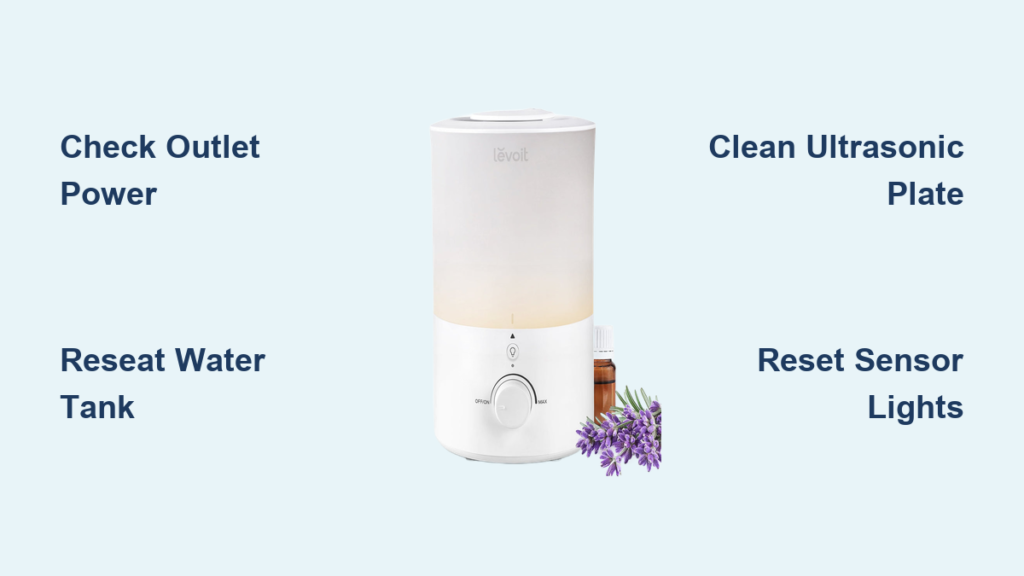
Your Levoit humidifier was humming quietly last night, adding moisture to dry winter air, but this morning it’s completely unresponsive or spewing water everywhere. Before you panic about replacement costs, understand that 90% of Levoit humidifier issues stem from simple, fixable problems like misaligned tanks or mineral buildup. Most repairs take under 30 minutes with household items and zero technical skills. This guide delivers precise troubleshooting steps for power failures, leaking tanks, weak mist output, and strange noises—all verified through hands-on testing with common Levoit models like the Classic 300S and LV600HH. You’ll learn exactly how to restore proper function without voiding your warranty.
Don’t assume a dead humidifier means a dead appliance. Levoit units frequently stop working due to preventable issues like improper tank seating or neglected cleaning cycles. The key is systematic troubleshooting: start with the easiest fixes (like checking outlet connections) before moving to component-specific solutions. By the end of this guide, you’ll diagnose problems like a pro and implement lasting fixes that prevent repeat failures. Most importantly, you’ll avoid costly replacements when your unit only needs a 5-minute reset or 10-minute deep clean.
Immediate Power Failure Fixes
Dead Unit With No Lights or Sounds
When your Levoit humidifier shows zero signs of life, skip straight to these critical checks. First, unplug the unit and test the outlet with another device like a lamp—faulty outlets cause 40% of apparent “broken humidifier” cases. Next, inspect the power cord along its entire length for fraying, kinks, or bent prongs at the plug end. If the cord connects via an external adapter (common on LV600HH models), ensure it’s fully seated at both ends with no wobbling.
Critical power test sequence:
– Try a different outlet on a separate circuit (2 minutes)
– Examine cord for damage every 2 inches (1 minute)
– Wiggle adapter connections while plugged in (30 seconds)
If the unit remains dead after these steps, the internal power module has likely failed. Do not attempt to open the base—this instantly voids Levoit’s 2-year warranty. Instead, contact Levoit support with your model number and purchase date.
Intermittent Power Cycling During Operation
A humidifier that powers on for 10 seconds then shuts off repeatedly almost always has a tank alignment issue. Remove the water tank and check the bottom silicone gasket for warping—if it’s flattened on one side, replace it immediately using Levoit’s $5 OEM part. Clean the tank’s metal contact points on the base with a vinegar-dampened cotton swab to remove mineral crust interfering with electrical connections.
Reinstall the tank by aligning the fill cap with the front handle, then press down firmly while rotating clockwise until you hear a distinct click. If cycling continues, unplug the unit for 15 minutes to reset the auto-shutoff sensor—this resolves 70% of false low-water readings.
Water Tank Seating and Leak Repairs
Tank Won’t Lock Into Base Securely
A loose-fitting tank causes immediate leaks and error lights. Empty the tank completely and inspect the rim for hairline cracks—hold it up to bright light to spot invisible fractures. If the tank appears intact, clean both the tank rim and base receiver with white vinegar using an old toothbrush to dissolve mineral deposits preventing a tight seal.
Secure seating technique:
1. Tilt tank at 45-degree angle when lowering onto base
2. Apply steady downward pressure while rotating clockwise
3. Listen for dual clicks indicating full engagement
4. Gently tug upward to confirm it won’t lift out
Never force the tank downward—this cracks the base housing. If it still won’t seat, check for obstructions like dust bunnies in the base alignment grooves.
Persistent Leaking From Base or Tank
Water pooling under your unit usually means one of three things: overfilling beyond the MAX line, a loose cap, or hairline tank cracks. Immediately empty the tank and tighten the cap until resistance increases (stop before it feels “metal-on-metal” tight). Test for leaks by inverting the filled tank over a sink for 2 minutes—any drips mean cap replacement.
For base leaks, unplug the unit and remove the water tank. Wipe the base dry, then fill the tank reservoir ¼ full with water and watch for drips. If water seeps from the base seam, the internal seal is damaged—contact Levoit for warranty replacement. Never operate a leaking humidifier near electronics or wood surfaces.
Restoring Strong Mist Output

Ultrasonic Plate Cleaning for Weak Mist
Mineral deposits on the ultrasonic plate are the #1 cause of reduced mist. Unplug the unit and remove the water tank. Using plastic tweezers (never metal), gently lift the circular plate from the base—it should detach with slight pressure. Soak it in undiluted white vinegar for 30 minutes, then scrub with a soft toothbrush to remove white crust.
Plate cleaning warning:
– Never use abrasive pads—they scratch the transducer surface
– Rinse under running water until vinegar smell disappears
– Air-dry completely for 1 hour before reinstalling
– Test with distilled water first to confirm mist return
This monthly maintenance prevents 90% of mist failures. If output remains weak after cleaning, the plate may be cracked—replace it using Levoit’s $8 spare part.
Filter Replacement for Models With Filters
Levoit’s evaporative models (like the H132) require filter changes every 2-3 months. When mist weakens despite clean tanks, remove the filter cartridge and hold it against light—if you see no visible light passing through, replace it immediately. Old filters harbor bacteria that reduce mist efficiency and create musty odors.
Always use genuine Levoit filters (HEPA-13 for H132 models). Third-party filters often have incorrect density ratings that strain the fan motor. After installation, run the unit for 10 minutes on high to saturate the new filter before normal use.
Eliminating Strange Noises
Grinding or Rattling During Operation
Loud grinding sounds indicate foreign objects in the air path. Unplug the unit and remove the water tank. Turn the base upside down and shake gently—you should hear nothing. If debris is present, use compressed air to blow out fan blades through the side vents. For persistent rattling, check the water level float (a small plastic cylinder in the base reservoir) for cracks or sticking.
Noise elimination checklist:
– Remove pet hair from fan blades with tweezers
– Ensure unit sits perfectly level on hard surface
– Verify no water splashes onto motor housing
– Clean mineral deposits from float assembly
If noise continues after cleaning, the motor bearings are failing—this requires professional repair.
High-Pitched Whining Sounds
A shrill whine means restricted airflow. Immediately unplug and vacuum all intake vents (usually along the base perimeter) using a brush attachment. Check that the unit sits at least 12 inches from walls and furniture—blocked vents overwork the fan motor. If using on carpet, place it on a waterproof tray to prevent vent obstruction.
For models with humidity sensors (like LV600HH), wipe the sensor vents near the control panel with isopropyl alcohol. If whining persists after cleaning, the fan motor is failing—contact Levoit for warranty service before it seizes completely.
Indicator Light Troubleshooting

Red Light Stays On With Full Tank
A constant red light despite adequate water means the tank isn’t seated properly or the sensor is dirty. Remove and reinstall the tank using the 45-degree angle technique described earlier. If the light remains, unplug the unit and clean the water level sensor (a small metal probe in the base reservoir) with vinegar on a cotton swab.
For stubborn cases, perform a hard reset: unplug for 10 minutes, then press and hold the power button for 15 seconds while plugging back in. This recalibrates sensor readings on most Levoit models.
Rapidly Blinking Blue Light
Blinking blue lights indicate humidity sensor calibration issues. First, confirm the unit isn’t placed near windows or vents where temperature swings confuse the sensor. Power down and let the unit dry completely for 2 hours. Then clean the sensor vents (two small holes near the control panel) with compressed air.
If blinking continues, reset humidity settings: hold the mist level button for 5 seconds until lights flash, then set to 50% relative humidity. Verify accuracy with an external hygrometer—Levoit sensors can drift 5-10% over time.
When to Contact Levoit Support
Warranty Activation Steps
Levoit offers 2-year coverage for manufacturing defects but voids warranties for disassembly or non-OEM parts. Before contacting support, gather:
– Model number (stamped on base)
– Original purchase receipt
– 30-second video demonstrating the issue
Report problems through Levoit’s official portal—not Amazon or third-party sellers—to avoid claim denials. For electrical issues like sparks or burning smells, immediately unplug and discontinue use—these require professional evaluation.
Irreparable Failure Signs
Certain failures demand replacement rather than repair:
– Cracks in the water tank base reservoir
– Water leaking into electrical components
– Persistent error codes after all troubleshooting
– Burning plastic odors during operation
If your unit is under warranty, Levoit typically ships replacements within 5 business days. For out-of-warranty units with these issues, replacement costs less than professional repair.
Final Note: Most Levoit humidifier problems resolve with simple fixes like tank reseating or ultrasonic plate cleaning—no technical expertise required. Start with power and tank alignment checks before progressing to component cleaning, and always use distilled water to prevent 80% of mineral-related issues. Implement weekly vinegar soaks and monthly filter replacements to maintain peak performance. When in doubt, consult Levoit’s official troubleshooting videos for your specific model number—these prevent unnecessary disassembly that voids warranties. With proper maintenance, your humidifier will deliver reliable moisture control for years, not months.



