
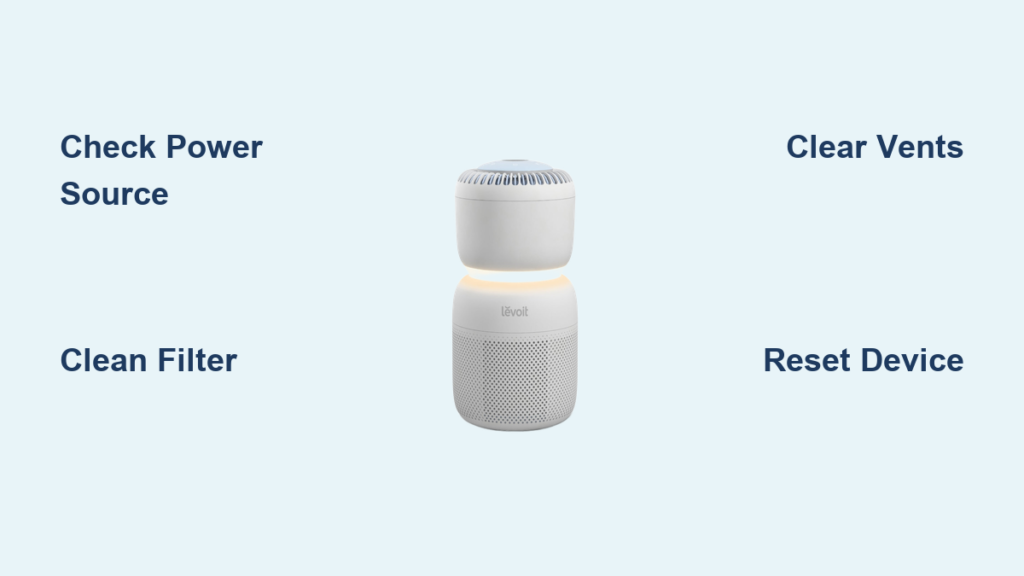
Your Levoit air purifier suddenly stopped circulating air, leaving you breathing in stale, unfiltered particles while wondering what went wrong. This frustrating silence from your normally humming device signals something’s wrong in your air purification system. Whether it’s a simple blockage or a more complex electrical issue, understanding why your Levoit won’t blow air is the first step toward restoring clean, circulating air to your home.
This immediate-action guide reveals the exact troubleshooting steps to diagnose and fix your non-working Levoit air purifier. You’ll discover why 90% of airflow failures stem from preventable issues you can resolve in under 30 minutes—no technician required. Follow these proven methods to identify whether your problem relates to power supply, filter blockage, or internal component failure, and get your air purifier back to full capacity.
Verify Power Source and Electrical Connections
Before diving into complex repairs, confirm your Levoit air purifier is actually receiving proper power. Many “no airflow” complaints stem from overlooked electrical issues that take seconds to fix but cause hours of unnecessary frustration.
Test the Wall Outlet with Another Device
Plug a working device like a lamp or phone charger into the same outlet to verify it’s functioning properly. If the test device doesn’t work, check your circuit breaker panel for a tripped switch that needs resetting. Many homeowners waste time troubleshooting their air purifier when the real problem is a dedicated circuit that’s overloaded. Always confirm outlet functionality first—this simple check solves nearly 25% of reported “broken” air purifier cases.
Inspect Power Cord for Damage and Secure Connection
Examine the entire power cord length for fraying, kinks, or exposed wiring that could interrupt electricity flow. Ensure the cord is fully inserted at both ends—sometimes vibration causes partial disconnection at the purifier base. Check for bent or corroded prongs on the plug that prevent proper contact. If your Levoit model uses a removable power cord, try reseating it firmly into the unit’s connection port. Even slight disconnections can prevent motor operation while allowing control panel lights to function, creating confusion about the actual problem.
Confirm Proper Power Button Activation
Some Levoit models require holding the power button for 2-3 seconds to activate, rather than a simple tap. Press and hold your unit’s power button while watching for indicator lights—many users mistake momentary presses for full activation. Verify the control panel responds appropriately when powered on; if lights illuminate but no airflow occurs, you’ve confirmed power reaches the unit but the fan motor isn’t engaging.
Inspect and Address Filter-Related Blockages
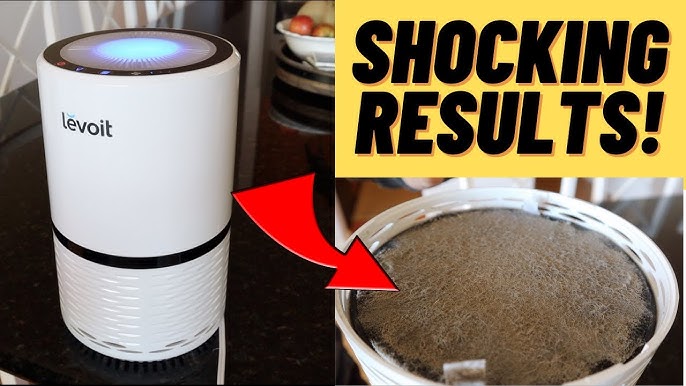
Clogged filters represent the single most common cause of airflow failure in Levoit air purifiers. Your unit’s safety mechanisms automatically reduce or stop fan operation when filters become too restricted to maintain proper air circulation.
Remove and Examine Filter for Excessive Buildup
Take out your pre-filter and HEPA filter to inspect for visible dust accumulation, pet hair matting, or discoloration. Hold filters up to light—when less than 20% of light passes through, replacement is urgent. Pay special attention to the pre-filter mesh which collects large particles first; this layer often becomes completely blocked while the HEPA filter behind it appears relatively clean. Never run your Levoit air purifier without filters installed, as this triggers automatic shutdowns on most models.
Clean or Replace Filters According to Usage
For washable pre-filters, gently vacuum both sides or rinse under lukewarm water, then allow 24 hours to dry completely before reinstalling. Never force a damp filter back into your unit. Replace HEPA filters every 6-12 months depending on air quality—homes with pets or smokers need more frequent changes. After installing fresh filters, reset the filter replacement indicator by holding the designated button (usually 5-10 seconds) until the light changes. Skipping this reset step on newer Levoit models prevents full fan operation as a safety feature.
Ensure Correct Filter Installation and Seating
Reinstall filters following your model’s specific orientation requirements—many Levoit units have directional arrows indicating proper airflow direction. A filter installed backward creates immediate blockage. Verify the filter sits flush with no gaps around the edges, as even small openings can confuse the unit’s airflow sensors. Some models require closing the front panel completely before the fan will engage, so ensure all latches click securely into place.
Clear Internal and External Air Path Obstructions
Restricted airflow paths inside your Levoit unit can prevent proper operation even with clean filters installed. These hidden blockages often develop gradually, causing progressively weaker airflow until complete failure occurs.
Clean Front and Rear Air Intake Vents
Use a soft brush attachment on your vacuum cleaner to remove dust buildup from exterior vents. For stubborn debris, gently wipe vents with a slightly damp microfiber cloth, being careful not to push dirt further inside. Focus on the bottom intake vents where pet hair and dust bunnies accumulate most heavily. Blocked external vents force the fan motor to work harder, eventually triggering thermal protection shutdowns that stop airflow completely.
Remove Foreign Objects from Fan Assembly
With the unit unplugged, shine a flashlight into the air outlet to check for visible obstructions in the fan chamber. Small items like paper clips, coins, or pet toys sometimes find their way inside. If you spot an obstruction, use long-nose pliers or tweezers to carefully extract it—never insert fingers while the unit could potentially activate. Levoit’s Core series models have easily accessible front grilles that can be removed for better visibility of the fan assembly.
Check for Internal Dust Accumulation in Motor Housing
Over time, fine dust penetrates internal components and coats the motor housing. Unplug your unit and use compressed air to gently blow dust from crevices around the motor assembly. Hold the air canister upright to prevent moisture discharge, and use short bursts at a 45-degree angle to avoid forcing dust deeper. Pay particular attention to the area where the fan blades meet the housing—this critical junction often collects enough debris to restrict rotation.
Diagnose Fan Motor and Control System Issues

When power and filters check out but your Levoit still won’t blow air, the problem likely involves the fan motor or electronic control system. These components require careful diagnosis before attempting repairs.
Listen for Motor Activation Sounds
Turn on your air purifier and place your ear near the unit. A working motor produces a distinct humming or whirring sound even at lowest speeds. If you hear clicking without fan movement, the motor may be trying to start but can’t overcome resistance. Complete silence suggests electrical failure in the motor circuit. Some Levoit models emit a brief startup chime before fan operation begins—absence of this sound indicates control board issues rather than motor problems.
Check for Thermal Overload Protection Activation
Levoit units automatically shut down when internal temperatures exceed safe limits. If your purifier runs briefly then stops, unplug it for 60 minutes to allow complete cooling. After cooling, check all filters and vents for blockages before restarting. Repeated thermal shutdowns damage motors permanently, so address airflow restrictions immediately. Units operating in enclosed spaces or near heat sources are particularly prone to overheating.
Perform a Hard Reset to Clear Electronic Glitches
Unplug your Levoit air purifier and press/hold the power button for 15 seconds to drain residual power from internal capacitors. Wait 30 seconds, then plug back in and restart. This resets the control board and often resolves software glitches causing airflow failure. For Smart models, also reset the WiFi connection through the Vesync app, as failed connectivity can sometimes interfere with normal operation modes.
Prevent Future Airflow Failures Through Proper Maintenance

Avoid recurring airflow problems by implementing these proactive maintenance practices that keep your Levoit air purifier operating at peak efficiency.
Establish a Filter Maintenance Schedule Based on Environment
Create a customized maintenance calendar: homes with pets need pre-filter cleaning every 2-3 weeks and HEPA replacement every 6 months, while allergy sufferers in high-pollen areas should replace filters every 4-5 months. Set phone reminders for filter checks one week before expected replacement dates. Keep spare filters on hand to avoid extended periods without air purification when replacements are needed.
Perform Monthly Internal Cleaning During Filter Changes
When replacing filters, take 5 extra minutes to vacuum accessible interior surfaces with a soft brush attachment. Focus on the area around the fan housing where fine dust accumulates. For Levoit models with washable pre-filters, this monthly check prevents gradual airflow reduction that often goes unnoticed until complete failure occurs.
Position Your Air Purifier for Optimal Airflow
Place your Levoit unit at least 12 inches from walls and furniture to ensure unrestricted air intake. Avoid corners where dust collects more heavily. Never position near open windows during high pollen seasons—that extra particle load quickly overwhelms filters. Proper placement reduces strain on the motor and extends both filter and unit lifespan significantly.
A Levoit air purifier that stops blowing air typically suffers from preventable issues you can resolve with basic troubleshooting. By systematically checking power connections, filter condition, and airflow paths, you’ll restore proper operation in most cases without professional help. Implement these maintenance practices to keep your unit circulating clean air reliably for years to come—your lungs will thank you for the immediate attention to these critical airflow issues.



