
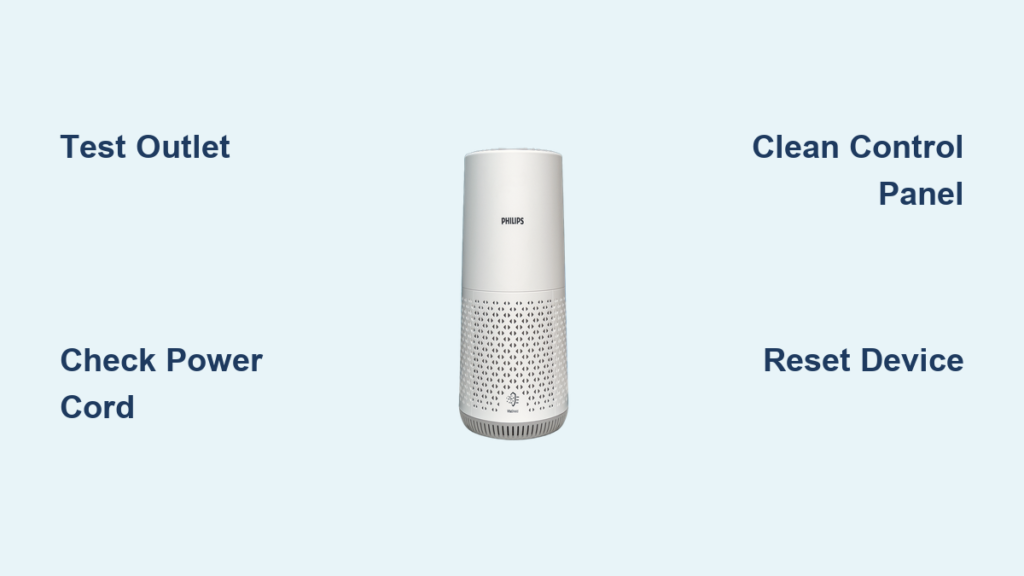
Your Philips air purifier suddenly won’t power up, leaving you without clean air when you need it most. Whether you’re managing allergies, asthma, or simply want to maintain healthy indoor air quality, a non-functional purifier creates immediate concern. This guide delivers actionable steps to diagnose and fix your Philips air purifier not turning on issue—most solutions require no special tools and can be completed in under 30 minutes. By following this systematic troubleshooting approach, you’ll identify whether the problem stems from simple power issues, control malfunctions, or internal component failures.
Confirm Power Delivery from the Outlet
Before assuming your Philips air purifier has failed internally, verify that electricity is actually reaching your device. Many “broken” appliances are simply victims of overlooked power source problems that take minutes to resolve.
Test the Electrical Outlet with Another Device
Plug a different appliance like a lamp, phone charger, or hairdryer into the same outlet to confirm it’s functional. If the test device doesn’t operate, check your circuit breaker panel for tripped switches—look for any levers positioned between “ON” and “OFF” rather than fully in either position. Reset tripped breakers by switching them completely to “OFF” before firmly moving them back to “ON.” Many homeowners unknowingly fail to fully reset breakers, leaving them in a partially tripped state that still prevents proper power delivery.
For outlets that appear functional but might deliver inconsistent power, use a voltage tester to verify proper electrical output. Fluctuating voltage can prevent sensitive electronics like air purifiers from powering up while still allowing simpler devices like lamps to operate. Try relocating your purifier to a different room with a known working outlet before proceeding to more complex diagnostics.
Examine the Power Cord for Damage
Carefully inspect the entire length of your Philips air purifier’s power cord, paying special attention to the connection points where the cord meets the device and the wall plug. Look for frayed wires, cuts, kinks, or crushed sections that might interrupt electrical flow. Power cords often fail at these stress points due to being pinched behind furniture or subjected to repeated bending.
If you discover any damage, stop using the unit immediately—continuing to operate with a compromised cord creates fire and electrocution hazards. Most Philips models use standard power cords that can be replaced with manufacturer-approved replacements. Never attempt to repair damaged cords with electrical tape or splice connections, as these makeshift fixes rarely provide proper insulation and can worsen the problem.
Ensure Secure Connection Points
Some Philips air purifier models feature detachable power cords that connect to the unit via a secondary port. Disconnect and firmly reconnect both ends of the cord to eliminate poor contact issues. Gently wiggle the cord at each connection while attempting to power on the device—intermittent operation during movement indicates a loose connection requiring attention.
Firmly seat the plug in the wall outlet, ensuring it’s fully inserted. Wall outlets can become worn over time, creating poor contact with plug prongs. If the plug feels loose or falls out easily, replace the outlet or try a different one. For models with a power switch on the cord itself, verify this switch is in the “ON” position before assuming the unit has failed.
Diagnose Control Panel and Button Issues
When power reaches your Philips air purifier but it still won’t activate, the problem likely involves the control system rather than electrical supply. These issues range from simple cleaning needs to electronic component failures.
Clean the Control Interface Thoroughly
Accumulated dust, oils from fingerprints, and household cleaning residues can interfere with touch-sensitive controls on modern Philips air purifiers. Dampen a soft microfiber cloth with distilled water or isopropyl alcohol solution (70% concentration), then gently wipe the control panel. Avoid excessive moisture that could seep into button mechanisms.
Pay special attention to the power button area, using a cotton swab to clean around its edges. Allow the panel to dry completely for at least 10 minutes before attempting to operate the unit. When testing, press and hold the power button for 3-5 seconds—some models require sustained pressure rather than a quick tap to register commands.
Execute a Full System Reset
Electronic glitches sometimes prevent normal startup sequences. Perform a hard reset by unplugging your Philips air purifier, pressing and holding the power button for 45 seconds to discharge residual electricity, then plugging it back in. This process clears temporary memory errors that might block normal operation.
For models with digital displays, some require specific button combinations for resetting—typically involving holding both the power and child lock buttons simultaneously. Consult your user manual for model-specific reset procedures, as incorrect sequences won’t resolve the issue and may trigger additional error states.
Interpret Indicator Light Behavior
When pressing the power button, carefully observe any indicator lights. A brief flash followed by darkness suggests power reaches the unit but initialization fails. Some models display specific error codes through light patterns—three quick flashes might indicate a filter issue while steady illumination could signal a sensor malfunction.
Note whether any display segments illuminate even partially. Missing sections on digital displays often point to connection problems with the display ribbon cable rather than complete system failure. Document these observations as they provide crucial diagnostic clues for determining whether the issue requires professional repair.
Investigate Internal Safety Mechanisms
Philips air purifiers incorporate multiple safety features that can prevent operation under certain conditions. These protective systems often cause what appears to be a power failure but actually represents the device functioning as designed.
Verify Proper Filter Installation

Many Philips models won’t power up if the filter isn’t correctly installed or has reached end-of-life. Remove the filter compartment cover and check that the filter sits securely in its housing with proper airflow direction (indicated by arrows on the filter frame). An improperly seated filter can trigger safety interlocks designed to prevent operation without adequate filtration.
Examine the filter for excessive dust buildup—if it appears clogged with visible particles, replace it with a genuine Philips replacement. Some washable pre-filters can be cleaned, but must dry completely for 24-48 hours before reinstallation. Moisture in the filter compartment can cause electrical shorts that prevent startup.
Check Filter Compartment Safety Switch
Your Philips air purifier likely has a micro-switch that detects whether the filter cover is properly closed. Open the filter compartment and locate this small button (usually near the latch mechanism). Press it manually while observing if the unit responds—proper operation should produce a soft click and possibly brief indicator lights.
Clean around the switch with compressed air to remove dust that might prevent proper activation. When reinstalling the cover, ensure it seats fully and latches securely. Some models require specific alignment—try slightly adjusting the cover position while closing it to engage the safety switch correctly.
Address Environmental and Power Quality Issues

External factors beyond the air purifier itself can prevent normal operation. These environmental considerations often get overlooked during initial troubleshooting.
Allow Temperature and Humidity Acclimation
If your Philips air purifier was recently moved from a cold environment (like an unheated garage) to a warm room, condensation may have formed inside the unit. Allow at least 4 hours for the device to reach room temperature before attempting operation—moisture on electrical components can cause short circuits.
Similarly, operating in excessively humid conditions (above 80% relative humidity) can trigger protective shutdowns. Move the unit to a drier location and run a dehumidifier if necessary before retrying. Never place your air purifier in bathrooms during showers or near unvented combustion appliances.
Install Surge Protection
Power surges from lightning or electrical grid fluctuations can damage sensitive electronics without obvious external signs. If your air purifier stopped working after a storm or electrical event, internal components may have sustained damage. Protect your investment by plugging the unit into a quality surge protector rather than directly into the wall outlet.
Consider upgrading to a UPS (uninterruptible power supply) if you experience frequent power fluctuations. These devices provide clean, stable electricity and protect against both surges and brownouts that can gradually degrade electronic components.
Determine When Professional Help Is Needed
After completing these troubleshooting steps, most power issues can be resolved—but some problems require specialized expertise. If your Philips air purifier still won’t turn on after verifying power delivery, cleaning controls, checking filters, and addressing environmental factors, internal component failure is likely.
Contact Philips customer support with your model number and a detailed description of symptoms and steps attempted. Have your proof of purchase ready if the unit is under warranty. For out-of-warranty devices, weigh repair costs against replacement value—some newer models may be more cost-effective to replace than repair.
Final Note: Regular maintenance prevents most power-related issues with Philips air purifiers. Replace filters according to manufacturer schedules, keep the unit clean, and use proper surge protection. When in doubt about any repair procedure, consult Philips support or a qualified technician rather than risking further damage or safety hazards. Proper care extends your air purifier’s lifespan and ensures reliable clean air for your home.



