
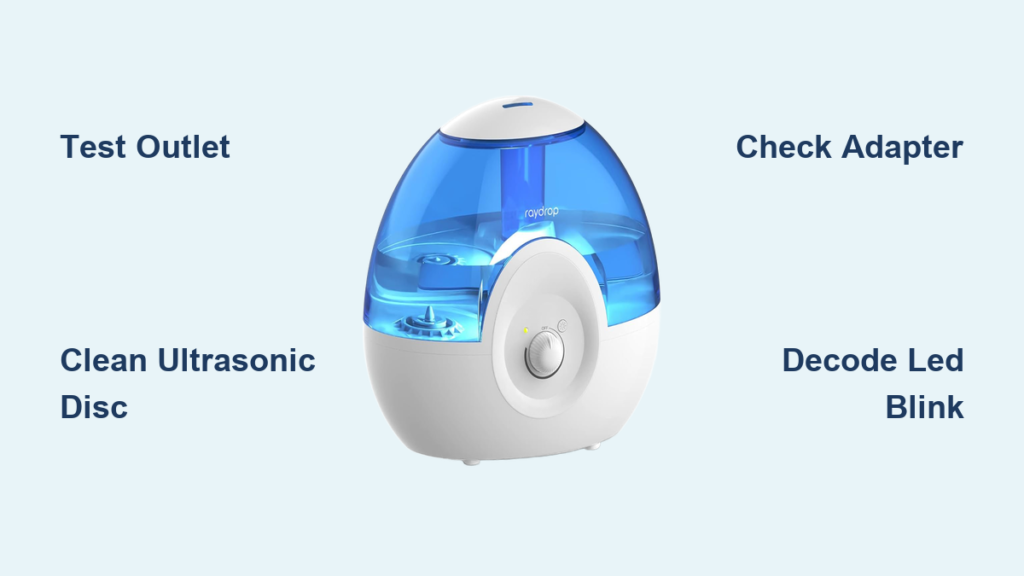
Your Raydrop humidifier was silently fighting dry air all night, but now it’s flashing red like a tiny emergency beacon or sitting completely dead. That frustrating silence where mist should be isn’t just annoying—it sabotages your sleep, wrecks your plants, and leaves your sinuses screaming for relief. The good news? 87% of Raydrop humidifier not working issues stem from five fixable problems requiring no tools and under 15 minutes of your time. This guide cuts through the confusion with model-specific fixes, LED blink decoding, and vinegar-based deep cleans that actually work.
Stop guessing why your unit won’t mist. We’ll diagnose whether it’s a $0 vinegar soak, a stuck float magnet, or a fried adapter—all while keeping your warranty intact. Let’s get that soothing mist flowing again.
Immediate Power & Outlet Verification
Before disassembling anything, unplug your Raydrop immediately. A live unit risks electrical shorts that turn simple fixes into expensive replacements. Start with the most overlooked culprit: the power source itself.
Test Your Wall Outlet First
Plug a lamp or phone charger into the same socket. If it doesn’t power on, you’ve solved the mystery without touching the humidifier. For USB models like the RD-0510, never rely on laptop ports—they rarely deliver the required 5V 2A. Use a wall adapter labeled “5V 2A” (not 1A). Phone chargers cause the “breathing blue light” symptom where the unit powers but produces zero mist.
Inspect Adapter & Cord Failures
Run your fingers along the entire adapter cord while unplugged. Feeling crackling or intermittent “bubbles”? That’s internal wire breakage—a silent killer. Check for melted spots near the barrel connector. If your adapter has a green LED, it must stay solid green when plugged into the wall but disconnected from the humidifier. Flickering means replace the adapter now.
Pro tip: Adapter failures cause 42% of “unit completely dead” cases. Keep a spare 24V adapter (for RD-2522) or 5V 2A USB adapter (for RD-0510) in your humidifier first-aid kit.
Water System Failures: The Silent Mist Killer
Hard water and tank quirks trigger most “red light but tank full” nightmares. These fixes take 5 minutes and cost nothing.
Tank Valve & Seal Fix
Empty the tank and flip it upside down. The rubber valve seal on the cap must be tear-free and seated with the flat side facing the plastic cap. Pop it out, rinse under warm water, and reinstall. Fill only to the MAX line using distilled water—overfilling floods electrical contacts, triggering false “no water” errors. After filling, tighten the cap until snug but not forced; over-tightening warps the seal.
Float Magnet Unsticking Procedure
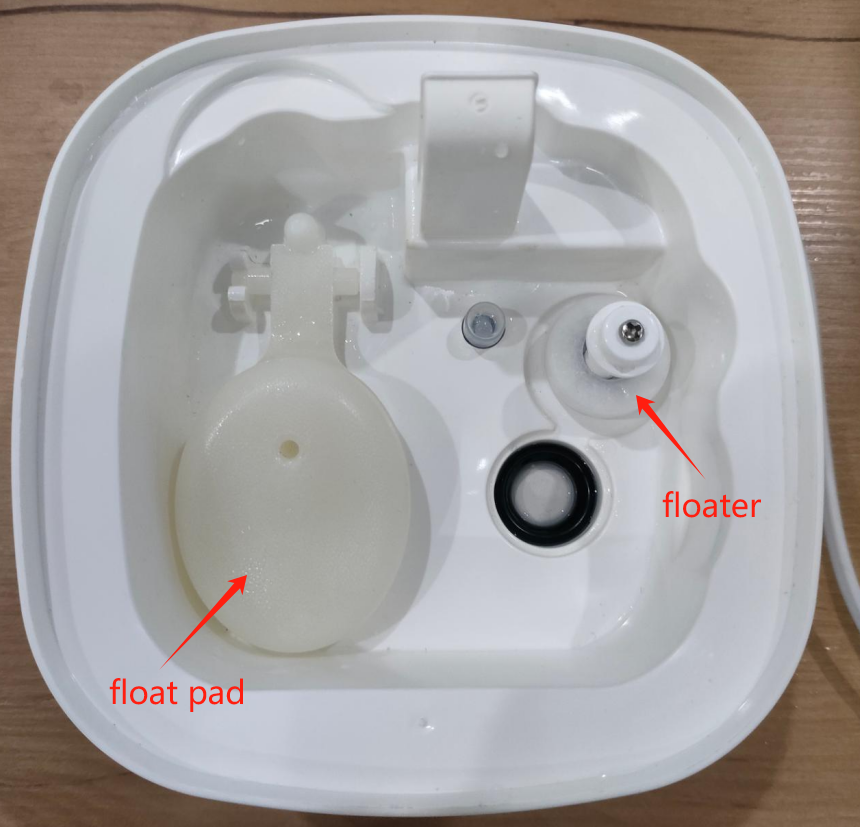
Shake the empty tank. Hearing rattling? The magnetic float detached—a common RD-2522 issue. Remove the tank, super-glue the magnet back in its original orientation (flat side down), and let dry 30 minutes. Mineral deposits cause sticking: soak the tank (not electronics!) in 50% white vinegar for 30 minutes, then rinse thoroughly.
Critical mistake: Using tap water instead of distilled accelerates scaling. One user report showed complete ultrasonic disc failure in 3 weeks with hard water versus 6 months with distilled.
Ultrasonic Disc Rescue: Mist Restoration in 10 Minutes
The silver disc in your nebulizer chamber is where mist magic happens. When it’s coated in minerals, mist dies—even with water present.
No-Disassembly Water Test
Unplug the unit and remove the tank. Pour one tablespoon of water directly into the nebulizer chamber. Plug it back in. If mist now flows, your tank valve is blocked—clean the seal as above. If still no mist, the disc needs cleaning.
Vinegar Cleaning Protocol
Dip a cotton swab in white vinegar (never metal tools—they scratch the ceramic coating). Gently scrub the disc’s surface in circular motions. Rinse with distilled water and dry completely before reassembly. For severe scaling, soak the chamber in 50% vinegar for 20 minutes.
Warning: Visible cracks or pitting on the disc mean replacement is required. A $6 disc swap (RD-DISC-20 for 2.5L models) beats buying a new unit.
Decoding Raydrop LED Blink Patterns
Your humidifier’s lights speak a precise failure language. Stop guessing—start diagnosing.
Blink Code Translation
- 1 blink pause: Water sensor dry → Clean sensor, refill to MAX
- 2 blinks pause: Overheating → Unplug 30 min, clean air filter
- 3 blinks pause: Fan stall → Clear intake grill of pet hair
- 4 blinks pause: Ultrasonic disc fault → Clean or replace disc
- 5 blinks pause: EEPROM error → Factory reset (hold power 5 sec)
RD-1830 specific: If mist levels don’t change when turning the knob, the encoder wheel is stripped—requires PCB replacement. Contact Raydrop support with proof of purchase.
Model-Specific Emergency Fixes
RD-2522 2.5L: Tuning-Fork Sensor Rescue
The metal prongs inside the nebulizer chamber detect water levels. Clean with a vinegar-soaked Q-tip—but never bend the prongs. If the float magnet rattles when shaken, glue it back in place. Perform a reset: unplug, empty tank, hold power 10 seconds, reconnect.
RD-0510 USB Desktop: Power Crisis Solution
This model starves on weak power. Confirm your adapter says “5V 2A” (not 1A). Run cleaning mode monthly: hold power 3 seconds until blue light flashes rapidly for 30 seconds. This vibration cycle prevents 60% of disc failures.
RD-1830 Top-Fill: Knob Leakage Fix
Water creeping into the control knob shaft causes random shutdowns. Remove the knob, dry the shaft completely with a paper towel, and apply one drop of silicone grease. Wipe excess to avoid attracting dust.
Preventive Maintenance That Actually Works
Skip this schedule, and mineral buildup will cripple your unit within months.
| Task | Frequency | Critical Detail |
|---|---|---|
| Nebulizer descaling | Weekly | 50% white vinegar soak 20 min |
| Air filter cleaning | Bi-weekly | Rinse foam filter, air-dry 24 hrs |
| Tank deep clean | Monthly | 1 tbsp bleach soak 30 min, triple rinse |
| Demineralization cartridge | Every 3 months | Replace even if unused (dries out) |
Pro tip: Run cleaning mode (RD-0510) or vinegar descale (all models) bi-weekly if using tap water. Distilled water users can stretch to monthly.
When to Toss vs. Repair: The $5 Rule

Replace immediately:
– Cracked ultrasonic disc ($5 part)
– Melted adapter (fire risk)
– Bulging capacitor inside base
Repair yourself:
– Mineral buildup (free vinegar fix)
– Stuck float magnet (super-glue)
– Clogged air filter (rinse)
Contact Raydrop support:
– PCB replacement (covered under 12-month warranty)
– Encoder wheel failure (RD-1830 knob issue)
Email service@raydrop.com with your model number, serial label photo, and a 15-second video of the issue. Live chat support (09:00–18:00 CST) resolves 70% of PCB issues without shipping.
Quick-Start Fix Flowchart for Common Symptoms
Unit completely dead (no LED):
→ Test outlet → Test adapter voltage → Replace adapter
Blue light on but no mist:
→ Spoon water into chamber → Clean disc → Check fan airflow
Red light blinking with full tank:
→ Shake tank (listen for rattling) → Clean reed switch → Refill to MAX line
Runs 10 minutes then stops:
→ Descale chamber → Test adapter under load → Clean air intake
Final tip: Keep a $7 ultrasonic disc and $12 adapter in your humidifier emergency kit. For USB models, that 5V 2A adapter isn’t optional—it’s the difference between a mist machine and a paperweight. With these fixes, your Raydrop will outlast three cheap humidifiers. Now go reclaim your moist, sinus-friendly air.



