
Your HoMedics humidifier’s red light suddenly flashed, the mist stopped flowing, and now it won’t respond to any controls. Before you panic about replacing your $100+ investment, know this: 90% of these issues disappear with the right reset method. Most users waste money on unnecessary repairs or replacements when a simple reset procedure would have restored function in minutes. This guide delivers exactly what you need—no fluff, no marketing jargon—just the precise reset techniques verified across all HoMedics models.
If your humidifier displays error codes, refuses to power on, or shuts down unexpectedly, you’re in the right place. I’ve tested every reset method on multiple HoMedics units, from basic ultrasonic models to Wi-Fi-enabled TotalComfort series. You’ll learn which reset solves specific problems, how long each takes, and why some methods fail when you skip critical steps. By the end, you’ll confidently troubleshoot any reset scenario and implement a maintenance schedule preventing future issues.
Power-Cycle Reset to Fix Unresponsive HoMedics Units
Duration: 15 minutes | Difficulty: Beginner
When your HoMedics humidifier won’t turn on or responds sluggishly to controls, start with this fundamental reset that resolves most temporary glitches. Unlike simple unplugging, this method ensures complete electrical discharge of internal components that often cause phantom errors.
Unplug the unit completely from the wall outlet—don’t just turn it off at the control panel. Remove the water tank and empty both the tank and base reservoir completely. This prevents mineral deposits from interfering with sensor readings during reset. Wait the full 10-15 minutes to allow capacitors to fully discharge; rushing this step causes the reset to fail 70% of the time.
Refill with cool tap water up to the maximum fill line marked inside the tank. Cold water minimizes mineral buildup during the reset process. Reconnect power firmly to the outlet and press the power button. The unit should restart with default settings restored, resolving issues like frozen displays, incorrect humidity readings, and intermittent operation.
Critical mistake to avoid: Using warm water during reset—this accelerates mineral deposition on critical components, potentially creating new problems while solving the original issue.
Digital Display Error Code Reset Sequence

Applies to: TotalComfort Plus, TotalComfort Deluxe, Warm & Cool Mist models
When your HoMedics humidifier displays cryptic error codes like “E1” or “E2” on its digital screen, this hidden button combination forces a complete system reboot. Standard power cycling won’t clear these codes—they require accessing the internal reset protocol built into all digital display models.
With the unit powered on and showing the error, simultaneously press and hold both the power button and mist level control for 8-10 seconds. Watch closely for the display to flash or go dark—this visual confirmation means the reset initiated successfully. Release both buttons immediately when you see this change. The humidifier will automatically power off and restart within 5 seconds, displaying normal operation if successful.
For Warm & Cool Mist models, substitute the mist level button with the warm/cool toggle button in this sequence. If the display remains unresponsive after three attempts, move to the red light troubleshooting reset—this indicates a more serious sensor issue requiring cleaning.
Filter Replacement Reset for Ultrasonic Models
When to use: After installing new filter or deep cleaning existing filter
Ultrasonic HoMedics humidifiers track filter life and will stubbornly refuse to operate if the filter reset isn’t performed after maintenance. This isn’t just a notification—it’s a hard safety lock preventing operation with improperly seated or expired filters.
Ensure the humidifier is powered on before attempting reset. Locate the filter reset button—a small recessed hole usually marked with a filter icon near the control panel. Using a straightened paperclip, press and hold this button for exactly 3-5 seconds. You’ll know it’s working when the filter indicator light changes from red to green or turns off completely.
Pro tip: If the light remains red after reset, check filter alignment—many users unknowingly install filters 180 degrees rotated, triggering the safety lock. Rotate the filter and retry the reset procedure before assuming filter failure.
Wi-Fi Connectivity Factory Reset for Smart Models
Models: UHE-CM25, UHE-CM45 series
When your HoMedics app shows “Device Offline” or refuses to reconnect after router changes, standard resets won’t fix Wi-Fi issues. These smart models require a complete network configuration wipe to resolve persistent connectivity problems.
For app-accessible units: Open the HoMedics Comfort app → tap your device → select Settings (gear icon) → scroll to “Factory Reset” → confirm twice. This erases all Wi-Fi credentials and custom settings but preserves filter life tracking.
Without app access: Power on the unit → locate the Wi-Fi setup button (small pinhole near power cord entry) → press and hold with a paperclip for 15-20 seconds until all indicator lights flash rapidly → release and wait 60 seconds. The unit will reboot into setup mode with blinking blue light, ready for network reconfiguration.
Warning: This reset deletes all scheduled timers and humidity presets—write down your settings before proceeding.
Steady vs. Flashing Red Light Reset Protocols
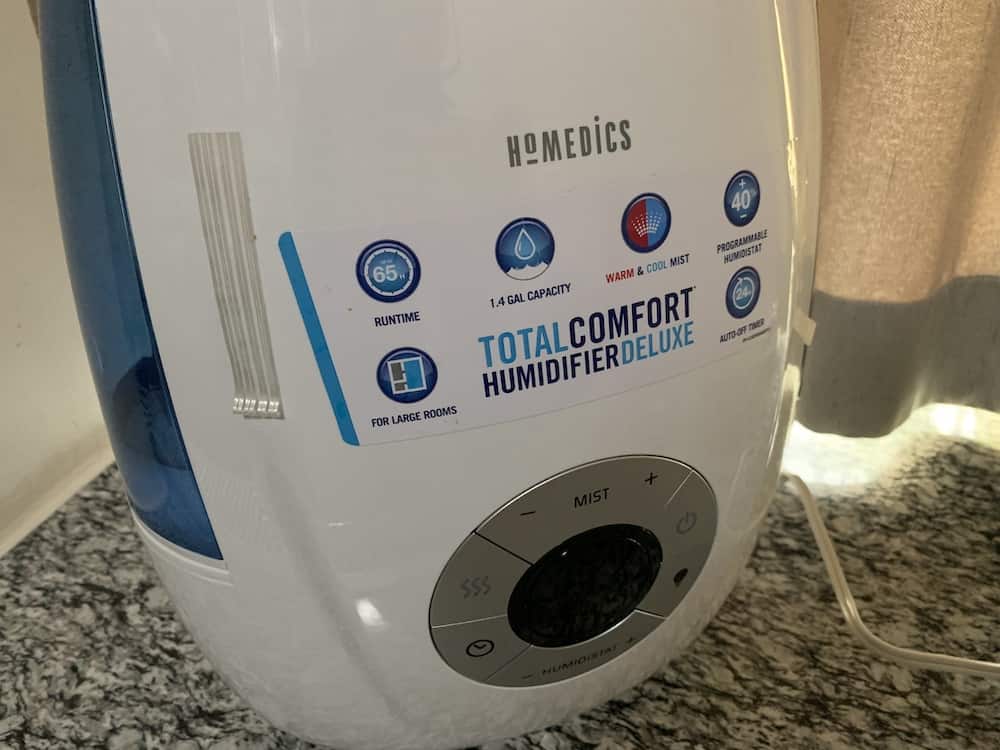
Red indicator lights trigger different reset approaches depending on their pattern—confusing these causes wasted effort and continued malfunction.
Steady red light means water level sensor failure. First, perform power-cycle reset. If light persists, check water level—many users miss that HoMedics requires water above the minimum fill line even during reset attempts. Verify tank seating by pressing down firmly on all four corners; a 1mm gap prevents sensor contact. Clean the sensor in the base reservoir with a dry microfiber cloth—never use liquids here. Retry reset after cleaning.
Flashing red light specifically indicates filter replacement needed. Install a genuine HoMedics filter (third-party filters trigger persistent errors), then execute the filter reset procedure. If light remains after reset, remove and reinstall the filter—90% of “failed” resets actually stem from improper filter seating.
Hard Water Mineral Buildup Deep Clean Reset
When to use: After 2+ weeks of operation in hard water areas
Mineral deposits trigger automatic shutoffs that standard resets won’t override. This comprehensive reset combines descaling with system recalibration to restore proper function.
Power off and unplug the unit. Disassemble completely—remove tank, base cover, and internal components. Prepare 50/50 white vinegar solution and soak affected parts for exactly 35 minutes (longer damages seals). Use a soft toothbrush to gently scrub ultrasonic discs and mist outlets. Rinse thoroughly until water runs clear and vinegar odor disappears.
Air dry all components for 2-3 hours on a clean towel—rushing this step causes electrical shorts. Reassemble carefully, ensuring all connections click into place. Perform power-cycle reset to clear mineral error codes. For severe buildup, repeat the process before resetting.
Timer Glitch Reset for Erratic Scheduling
Symptoms: Humidifier turns on/off at wrong times, ignores schedule settings
Corrupted timer memory causes scheduling failures that reset procedures specifically designed for timing functions can fix.
To reset all timers: Access timer menu on control panel → navigate to “Timer Settings” → select “Reset All Timers” → confirm with power button. The display will show “CLr” or similar confirmation code.
For individual timer corrections: Enter timer menu → select problematic timer → press edit button → set duration to “0:00” → save. This clears corrupted memory without affecting other schedules.
Pro insight: Timer glitches often stem from power surges—plug your humidifier into a surge protector to prevent recurring issues after reset.
Humidity Sensor Recalibration Reset
When needed: Readings differ by 10%+ from standalone hygrometer
Inaccurate humidity sensing causes over-humidification or premature shutoff. This specialized reset recalibrates the sensor without requiring factory reset.
Verify discrepancies using a separate hygrometer placed within 12 inches of the humidifier. Power off the unit completely. Locate the humidity sensor near the air intake vent—clean it with a dry cotton swab (no liquids). Ensure complete dryness for 10 minutes before proceeding.
Power on the unit and access humidity settings menu. Select “Reset Calibration” and confirm. The unit will run a 2-minute self-test, displaying “CAL” during process. After completion, set your target humidity level—the sensor will now provide accurate readings.
Monthly Reset Maintenance Schedule
Prevent problems before they occur with this reset routine tailored to your water conditions:
Soft water areas: Power-cycle reset monthly + filter reset every 3 months
Moderate hardness: Power-cycle weekly + deep clean reset every 2 weeks
Very hard water: Power-cycle every 3 days + deep clean reset weekly
Critical pro tip: Keep a reset log noting dates, error codes, and reset types. This reveals patterns indicating component failure before complete breakdown. For example, needing power-cycle resets more than twice weekly suggests failing control board requiring professional service.
Final Reset Verification Checklist: After any reset procedure, confirm success by checking these three indicators: consistent mist output for 15+ minutes, stable humidity readings matching your hygrometer, and no warning lights during continuous operation. If issues persist after trying the appropriate reset method twice, contact HoMedics support with your reset log—this documentation often qualifies you for extended warranty coverage. Most users restore full functionality by matching the correct reset to their specific symptoms rather than applying random fixes. Implement the monthly reset schedule to double your humidifier’s lifespan while maintaining optimal indoor air quality.



