
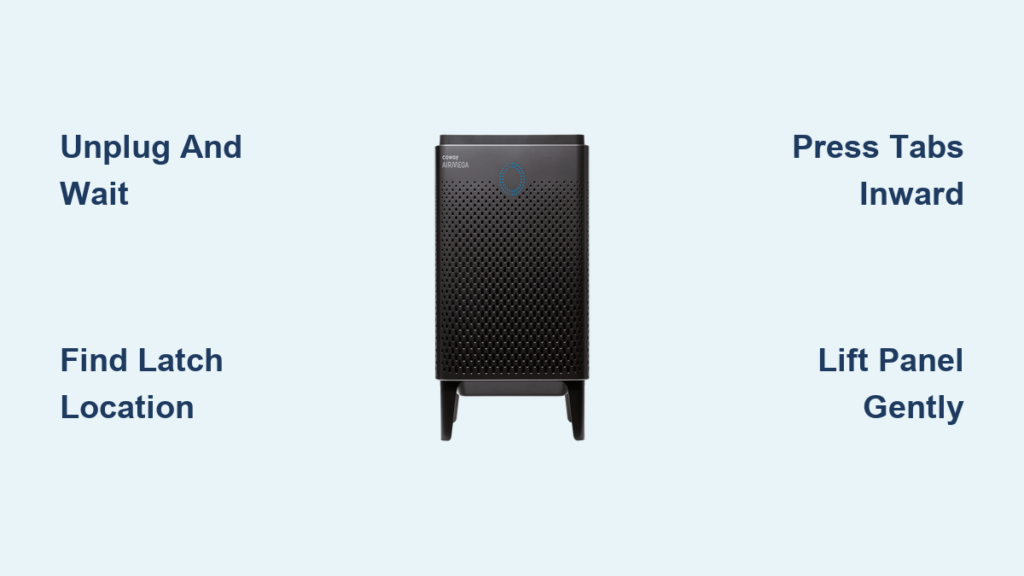
Coway air purifiers are engineered for straightforward filter access, but the opening mechanism varies significantly across different model series. Whether you need to clean the washable pre-filter, replace a spent HEPA cartridge, or inspect the internal ionizer plates, understanding the correct panel release method prevents costly damage to latches and housing. This guide walks you through opening procedures for all major Coway air purifier models, from the compact Mighty series to the larger Airmega 300/400 units, with step-by-step instructions and troubleshooting advice for stubborn panels.
Before diving into model-specific instructions, most Coway air purifiers share a common design philosophy: tool-free access panels secured by integrated latches rather than screws or fasteners. The front panel houses the pre-filter, HEPA filter, and activated carbon filter in a specific order that must be maintained during reassembly. Opening your unit takes less than two minutes once you know the release points, but forcing a panel without understanding its mechanism can snap plastic tabs and void your warranty. Read on to find the exact opening method for your specific model.
Power Down and Prepare Your Workspace
Skipping proper preparation creates electrical hazards and complicates filter maintenance. Taking just two minutes to set up correctly prevents accidents and makes the entire process smoother.
Always unplug your Coway air purifier and wait at least 30 seconds after shutdown to allow the internal capacitor to discharge completely. This crucial safety step prevents shock risk when accessing the filter compartment. During this waiting period, the fan blades will slow to a complete stop, typically taking 10 to 30 seconds depending on your model. Never attempt to open the panel while the unit is running or the fan is still spinning.
Clear the surrounding area of obstacles and position yourself to clearly see the bottom edge of the front panel. Working on a stable, flat surface is ideal if you need to move the unit. Wash your hands thoroughly before touching internal components, as skin oils attract dust to filter fibers and reduce effectiveness. Keep a soft cloth nearby to set the front panel face-down without scratching the exterior finish.
Identify and Release Your Model’s Latch System

Most Coway air purifiers use one of three basic latch mechanisms: bottom-notch releases, side-mounted clips, or integrated handle systems. Understanding which mechanism your model uses saves time and prevents accidental damage.
The bottom-notch system (found on Airmega 300/400 models) features a small rectangular cutout at the bottom center of the front panel. Insert a flathead screwdriver, fingernail, or plastic card into this notch and push inward while simultaneously pulling the bottom of the panel away from the unit. You’ll feel a distinct click as the first latch releases—continue working upward along the edges to disengage additional latches until the panel comes free completely.
Side-mounted clips, common on Mighty series models, require simultaneous pressure on both bottom corners. Look for two small protruding tabs along the bottom edge. Press both tabs inward toward the center while pulling the bottom outward. The panel disengages from top tabs and lifts away in one piece. Models with integrated handles (like the Mighty II) have a built-in grip at the bottom—simply pull outward on the handle to release the latches before tilting the panel open.
Open Airmega 300 and 400 Models Correctly
The Airmega 300 and 400 (AP-1512HH, AP-1515HH) use a bottom-notch release that requires precise technique to avoid breaking plastic latches.
Locate the small rectangular notch at the bottom center—it’s approximately 1 centimeter wide with a subtle groove. Insert a flathead screwdriver or your fingernail and push firmly inward. While maintaining inward pressure, pull the bottom of the panel outward and slightly upward. The panel releases with an audible click. Continue this motion along the bottom edge, working from center to corners, until all latches disengage. Lift the panel straight up once all connection points are free—never twist or pry.
Troubleshoot Airmega 300/400 Panel Release
If the panel won’t release, check for dust accumulation jamming the latches. Clean the panel edges with a dry cloth before retrying. Apply even pressure across the bottom edge rather than concentrating force at one point. If still stuck, work from corners inward rather than center outward. Never use metal tools that can scratch the housing—plastic cards work better than screwdrivers for most users.
Open Compact Airmega 250 and 250s Units
The Airmega 250 series (AP-1019AE, AP-1020AE) uses a simplified two-latch system that many users find easier to operate.
Two release tabs are positioned at the bottom of the front panel, spaced several inches apart. Press both tabs inward simultaneously—this may require two hands—while pulling the panel away from the unit. Unlike the 300/400 series, the 250’s panel tilts outward from the top rather than lifting straight up. Once the bottom is free, lift the panel upward to disengage the top hinge points and remove it entirely. The filters slide out horizontally, so tilt them slightly to clear the opening.
Access Filters in Mighty Series Purifiers

The compact Mighty series requires precise latch technique due to its smaller size and tighter tolerances.
Mighty Original (AP-0515W, AP-0516W)
Examine the bottom edges where the front panel meets the base—you’ll notice two small protruding clips. Press both clips inward toward the center using your thumbs. While maintaining inward pressure, pull the bottom of the front panel outward. The panel disengages from hidden top tabs and can be lifted away completely. The filter cartridge slides straight out from the front once the panel is removed.
Mighty II (AP-1216L, AP-1217L)
The Mighty II’s integrated handle simplifies maintenance significantly. Simply pull the handle outward firmly—the bottom latches disengage automatically, and the panel swings open from top hinges. Unlike the original Mighty, the II model doesn’t require complete panel removal. The panel opens to approximately 45 degrees and stays attached during filter changes, which many users find more convenient for regular maintenance.
Open Classic Series Models Safely

Older Classic series units require slightly different techniques due to their age and design variations.
Classic Models (AP-1006DH, AP-1008DH)
Some Classic models use two Phillips-head screws at the bottom edge. Locate these recessed screws where the panel meets the base. Remove both screws carefully without stripping the heads. Once removed, lift the bottom of the panel upward and outward. Some models have snap-fit side latches that need gentle disengagement with a plastic prying tool before full removal.
Classic Plus (AP-1009DH, AP-1011DH)
The Classic Plus features a bottom-mounted release lever with a color indicator (green = locked, red = released). Push the lever toward the red position while pulling the bottom of the panel outward. The panel is hinged at the top and swings open like the Airmega 150, providing convenient filter access without complete removal.
Remove Filters Without Damage
Once the front panel is removed, proper filter handling ensures optimal performance after reassembly.
Most Coway units arrange filters with the pre-filter closest to the front, followed by the True HEPA filter, with the activated carbon filter at the rear. Grasp each filter by its frame or pull tab—never push filters inward from the front. Pull filters straight out while noting which side faced forward. This orientation matters because airflow direction affects filtration efficiency.
Inspect each filter carefully: The washable pre-filter is a gray mesh screen showing visible dirt when due for cleaning. The True HEPA filter (white or green) captures 99.97% of particles 0.3 microns or larger—replace after 12 months. The activated carbon filter (black) eliminates odors—replace every 12-18 months.
Fix Stuck Panels Without Breaking Latches
Even with proper technique, some Coway air purifiers develop stubborn panels after years of use.
Panel Won’t Release
If gentle pressure fails, check for hidden side latches and clean panel edges with a dry cloth. Verify your model number against this guide—using the wrong technique won’t work. Distribute pressure evenly across the panel rather than concentrating force at one point. If still stuck, work from corners inward rather than center outward.
Broken Latch Emergency Fix
Contact Coway customer service at 1-800-285-6050 with your model number for an official replacement panel. As a temporary fix, use small screws or strong double-sided tape to secure the panel. Never force a broken latch—this creates bigger problems.
Maintain Your Unit After Opening
Regular maintenance after opening extends your Coway air purifier’s lifespan and maintains optimal performance.
Rinse the washable pre-filter every two weeks under running water and allow it to dry completely. Vacuum the True HEPA filter monthly but replace it every 12 months. Replace the activated carbon filter every 12-18 months. Clean ionizer plates every 2-4 weeks with a dry cloth. Remove interior dust every six months using a vacuum crevice tool.
Watch for signs needing maintenance: reduced airflow from vents, unusual odors, increased noise levels, error codes, visible exterior dust, or filter change indicator light activation. Addressing these promptly prevents motor strain and maintains air purification performance.
Opening your Coway air purifier doesn’t require professional service—once you know the correct release mechanism for your specific model, filter maintenance becomes a straightforward quarterly task. Keep this guide handy for reference, and always consult your model’s user manual for any variations not covered here.



