
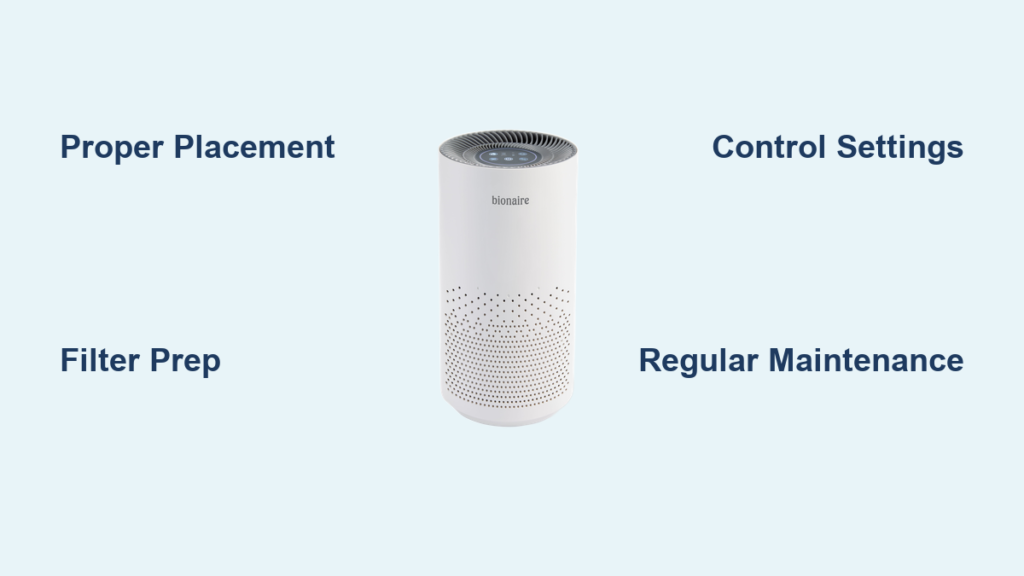
You’ve just unboxed your new Bionaire air purifier and are ready to breathe cleaner air, but those unfamiliar controls and blinking lights have you wondering where to begin. Many homeowners make critical mistakes in the first few hours of operation that compromise their air purifier’s effectiveness—like placing it in a corner behind furniture or ignoring the initial filter preparation steps. Without proper setup, your Bionaire might be running but failing to capture airborne particles efficiently, leaving you unprotected from allergens, dust, and pollutants circulating in your home.
Getting your Bionaire air purifier configured correctly takes less than 15 minutes but impacts performance for years to come. The right placement, initial filter preparation, and understanding of control settings transform this appliance from an expensive paperweight into your home’s invisible defense system against indoor air pollution. In this guide, you’ll discover the exact steps to maximize your Bionaire’s performance, avoid common setup pitfalls, and maintain optimal air quality throughout your living space.
Proper Placement for Maximum Air Purification Effectiveness
Strategic Room Positioning Guidelines
Your Bionaire air purifier needs breathing room to function properly. Position the unit at least 18 inches away from walls and furniture to ensure unobstructed airflow through both intake and output vents. Placing it too close to obstacles creates dead zones where air circulation stops, leaving portions of your room unprotected. For bedrooms, position the unit near your bed but not directly pointing at you—ideally on a nightstand or dresser about 3-5 feet away for optimal nighttime air quality without disruptive airflow.
Avoiding Common Placement Mistakes
Never tuck your Bionaire air purifier behind curtains, inside cabinets, or in cramped corners where airflow becomes restricted. One of the most frequent errors homeowners make is treating the air purifier like decorative furniture rather than a functional appliance that needs space to operate. If you position it in a hallway to serve multiple rooms, understand that effectiveness drops significantly in rooms farther from the unit—each doorway creates a barrier that reduces purified air circulation by approximately 30-40%. For whole-home coverage, consider running the unit in your main living area during daytime hours and moving it to bedrooms at night.
Initial Setup and Filter Preparation
Unboxing and First-Time Assembly
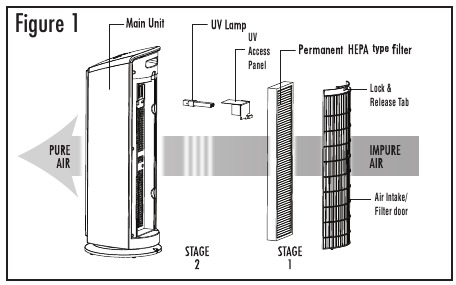
Begin by removing all packaging materials, including plastic wraps around the filter housing. Most Bionaire models ship with protective plastic sleeves around the pre-filter that must be removed before first use—leaving these on severely restricts airflow and could cause overheating. Check for a small tab or slit indicating where to pull the protective wrapping from the pre-filter mesh. Once removed, gently tap the filter to settle the fibers and ensure even distribution before reinstalling it into the housing compartment.
Critical Pre-Operation Filter Steps
Before powering on your Bionaire air purifier for the first time, remove the carbon and HEPA filters from their individual plastic packaging. Many users miss this step, wondering why their unit smells unusual during initial operation—the odor comes from the factory-sealed filters burning off manufacturing residues. Allow unpackaged filters to air out in a well-ventilated space for 24-48 hours before installation to eliminate any initial chemical odors. When reinstalling filters, ensure they click securely into place with the airflow arrows pointing in the correct direction—reversed filters create immediate performance issues.
Control Panel Operation and Settings Mastery
Decoding Indicator Lights and Symbols
Your Bionaire air purifier’s control panel communicates vital information through its indicator lights. The blue light typically indicates normal operation while a red light signals filter replacement is needed. Some models feature a yellow or amber light that activates when air quality sensors detect higher pollution levels, automatically increasing fan speed. The timer function, represented by a clock icon, allows scheduling operation for 2, 4, or 8 hours—perfect for running the unit while you sleep without keeping it on all night.
Optimizing Fan Speed Settings for Different Situations
Don’t leave your Bionaire stuck on the default setting. During high-pollution periods like allergy season or after cooking, use the turbo or high-speed setting for rapid air cleaning (expect louder operation). For nighttime or quiet spaces, switch to sleep mode which reduces fan speed by 30-40% while maintaining effective particle capture. The auto mode, available on newer models, uses built-in sensors to automatically adjust fan speed based on real-time air quality—this setting typically provides the best balance between performance and noise reduction for everyday use.
Maintenance Schedule and Filter Replacement Protocol
Monthly Cleaning Routine for Maximum Efficiency
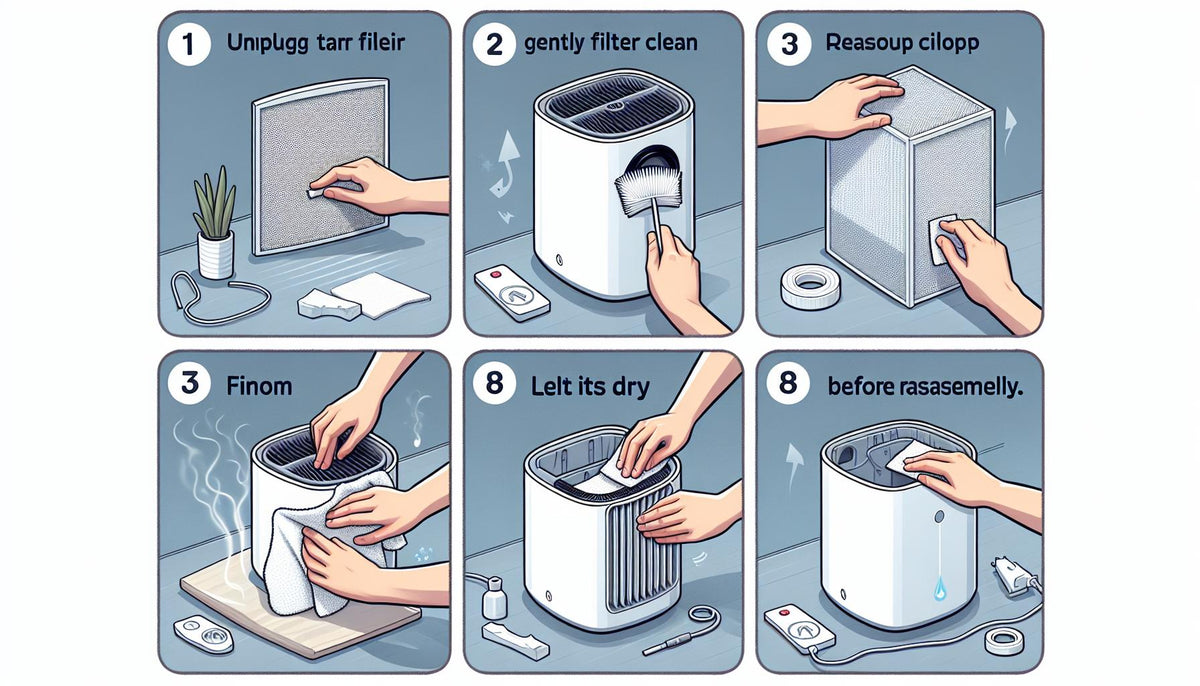
Your Bionaire’s pre-filter requires monthly attention to maintain optimal performance. Remove the front grill and gently vacuum the pre-filter with a brush attachment to remove accumulated hair and large particles. For stubborn debris, wash the pre-filter with mild soap and cool water, allowing it to air dry completely for at least 24 hours before reinstalling—never operate the unit with a damp filter. Wipe down the exterior housing with a slightly damp cloth to prevent dust buildup on sensors that could trigger false readings.
Recognizing When to Replace Main Filters
Most Bionaire HEPA filters last 6-12 months depending on usage and air quality conditions, while carbon filters typically need replacement every 3-6 months. Your unit’s replacement indicator light provides a general guideline, but check filters monthly by holding them up to light—when you can no longer see through the filter media, it’s time for replacement. Never attempt to wash HEPA or carbon filters as this destroys their electrostatic charge and filtration capabilities. Keep spare filters on hand and replace them proactively rather than waiting for performance degradation.
Troubleshooting Common Operational Issues
Addressing Unusual Noises and Vibrations
If your Bionaire air purifier suddenly develops a rattling or grinding noise, immediately power it off and unplug. Check for foreign objects that may have entered the air intake—coins, paper clips, or small toys can cause significant damage if left circulating through the system. Verify that all filters are properly seated and that no packaging materials remain inside the unit. Persistent vibrations often indicate an uneven surface; place the unit on a hard, level floor rather than carpeting which can cause instability at higher fan speeds.
Resolving Air Quality Sensor Malfunctions
When your air purifier seems to run constantly or never reaches “clean” status, the air quality sensor likely needs cleaning. Locate the sensor (usually a small mesh-covered port near the control panel) and gently clean it with a cotton swab dipped in rubbing alcohol. Allow it to dry completely before restarting the unit. If problems persist, reset the unit by unplugging for 10 minutes to clear the sensor memory—this often resolves false pollution readings caused by temporary electronic glitches.
Energy Efficiency and Long-Term Performance Tips
Optimizing Runtime for Cost-Effective Operation
Run your Bionaire air purifier continuously for the best air quality results rather than intermittent use. Modern units consume minimal electricity—typically $0.03-$0.08 per hour depending on model and settings. For maximum efficiency, operate on auto or medium settings during daytime hours and switch to sleep mode at night. The energy cost of continuous operation is often less than running your refrigerator, while providing significant health benefits through cleaner indoor air.
Seasonal Adjustments for Changing Air Quality Needs
Modify your Bionaire settings with the seasons—during spring and fall allergy seasons, run the unit on higher settings with windows closed to prevent pollen infiltration. In winter when indoor air becomes dry and stagnant, position the purifier near heating vents to circulate cleaner air throughout your home. Summer brings higher humidity and mold concerns, so consider running the unit more frequently in moisture-prone areas like basements while maintaining proper home ventilation to prevent excess moisture buildup.
Final Note: Consistent proper use of your Bionaire air purifier transforms your indoor environment, removing up to 99.97% of airborne particles as small as 0.3 microns. By following these setup, operation, and maintenance guidelines, you’ll maximize your investment’s effectiveness while extending the unit’s service life. Remember that clean indoor air isn’t a luxury—it’s a fundamental requirement for healthy living, especially for households with allergy sufferers, pets, or young children. Keep your filters fresh, your placement strategic, and your settings optimized to breathe easier knowing your Bionaire is working at peak performance.



