
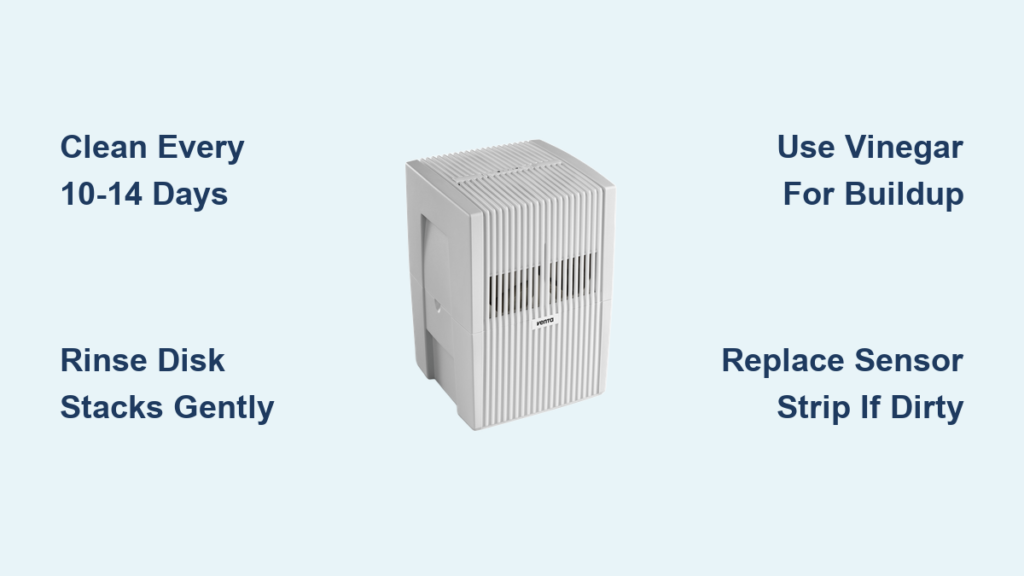
White dust coating your furniture? Strange odors drifting from your Venta? Reduced mist output despite a full water tank? These are dead giveaways that mineral buildup and biofilm have compromised your humidifier’s performance. Unlike ultrasonic models, Venta’s disk-based evaporative systems silently accumulate hard water deposits that strain motors and contaminate your air. Most owners skip critical cleaning until problems surface—but waiting guarantees harder scrubbing and potential damage. Whether you own an Original LW24, Comfort Plus, or 6 Series model, this guide delivers precise cleaning protocols that restore peak efficiency. You’ll learn model-specific disassembly tricks, avoid common pitfalls like disk scratches, and implement a schedule that keeps your unit running like new for years.
Ignoring Venta’s cleaning requirements has serious consequences: mineral crust locks disk stacks in place, bacteria thrive in stagnant water reservoirs, and motors overheat trying to spin clogged components. The fix isn’t complicated—it takes just 10–20 minutes every 10–14 days—but requires knowing exactly how your model disassembles and what cleaners to use. Forget generic “humidifier cleaning” advice; Venta’s unique disk technology demands specialized care. I’ll walk you through every step, from quick maintenance rinses to gear box deep cleans, using only manufacturer-approved methods from Venta’s technical documentation.
Venta Model-Specific Cleaning Schedule

Original/Comfort Plus/Connect Series: Clean every 10–14 days
6 Series/Professional Models: Clean every 14 days
Deep Cleaning: Monthly or when white dust appears
Skipping these intervals guarantees costly repairs. Mineral deposits crystallize on disk edges within days in hard water areas, forcing motors to work 30% harder. For Original Series owners, white crust on the lower housing rim signals immediate action is needed—you’re already 2 weeks behind schedule. Set recurring phone alerts: “Venta Cleaning Day” every 10 days. Your respiratory health and unit longevity depend on this rhythm.
Original Series (LW14/LW24/LW44) Quick Maintenance
Disassemble Housing Correctly
Press both release tabs flanking the speed controls simultaneously. For current models, pull non-vented sides first, then vented sides. Critical mistake alert: Older LW14/LW24/LW44 units require the reverse sequence—start with vented sides. Lift upper housing straight up; never twist. If resistance occurs, recheck tab alignment—forcing cracks housings.
Remove Motor Assembly Safely
Unplug the power cord from the motor connection point inside the housing. Note for legacy models: Cords are permanently attached. Access via the left-side trap door—pull cord gently through the opening. Lift the motor assembly straight up. If stuck, rotate the fan blade slightly to disengage gears. Never yank; damaged couplings cause costly replacements.
Clean Core Components Properly
Empty lower housing completely. Wipe fan blades with a damp microfiber cloth (never paper towels—they leave fibers), then rinse under warm water. For plastic housings, use the same cloth technique. Disk stacks require special care: Rinse only under warm running water—never scrub or use cloths. Microfiber fibers embed between disks, reducing airflow by 40%. Gravity rinsing removes 95% of deposits when done daily.
Reassemble with Water Treatment
Add one dose of Venta Water Treatment (fill bottle from black line to black line). Reconnect motor, ensuring the cord snaps fully into place. Close housing until all tabs click—listen for the double thud. Fill to the water line (never above!) and restart.
6 Series/Professional Models Quick Clean
Slide-Out Basin Method
Pull the water basin completely out of the unit—no disassembly needed. Remove the inner water tank. Rinse disk stacks while still in the basin under warm water for 30 seconds. Lift disks out, empty basin, and scrub plastic surfaces with a dish sponge. Pro tip: Use the basin’s handle to tilt it 45 degrees for better drainage. Reinsert disks, fill tank to the line, and slide the assembly back until it locks.
Deep Cleaning for Mineral-Crusted Units
When to Trigger Deep Cleaning
- Visible white crust on disk edges
- Persistent musty odors after regular cleaning
- Fan noise increases by 20% or mist output drops
These indicate mineral buildup has penetrated disk stacks. Delaying deep cleaning risks gear box seizure—the #1 cause of Venta motor failures.
Original Series Deep Clean Protocol
Prepare Cleaning Solution
Empty lower housing. Fill to water line with fresh water. Add the entire bottle of Venta Humidifier Cleaner—never dilute. Run on Speed 1 for exactly 2 hours. Critical: Do not exceed 2 hours; prolonged exposure degrades plastic components.
Rinse Until Water Runs Clear
Empty solution. Rinse disks under running water while rotating the stack. Refill lower housing with fresh water, run for 10 minutes, and drain. Repeat until rinse water shows zero cloudiness—usually 3 cycles. Skip this step, and cleaner residue combines with minerals to form concrete-like deposits.
Fixing Sensor Strip Failures Caused by Buildup
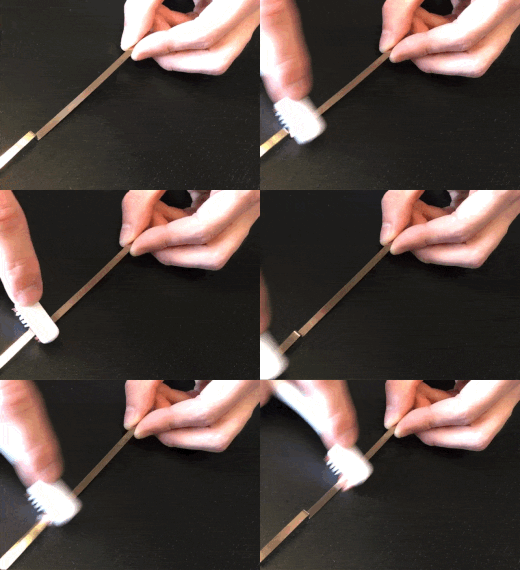
Access the Mineral-Covered Sensor
Locate the “Venta Made in Germany” snap tab on the lower housing exterior. Gently pry from the bottom with a butter knife. Lift the metal strip upward—never pull horizontally, which snaps the delicate mounting. If stuck, tap the housing edge lightly on a table to loosen deposits.
Remove Hard Water Film
Soak the sensor strip in 50/50 white vinegar/water for 15 minutes. Scrub with a toothbrush using circular motions—focus on the textured underside where minerals hide. Never use abrasive pads; scratches cause false low-water readings. Rinse thoroughly under cold water.
Reinstall to Prevent Leaks
Hook the bottom edge into the housing groove first. Drape the top edge over the rim, ensuring it lies flat against the housing. Snap the tab back in place with firm downward pressure. Test by filling the unit: leaks mean the sensor isn’t seated correctly.
Gear Box Deep Cleaning to Stop Grinding Noises
Access and Position
After removing the motor assembly, turn the gear box face-down. Place it on a towel to catch drips. Key insight: Mineral buildup concentrates on the lower 40% of gear teeth—this is your cleaning priority.
Scrub with Precision
Mix equal parts water and white vinegar. Dip a soft toothbrush into the solution and scrub gear teeth in a back-and-forth motion. Critical step: Manually spin the fan blade while scrubbing to expose hidden teeth. Rinse under running water until vinegar drips clear. Never lubricate—the unit operates dry.
Gear Box Replacement When Cleaning Fails
Remove the Seized Gear
Push the rubber coupling down toward the fan. Gently pull the gear away from the coupling nipple. Pivot the gear 90 degrees sideways. Flex the motor housing arm outward by 1/8 inch to clear internal ridges. If resistance occurs, tap the gear edge lightly with a screwdriver handle—never force it.
Install New Components Correctly
Remove the locking ring with scissors. Insert the rubber coupling into the ring with feet hanging below. Align feet with fan notch marks. Snap firmly onto the shaft—listen for the click. Insert the coupling pin into the gear hole until snug. Pivot upright while pressing the gear toward the motor housing. Verification test: Spin the fan blade; gear teeth should move slowly in/out. If not, the gear isn’t seated over the locking knob.
Motor Testing Before Costly Replacements
Quick Function Check
Keep the unit plugged in with power on. Rest upper housing on its side (vented side down). Locate the metal connector (staple-shaped) on the bottom edge. Hold one end and push down while pressing power. Fan must spin immediately—if not, the motor is dead. If spinning occurs, your problem is elsewhere (likely sensors or gears).
Essential Cleaning Supplies and Critical Mistakes
Must-Have Toolkit
– Lint-free microfiber cloths (for plastics only)
– Soft toothbrush (for gears/sensors)
– Dish sponge (for basins)
– White vinegar (for mineral removal)
– Venta Water Treatment (prevents 80% of buildup)
Disaster Mistakes to Avoid
– Never use bleach or scented cleaners: They degrade disk coatings
– Never submerge motors: Water damages internal wiring
– Never force disk stacks apart: They clean perfectly intact when rinsed
– Never skip water treatment: One bottle prevents 12 deep cleans
Pro Maintenance Hacks for Longevity
Hard Water Survival Guide
In areas with >100 ppm hardness, clean every 7 days using distilled water. Add 1/4 cup vinegar to the tank during operation cycles—it dissolves minerals without damaging components. Install a whole-house softener to eliminate 90% of maintenance.
Odor Elimination Protocol
Persistent smells mean bacterial growth in stagnant water. Run a 1-hour cycle with 1 cup vinegar per tank, then rinse 5 times with fresh water. Add water treatment before restarting—this creates an inhospitable environment for microbes.
Storage Prep for Off-Season
Before storing: Deep clean all components, let disks air-dry for 48 hours, and store with housing cracked open 1 inch. Place silica gel packs inside to prevent mold. Never store with damp disks—this causes irreversible biofilm.
Clean your Venta humidifier correctly every 10–14 days, and it’ll deliver whisper-quiet, healthy humidity for 10+ years. That 15-minute investment prevents the 2-hour deep clean scramble when white dust appears. Your disks will spin freely, your air stays fresh, and your unit becomes the reliable workhorse Venta designed. Stick to this model-specific protocol, and you’ll never wonder how to clean a Venta humidifier again—because perfect maintenance will be second nature.



