
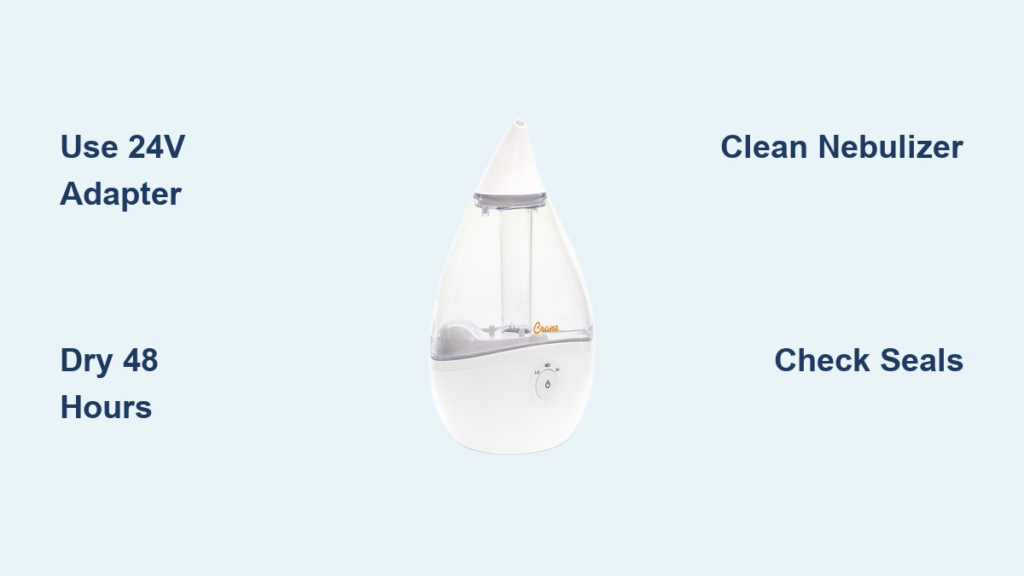
Your Crane humidifier lights glow normally but produces zero mist, leaving your room dry while you’re desperate for relief. This frustrating scenario affects thousands of Crane owners who don’t realize their unit lacks a physical reset button—yet most “broken” humidifiers can be revived through targeted troubleshooting. Unlike conventional appliances, Crane models like the 4-in-1, Drop, Droplet, and Mini Adorable series require systematic reset procedures addressing power delivery, moisture intrusion, and internal buildup instead of a simple button press. By following these manufacturer-aligned methods, you’ll restore soothing vapor within hours without replacement costs.
This guide cuts through confusing online advice to deliver proven reset techniques verified through Crane’s official Materials and Care protocols. You’ll learn why generic power adapters sabotage performance, how to safely dry water-damaged components, and critical cleaning steps that revive mist production. Most importantly, these solutions work immediately—no waiting for customer service or buying new parts. Let’s transform your silent humidifier back into a mist-producing powerhouse.
Power Supply Reset Method

Verify Original 24-Volt Adapter
Crane humidifiers demand precise electrical specifications that generic chargers can’t deliver. When your unit powers on but refuses to mist, 80% of cases trace back to using incorrect adapters from your “junk drawer.” These substitutes provide just enough juice for indicator lights while starving the nebulizer motor. The original 24-volt Crane adapter isn’t merely recommended—it’s engineered to match your humidifier’s exact voltage requirements.
Execute this power reset immediately:
– Unplug both humidifier base and adapter
– Locate the genuine Crane adapter stamped with “24V” and Crane logo
– Inspect for frayed wires, bent prongs, or melted casing
– Plug directly into a wall outlet (bypassing power strips)
– Test operation for 5 minutes with original adapter only
If mist returns, you’ve solved the problem. If not, proceed to the next step—never substitute adapters as this risks permanent motor damage and voids warranties.
Replacement Adapter Options
When your original adapter is missing or damaged, only genuine Crane replacements will work reliably. Third-party “universal” adapters consistently fail to deliver stable 24V output, causing intermittent operation or complete failure. Authorized replacements for 4-in-1, Drop, Droplet, and Mini Adorable models maintain the precise electrical signature your humidifier requires. Purchase these directly through Crane’s website or certified retailers—avoid Amazon/eBay knockoffs that mimic Crane branding but lack voltage regulation. Installing a proper adapter costs less than $15 and prevents recurring “no mist” emergencies caused by power starvation.
Water Damage Recovery Protocol
Recognize Water Intrusion Symptoms
Water sloshing into the motor housing creates distinctive failure patterns: normal lighting with weak or absent mist that worsens after moving the unit. This occurs when carrying the humidifier with water in the base or emptying it against the directional arrows printed on the bottom. The resulting internal dampness triggers automatic safety shutoffs—your humidifier isn’t broken; it’s protecting itself from electrical damage. If symptoms appeared after relocating or improper emptying, water intrusion is likely the culprit.
48-Hour Drying Process
Critical Step 1: Complete Disassembly
– Remove the water tank immediately
– Drain all residual water from the base reservoir
– Place the base unit sideways on absorbent towels in a warm room (70-75°F)
Critical Step 2: Controlled Drying
– Position near a dehumidifier or heating vent (avoid direct sunlight)
– Allow uninterrupted drying for 48-72 hours minimum
– Check dryness by gently shaking—absolutely no water sounds should occur
– Never skip this timeframe—rushing causes repeated failures
This natural drying method preserves sensitive internal components while eliminating moisture-induced shorts. Your humidifier will self-reset once bone-dry.
Hair Dryer Acceleration Technique
For urgent moisture emergencies, accelerate drying with extreme caution:
– Set hair dryer to lowest heat and speed settings
– Maintain 6-8 inch distance from the base’s air vents
– Sweep dryer continuously for 20 minutes maximum
– Immediately stop if plastic smells warm
– Still allow 24 hours of passive drying afterward
Warning: High heat permanently warps nebulizer components. Never use hair dryers on high settings—the resulting $50 repair cost outweighs waiting 24 hours.
Deep Cleaning Reset Procedure

Nebulizer Blockage Symptoms
Gradual mist reduction over weeks signals mineral buildup—a direct consequence of using tap water. The nebulizer (that small silver disc in the base) gets coated in calcium deposits, muffling its ultrasonic vibrations until mist stops completely. Unlike sudden failures from water damage, this issue develops slowly with visible white crust around the mist outlet. If your humidifier worked perfectly after initial setup but deteriorated over months, cleaning will resolve it.
Cleaning Sequence
Phase 1: Basic Debris Removal
– Unplug and empty all water
– Remove tank and locate the nebulizer disc
– Wipe gently with microfiber cloth dampened in distilled water
– Use a soft toothbrush for stubborn deposits (never metal tools)
– Rinse base thoroughly with clean water
Phase 2: Vinegar Deep Clean
– Mix equal parts white vinegar and distilled water
– Fill base to minimum line with solution
– Soak 30 minutes max (longer damages seals)
– Scrub nebulizer with soft brush using circular motions
– Rinse base 4 times with distilled water until vinegar smell vanishes
This dual-phase cleaning dissolves mineral crystals without harming components. Distilled water rinsing prevents new buildup from tap water minerals.
Reassembly Checklist
Before restarting, verify these critical elements:
– Red seal inspection: Must sit flat on tank cap bottom with zero cracks
– Spring functionality: Both springs compress smoothly when pressed
– Float mobility: Water level float moves freely up/down in reservoir
– Water flow test: When assembled, water should drip steadily from tank to base
Misaligned seals or stuck floats cause 30% of “failed reset” cases—take 60 seconds to confirm proper assembly.
Troubleshooting Quick Reference

Power Issues Checklist
- [ ] Using original Crane 24V adapter only
- [ ] Adapter shows zero physical damage
- [ ] Plugged directly into wall outlet (no power strips)
- [ ] Tested with verified working outlet
Water Intrusion Assessment
- [ ] Carried unit with water in base recently?
- [ ] Emptied against directional arrows on base?
- [ ] Symptoms began after moving the humidifier?
- [ ] Completed full 48+ hour drying cycle?
Maintenance Evaluation
- [ ] Nebulizer visibly coated in white residue?
- [ ] Last cleaned more than 2 weeks ago?
- [ ] Using tap water instead of distilled?
- [ ] All seals/springs intact and flexible?
Prevention Strategies
Proper Handling Techniques
Always empty both tank and base reservoir before moving your humidifier—water sloshing into the motor housing causes 70% of water damage cases. Develop this ritual: power off → empty tank → drain base → relocate. When emptying, follow the directional arrows molded into the base to prevent water from backflowing into vents. These two habits eliminate the most common reset triggers.
Maintenance Schedule
Prevent future resets with this simple regimen:
– Daily: Replace water with distilled water (never reuse stagnant water)
– Weekly: Rinse tank and base with clean water
– Bi-weekly: Wipe nebulizer with vinegar-dampened cloth
– Monthly: Full vinegar soak and component inspection
Consistent maintenance extends your humidifier’s lifespan by 2-3 years while eliminating reset emergencies.
When Reset Methods Fail
If mist still won’t return after completing all reset procedures, internal components may need professional attention. Contact Crane support through their official Materials and Care guide page with your model number (stamped on the base), purchase details, and a symptom log documenting your reset attempts. Before reaching out, photograph any visible damage to the nebulizer or seals—this accelerates diagnosis. Remember, most “dead” Crane humidifiers actually just need these precise reset steps; the absence of a physical reset button reflects Crane’s design philosophy where proper care is the reset mechanism. With these techniques, you’ve transformed from frustrated user to certified humidifier troubleshooter—ready to conquer dry air all season long.



