
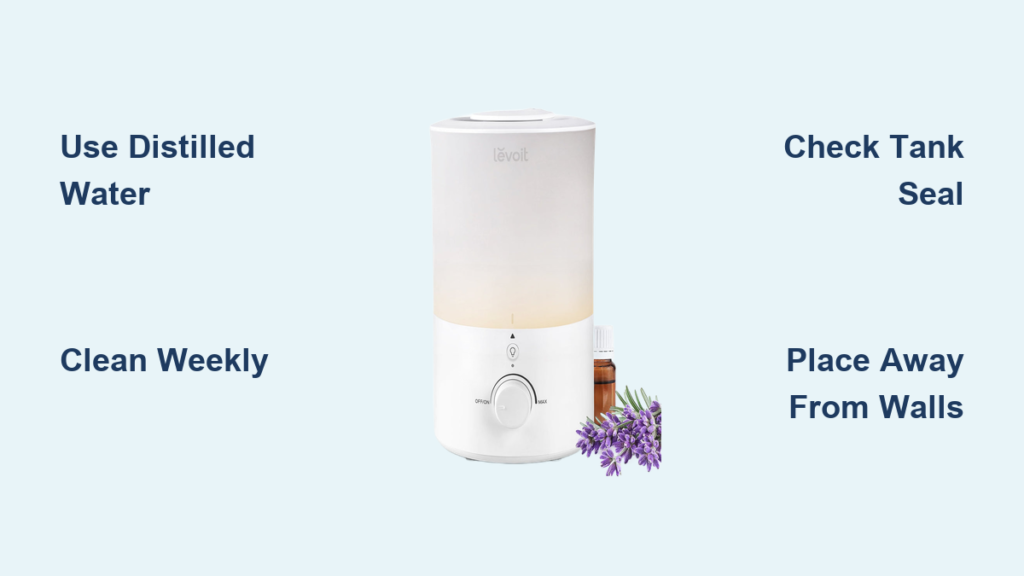
Waking up with a scratchy throat and dry sinuses? Your Levoit cool mist humidifier could be the solution—if you’re using it correctly. Many people plug in their humidifier only to face white dust on furniture, mysterious leaks, or worse, no mist at all. The truth is, improper setup and maintenance sabotages 90% of humidifier performance before you even get started.
This complete guide shows you exactly how to use Levoit cool mist humidifier models for maximum comfort without the common headaches. You’ll discover the water type that prevents white dust, the precise placement that avoids condensation damage, and the cleaning routine that keeps your unit running like new for years. No more guessing—just follow these proven steps.
Unbox and Assemble Your Humidifier Correctly

Check All Components Before Assembly
Open your Levoit box and immediately verify these critical components:
– The main humidifier base with ultrasonic plate
– Detachable water tank (typically 2-6 liters capacity)
– Power adapter matching your model specifications
– Cleaning brush—essential for hard-to-reach areas
– User manual and warranty card
– Replacement filters (if your model requires them)
Missing pieces? Stop immediately—don’t attempt assembly without all components. Most customer service issues stem from missing parts that users tried to work around. Contact Levoit support with your model number before proceeding.
Perfect Assembly Sequence
Place the base on an elevated, waterproof surface at least 24 inches off the ground—this prevents floor damage and improves mist distribution. Align the water tank directly over the base until you hear a distinct click indicating proper valve connection. A wobbly tank connection causes leaks within hours. Attach the mist nozzle firmly by pressing down until it stops moving—loose nozzles create uneven mist patterns that leave dry spots in your room.
Position for Maximum Humidification Effectiveness

Find the Ideal Placement Location
Your humidifier’s location makes or breaks its performance. Position it 12-18 inches away from walls to prevent moisture damage to drywall and paint. Keep it at least 3 feet from electronics—condensation can short-circuit expensive devices. Place on tile, sealed wood, or use a protective mat underneath to catch accidental spills. Avoid direct sunlight at all costs; UV exposure accelerates algae growth inside your water tank within 48 hours.
Match Unit to Your Room Size
Don’t guess—measure your space first:
– Small bedrooms (up to 250 sq ft): Central placement ensures even coverage
– Living rooms (250-500 sq ft): Position near primary seating areas
– Large spaces (500+ sq ft): Two smaller units work better than one oversized model
Using an undersized humidifier in a large room creates humidity dead zones. Your Levoit should cover your space completely without straining—check the model specifications for exact coverage area.
Fill Water Tank Properly to Avoid Damage
Select the Right Water Type
Distilled water is non-negotiable for preventing white mineral dust on your furniture. Tap water contains minerals that turn into airborne particles through the ultrasonic process. Hard water users will see white dust within days and clogged components within weeks. Never use hot water—it damages the ultrasonic plate and creates excessive condensation. Room temperature filtered water works as a budget-friendly alternative to distilled.
Fill Without Creating Leaks
Unplug your humidifier before adding water—this is your first safety checkpoint. Remove the tank by lifting straight up; tilting spills water into the base electronics. Unscrew the cap counterclockwise and fill to the MAX line inside the tank—overfilling causes leaks and reduces mist output. Tighten the cap firmly clockwise until snug; a loose cap creates mysterious puddles under your unit. Return the tank to the base and wait 2 minutes for water to reach the reservoir before powering on.
Power On and Master Control Settings
Startup Sequence for Immediate Mist
Connect the power adapter directly to a wall outlet—never use extension cords. Press the power button once; mist should appear within 30-60 seconds. No mist? Immediately check three things: water level (must reach minimum line), tank seating (should be flush with base), and cap tightness. Reset by unplugging for 10 minutes if issues persist—this clears temporary electronic glitches.
Control Panel Functions Decoded
Your Levoit’s buttons control more than you think:
– Power Button: Single press toggles on/off—hold 3 seconds to reset settings
– Mist Level: Cycle through low (50-100ml/hour, bedroom quiet), medium (100-200ml/hour), high (200-300ml/hour)
– Timer Button: Set auto-shutoff for 2, 4, or 8 hours—perfect for overnight use
– Night Mode: Dims display and reduces noise by 30% for undisturbed sleep
– Auto Mode: (on select models) Adjusts output based on room humidity
Start on low setting for the first use—most people set it too high initially, creating condensation on windows.
Clean Weekly to Prevent Mold and Damage
Daily Maintenance That Takes 60 Seconds
Empty and rinse the tank daily to prevent bacterial growth—stagnant water breeds bacteria within 12 hours. Wipe the exterior with a damp cloth; never use chemicals or submerge the base. Check for mineral film on tank walls; this white coating indicates hard water usage requiring immediate action.
Weekly Deep Clean Process
Step 1: Disassemble Safely
Unplug and empty all water. Remove the tank and mist nozzle—never clean components while attached to the base. This prevents accidental water exposure to electronics.
Step 2: Vinegar Soak Method
Fill the tank with equal parts white vinegar and warm water. Soak 20-30 minutes to dissolve mineral deposits. Use the provided brush to scrub corners and cap threads. Clean the base reservoir with the same solution—avoid getting liquid in electrical components.
Step 3: Rinse and Dry
Rinse all parts until vinegar smell disappears. Shake excess water from the tank and air-dry completely. Wipe the base with a damp cloth only—never rinse or submerge.
Troubleshoot Common Problems Immediately
No Mist Output? Fix These First
Check water level—it must reach the minimum line. Ensure the tank sits flush on the base (listen for the click). Clean mineral deposits from the ultrasonic plate using vinegar solution. Reset by unplugging 10 minutes, then restart. If still no mist, inspect the power adapter for damage—third-party adapters often fail prematurely.
Eliminate White Dust Permanently
White dust means hard water minerals are becoming airborne. Switch to distilled water immediately—this solves 95% of cases. Install a demineralization cartridge if your model supports it. Position the unit further from electronics and dark furniture where dust appears most visible. Never ignore white dust—it indicates mineral buildup inside your humidifier that will cause permanent damage.
Stop Leaks Before They Damage Floors
Check these three points first: tank cap tightened completely clockwise, tank seal properly seated (replace if cracked), and unit positioned on a completely flat surface. Water level must stay below the MAX fill line—overfilling is the #1 cause of leaks. If leaks persist, inspect the tank for hairline cracks—drop damage often creates invisible fractures.
Safety Precautions You Must Follow
Electrical Safety Rules
Always unplug before cleaning or moving your humidifier—this prevents electrical shorts. Keep the power cord away from water sources and walking paths. Use only the manufacturer-provided adapter—third-party chargers cause performance issues or damage. Never operate with an empty tank—this overheats the ultrasonic plate and voids your warranty.
Operational Safety Essentials
Keep your humidifier away from children and pets who might tip it over. Never add essential oils directly to the water tank unless your model specifically includes an aromatherapy function—oils damage standard units. Position away from direct sunlight and heat sources like radiators. Check for condensation on surfaces hourly during first use—excessive moisture indicates incorrect settings.
Optimize Performance Year-Round
Seasonal Adjustments for Comfort
Winter: Increase to high output during peak heating hours. Target 40-45% humidity to combat dry heating air. Position near return air vents for whole-house humidification.
Summer: Reduce to low or medium output. Target 30-35% humidity—higher levels encourage mold growth. Clean more frequently due to increased airborne particles.
Energy Efficiency Tips That Save Money
Use the timer function to run only when needed. Select the lowest effective mist level for your room size. Clean components weekly—dirty humidifiers use 25% more electricity. Position near your bed or primary seating area for personal comfort without humidifying the entire house. Check your hygrometer regularly—maintaining 30-50% humidity saves energy while preventing health issues.
Store Properly Between Seasons
Prepare for Long-Term Storage
Empty and dry all components completely—any remaining moisture causes mold during storage. Clean thoroughly with vinegar solution before packing. Remove filters and store separately in sealed bags. Keep in original packaging or a sealed plastic container in a dry, temperature-controlled space. Before next use, perform a complete cleaning cycle—stored humidifiers often develop musty odors from residual moisture.
Your Levoit cool mist humidifier delivers years of comfortable air when operated correctly. Master these fundamentals, establish consistent cleaning routines, and adjust settings seasonally for optimal performance. Remember: clean water, weekly maintenance, and proper positioning solve 90% of humidifier problems before they start. The perfect humidity level isn’t just comfortable—it’s essential for your respiratory health, skin condition, and overall wellbeing.



