A flashing red light on your First Alert smoke detector can catch you off guard, especially in the middle of the night. The good news is that in most cases, a First Alert smoke detector flashing red simply means the unit is powered and actively monitoring your home. The challenge lies in knowing when that flash is routine and when it signals something that needs your attention. In this guide, you’ll learn how to read different flash patterns, troubleshoot common issues, silence false alarms, and keep your detector in peak condition for years to come.
Decoding the Red Flash: Normal Operation

Before assuming the worst, it helps to understand what a healthy detector looks like. A periodic red flash is not a warning sign. It is reassurance that the internal self-checks are passing and power is flowing as expected.
What a Normal Flash Looks Like
- Single flash every 30 to 40 seconds: Standard operating mode
- Rapid flashing during an alarm: Confirms active threat detection
- No light at all: Possible power loss or battery failure
If your detector follows the slow, rhythmic pattern and responds to the test button, everything is working properly. Keep the sensor free of paint, stickers, and dust so the indicator remains visible and accurate.
Why the Light Flashes at All
The red LED doubles as a status indicator. Even when silent, your detector runs continuous diagnostic checks on its circuitry, sensor chamber, and power supply. Each tiny pulse confirms that the device is ready to respond at a moment’s notice, giving you quiet confidence in dark hallways, basements, and bedrooms.
Recognizing Abnormal Flash Patterns
Not every flash is routine. Certain behaviors point to faults, active alarms, or post-alarm memory that requires your attention.
Continuous or Solid Red Light
A steady, non-blinking red light often signals an active alarm condition or a stored error code. Some models use this pattern to remind you that an alarm recently sounded, even if the air has cleared.
To address this:
- Press and hold the test or silence button for about 10 seconds
- Listen for a reset chirp or watch for the flash to return to its normal rhythm
- If the solid light persists, consult your model’s user manual for specific error codes
No Red Light at All
The absence of a flash can be just as telling. For battery units, the battery may be missing, dead, or installed backward. For hardwired models, a tripped breaker, loose wire, or dead backup battery could be the cause. Always verify both the primary power source and the backup battery before assuming the unit itself is faulty.
Handling False Alarms with Confidence
False alarms are frustrating, but they also confirm your detector is responsive. A red flash during or after a false alarm simply means the unit reacted to a trigger in the environment.
Triggers You Can Control
- Cooking fumes drifting from the kitchen
- Steam from bathrooms, showers, or humidifiers
- Dust buildup inside the sensing chamber
- Temperature swings near vents or windows
Keep detectors at least 10 feet from cooking appliances and away from high-humidity zones to reduce nuisance trips. During renovation or heavy cleaning, consider covering the unit temporarily or removing it to avoid dust infiltration.
Steps to Clear a False Alarm
- Ventilate the room by opening windows and doors
- Press and hold the silence button for 5 seconds if your model includes one
- Wait for the unit to reset, usually within a few minutes
- Confirm the red flash has returned to its once-every-30-seconds pattern
If the alarm reactivates shortly after clearing, treat it as a real event until proven otherwise, and inspect for actual smoke or heat sources.
Battery and Power Troubleshooting
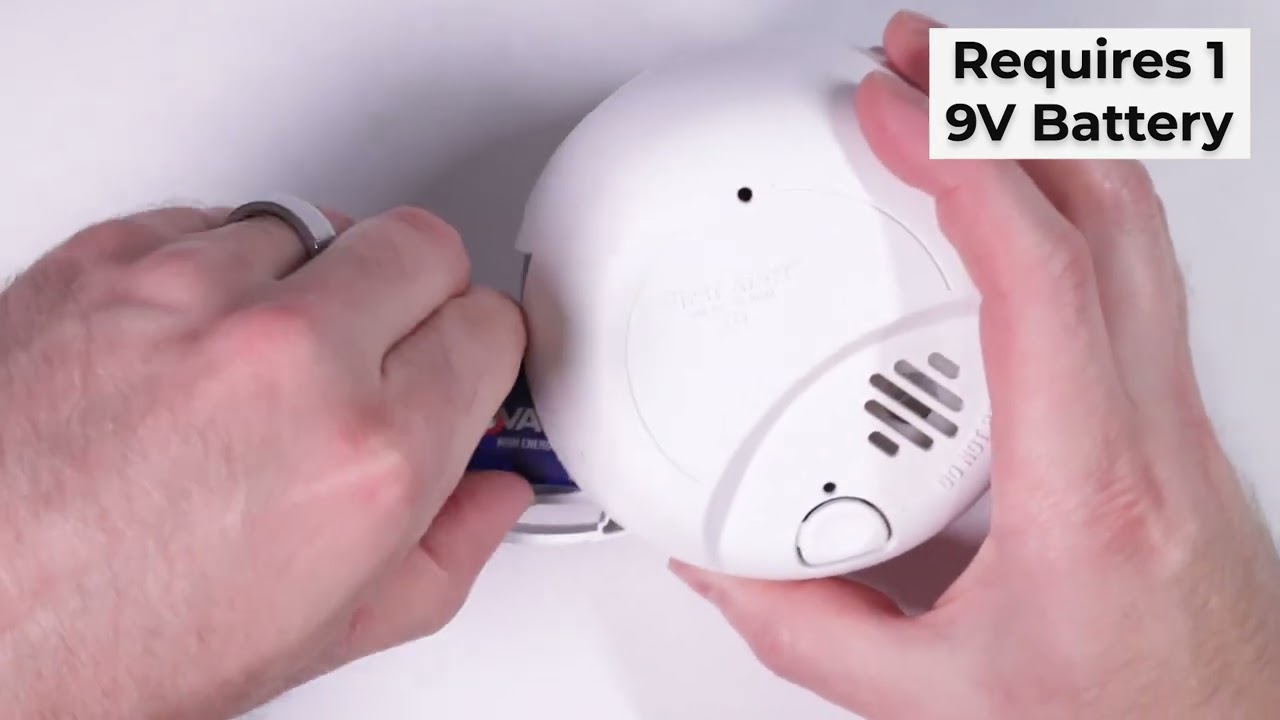
A flashing light does not guarantee strong power. Weak batteries and unstable wiring can quietly undermine your protection.
Low Battery Signals
A low battery chirp that sounds once every 30 to 60 seconds is the most reliable warning. Some units continue to flash red briefly even as the battery weakens, so do not rely on the light alone.
Best practices for battery care:
- Replace 9-volt batteries once a year, even if no chirp has sounded
- Use standard alkaline batteries rather than rechargeable types
- Press the test button after each replacement to confirm proper reset
Hardwired Detector Power Checks
For units connected to your home’s electrical system, a functional backup battery keeps the red light flashing during outages. If the light dies the moment power is cut, the backup battery likely needs replacement.
Quick verification steps:
- Switch off the circuit breaker feeding the detector
- Watch the red light for 5 to 10 minutes to confirm battery backup
- Restore power and ensure the normal flash pattern resumes
Loose wiring at the junction box can also interrupt power. If you suspect this, contact a licensed electrician rather than attempting repairs yourself.
Performing a Monthly Test
Visual flashes are useful, but only a manual test confirms that the siren, sensor, and circuitry are all working together.
How to Test Properly
- Press and hold the test button for 5 seconds
- Listen for a loud, clear alarm tone
- Watch for rapid red flashing during the alarm
- Release the button and confirm the alarm stops and the light returns to its slow blink
What Test Results Reveal
- No sound and no change in light: Dead battery or internal failure
- Chirping after the test: Low battery or a memory alert from a recent event
- Alarm continues after release: Possible sensor contamination or fault
If the unit fails after a fresh battery, replacement is the safest next step.
Cleaning Your Detector the Right Way
/Image%20020.png?width=246&name=Image%20020.png)
Dust, cobwebs, and pet hair can accumulate inside the sensing chamber, leading to erratic flashes, false alarms, or delayed detection. Routine cleaning keeps the sensor sharp and the indicator reliable.
When to Clean
- Every 6 months as a baseline
- After renovations or heavy construction
- Following frequent false alarms
- Whenever the flash pattern seems irregular
Safe Cleaning Method
- Turn off power at the breaker for hardwired units
- Twist or slide the detector off its mounting bracket
- Use a soft brush or vacuum attachment around the vents and sensor openings
- Wipe the exterior with a dry microfiber cloth
- Reinstall the unit and run a test to confirm normal operation
Avoid water, cleaning sprays, and compressed air, since moisture and pressure can damage sensitive components.
Knowing When to Replace the Unit
Even a perfectly maintained detector loses sensitivity over time. The red light may keep flashing well past the point of reliable protection, creating a false sense of security.
Clear Replacement Triggers
- Age over 10 years, regardless of performance
- Repeated malfunctions that cleaning and new batteries cannot fix
- Unreadable or missing manufacture date on the back label
- Visible discoloration, warping, or cracking of the plastic housing
Modern replacements offer sealed lithium batteries, smart home integration, and interconnected alerts that notify you on your phone when you’re away.
Placement Tips for Reliable Performance
Correct installation supports consistent red light behavior and dependable detection. Poor placement, on the other hand, can cause confusion, false alarms, and missed warnings.
Ideal Spots for Installation
- Ceiling mounts at least 4 inches from the nearest wall
- High wall mounts within the top 12 inches if ceiling installation is not possible
- Inside and outside every sleeping area
- On every level of the home, including basements
Locations to Avoid
- Near windows, doors, or supply vents where drafts disrupt airflow
- In garages with extreme temperature swings
- Inside kitchens or bathrooms where steam and cooking fumes concentrate
Strategic placement ensures the red flash remains a trustworthy indicator of protection.
Frequently Asked Questions About First Alert Smoke Detector Flashing Red
Why is my First Alert smoke detector flashing red every 30 seconds?
A single flash every 30 to 40 seconds is normal and confirms that the detector is powered and functioning correctly. No action is needed unless you also hear chirping or beeping.
What does a solid red light mean on a First Alert smoke detector?
A continuous, non-blinking red light often indicates an active alarm, a recent alarm event stored in memory, or a system fault. Try resetting the unit by holding the test button for 10 seconds, and consult your manual if the light persists.
Should I be worried if the red light stops flashing?
Yes, a missing red light usually means the unit has lost power. Check the battery first, then verify the circuit breaker and wiring for hardwired models. Replace the battery or restore power promptly to maintain protection.
Can a red flash mean the battery is low?
The red flash itself typically signals normal operation, not a low battery. A low battery is announced by a distinct chirping sound once every 30 to 60 seconds, which calls for an immediate battery replacement.
How do I stop a false alarm without disabling the detector?
Ventilate the area, press and hold the silence button for 5 seconds if your model has one, and wait for the unit to reset on its own. Never remove the battery as a first response, since this leaves you unprotected if a real fire occurs.
How long do First Alert smoke detectors last?
The entire unit should be replaced every 10 years, even if the red light continues to flash and tests pass. Sensors degrade over time, and a decade-old detector may not respond quickly enough to save lives.
Key Takeaways for First Alert Smoke Detector Red Light Issues
A First Alert smoke detector flashing red is most often a sign of healthy operation, not danger. Use the flash pattern as your first clue: slow pulses mean everything is fine, while rapid or continuous light means you should investigate. Pair visual checks with monthly testing, annual battery replacement, and biannual cleaning to keep your detector dependable. Finally, replace the entire unit every 10 years so your home’s first line of defense never grows stale. Taking these small steps consistently gives you lasting confidence that your detector will perform when it matters most.