
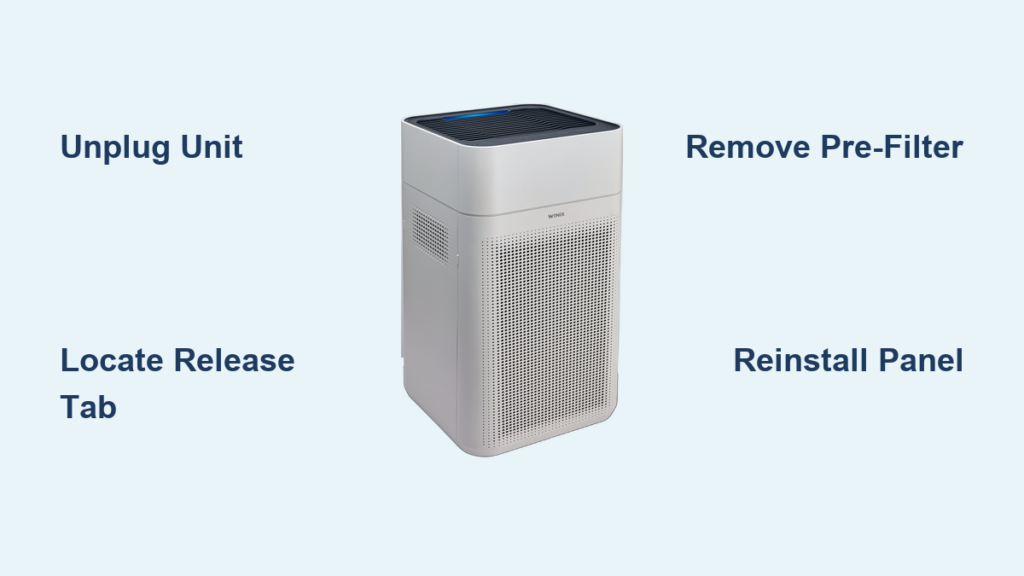
Your Winix air purifier has been working hard to keep your indoor air clean, but now it’s time for maintenance—and you’re staring at the unit wondering exactly where to begin. Unlike some appliances with obvious access panels, Winix air purifiers have cleverly designed compartments that aren’t always intuitive to open. Whether your unit’s indicator light is flashing, airflow has decreased, or it’s simply time for your scheduled filter replacement, knowing the precise method to access your filters saves frustration and prevents accidental damage to your valuable air cleaning system.
Before you attempt to open your Winix purifier, unplug it completely from the electrical outlet. This critical safety measure protects you from potential electrical hazards and prevents the unit from accidentally powering on while your hands are inside. Position your air purifier on a stable surface with good lighting—natural daylight or a bright work lamp makes it easier to spot subtle release mechanisms. Have a vacuum cleaner with brush attachment ready, as removing filters often releases accumulated dust that you’ll want to capture immediately. The entire process typically takes just 5-10 minutes once you know exactly where to press and pull.
Locate Your Winix Model’s Specific Access Point

Winix air purifiers come in multiple series with slightly different access mechanisms, so identifying your specific model first prevents unnecessary force on the wrong areas. Check the model number on the bottom plate or back panel—common models include the Winix 5300, 5500, AM90, and HR900 series. Most contemporary Winix units feature front-access panels, while some larger models like the Winix HR900 use bottom-access designs.
Identify Front-Loading Panel Release Mechanisms
Front-loading Winix models conceal their release tabs in places that aren’t immediately obvious. Run your fingers along the bottom edge of the front grille until you feel a slight indentation or flexible tab approximately 1-2 inches from either corner. On newer Winix AM90 models, the release is often centered at the bottom with a subtle “push here” marking. Older Winix 5300 series units may have dual release points at both bottom corners that must be pressed simultaneously.
Apply firm but gentle pressure inward on the release tab while simultaneously pulling the bottom edge of the panel toward you. You’ll hear distinct clicking sounds as internal clips disengage—this is normal and indicates proper release. Continue working your way across the bottom edge until the entire panel loosens. Never use excessive force, as the plastic components can crack, especially on units that have been exposed to direct sunlight over time.
Find Bottom-Access Filter Doors on Specific Models
If your Winix model has a bottom-access design like the HR900 series, locate the rectangular filter door on the lower rear section of the unit. This door typically slides horizontally toward the back of the purifier rather than lifting upward. Look for a small finger groove or textured area along the leading edge that provides grip for sliding the door.
Place one hand firmly on the main body of the purifier to stabilize it, then use your other hand to slide the access door backward with steady pressure. Some units require you to first press upward on a small latch before sliding. If the door resists movement, check for any obstructions underneath the unit and ensure you’re applying force in the correct direction—many users mistakenly try to lift when the mechanism actually slides.
Remove Filters Without Causing Damage
With the access panel open, you’ll see the filtration system arranged in layers, each serving a specific purpose in capturing different particle sizes. Most Winix models use a three-stage filtration system with distinct components that require different maintenance approaches. Understanding which filter is which prevents accidental damage during removal and ensures proper reinstallation.
Extract the Pre-Filter Safely
The pre-filter appears as a dark gray or black mesh screen closest to the exterior air intake. This component captures large particles like dust bunnies, pet hair, and lint before they reach the more delicate internal filters. Grip the pre-filter firmly by its plastic frame edges—never pull on the mesh material itself, as this can stretch or tear the fabric.
Pull the pre-filter straight out with even pressure across its entire surface. If it sticks, gently rock it side-to-side while maintaining outward pressure rather than yanking from one corner. Some Winix models have pre-filters secured with small tabs that require simultaneous inward pressure on both sides while pulling forward. Once removed, take the pre-filter to a well-ventilated area before cleaning to avoid releasing captured particles back into your living space.
Pro Tip: Vacuum your pre-filter thoroughly with a brush attachment before attempting removal from the housing—this reduces the cloud of dust that typically escapes when you first pull it out.
Handle the True HEPA Filter with Care
Behind the pre-filter sits the white or off-white True HEPA filter with distinctive pleated construction. This critical component captures 99.97% of particles as small as 0.3 microns, including pollen, mold spores, and fine dust. HEPA filters should never be washed or vacuumed aggressively, as this destroys the microscopic fiber structure essential for effective filtration.
Grasp the HEPA filter by its sturdy cardboard frame, avoiding contact with the pleated media whenever possible. Lift it straight out of its compartment without tilting, as angled removal can cause the filter to catch on internal components. Inspect the filter for excessive discoloration, visible damage to the pleats, or compressed areas that indicate it’s time for replacement rather than just cleaning.
Manage Carbon Filter Components
Some Winix models incorporate a separate carbon filter layer, often appearing as a thin black panel behind the HEPA filter. This component neutralizes odors and volatile organic compounds but has a shorter lifespan than the HEPA filter. Carbon filters cannot be cleaned and must be replaced when saturated, typically every 3-6 months depending on usage.
Remove carbon filters by sliding them straight out of their designated slot. Unlike HEPA filters, some carbon filters in Winix units come in multiple small panels rather than one large unit. Keep track of their original orientation and placement order, as reinstalling them backward reduces effectiveness. If your model uses a combined HEPA-carbon filter, treat it as a single unit during removal and replacement.
Reassemble Your Winix Purifier Correctly

Proper reassembly ensures optimal performance and prevents error messages or reduced airflow that often result from misaligned components. Rushing this stage can cause the unit to operate inefficiently or trigger filter replacement indicators prematurely.
Align Filters Precisely in Their Compartments
Before closing the access panel, verify that all filters sit perfectly flush in their designated spaces with no gaps or overlaps. Most Winix filters have directional arrows printed on their frames indicating proper airflow direction—these arrows should point toward the fan assembly inside the unit. Press gently on each filter to ensure they’re fully seated in their tracks, as partially inserted filters create air bypass that reduces cleaning efficiency.
Pay special attention to the pre-filter alignment, as this component often has specific mounting tabs that must engage with corresponding slots in the housing. Incorrect pre-filter installation is the most common cause of rattling noises when the purifier operates. Run your fingers along the edges of each filter to confirm they’re level with the surrounding housing before proceeding.
Secure the Access Panel Without Damage
Position the access panel starting with the top edge, allowing the upper clips to engage first before pressing the bottom into place. Apply even pressure across the entire panel rather than snapping one corner at a time, which can cause misalignment. You should hear multiple distinct clicks as the internal clips lock into position—count these clicks and compare to how many you heard during removal to verify complete closure.
After securing the panel, perform the “tug test” by gently pulling on different sections of the access door. Any area that moves indicates incomplete closure that could allow unfiltered air to bypass the filtration system. If the panel doesn’t sit flush or gaps appear along the edges, remove it and recheck filter alignment before attempting reinstallation.
Establish a Maintenance Routine for Future Access
Regular filter maintenance extends your Winix air purifier’s lifespan and maintains optimal air cleaning performance. Developing a systematic approach to filter replacement makes future access quicker and more efficient while preventing common mistakes that compromise air quality.
Create a Filter Replacement Schedule
Mark your calendar for pre-filter cleaning every 2-4 weeks, depending on pet ownership and local air quality conditions. Set reminders for HEPA filter replacement every 12 months, or every 6 months in households with multiple pets or allergy sufferers. Carbon filters typically require replacement every 3-6 months, though some Winix models use longer-lasting carbon filters that last up to 12 months.
Keep replacement filters on hand before they’re needed to avoid operating your purifier without proper filtration. Store new filters in their original packaging in a cool, dry place until installation. Consider purchasing filters in bulk during seasonal sales to maintain consistent supply without last-minute ordering.
Optimize Your Purifier’s Operating Environment
Position your Winix air purifier at least 12 inches away from walls and furniture to ensure proper airflow through all intake and exhaust vents. Avoid placing it near open windows during high pollen seasons, as this dramatically increases filter loading and shortens component lifespan. Place a washable mat underneath your unit to catch dust that falls during filter changes and regular operation.
Pro Tip: Vacuum around your air purifier weekly to reduce the dust load it must process—this simple habit extends filter life by up to 30% according to Winix maintenance guidelines.
By mastering these precise steps for opening and maintaining your Winix air purifier, you’ll keep your indoor air quality consistently high while maximizing your investment. Regular filter access becomes second nature with practice, transforming what initially seemed like a mysterious process into a quick, routine maintenance task that takes just minutes of your time.



