
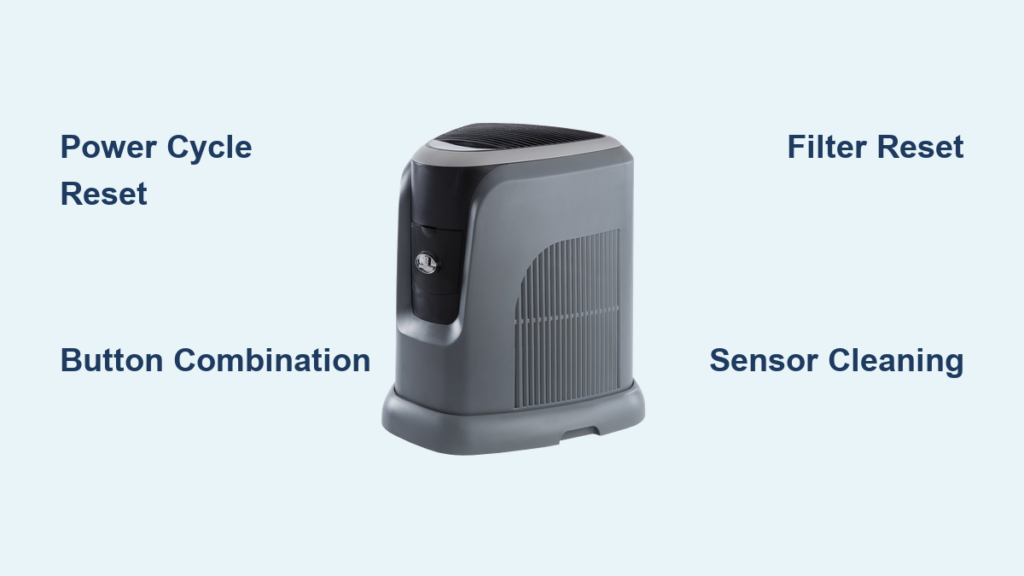
Your Aircare humidifier suddenly stops misting, the display flashes confusing error codes, or it won’t respond to button presses at all. This frustrating scenario happens to thousands of homeowners each winter when dry air makes proper humidifier function essential. Before you rush to replace your unit or schedule a costly service call, you need to know that most Aircare humidifier problems can be resolved with a simple reset procedure that takes just minutes to complete.
Whether you own the compact MA0800 for your bedroom, the powerful 831000 for whole-house use, or the newer EP9 series with smart features, understanding how to reset aircare humidifier models properly can save you time, money, and discomfort. Many users waste hundreds of dollars replacing units that would have worked perfectly after a basic reset. This comprehensive guide delivers the exact steps to restore your humidifier’s functionality, regardless of model or error code displayed.
Locate Your Exact Aircare Model Number Before Resetting
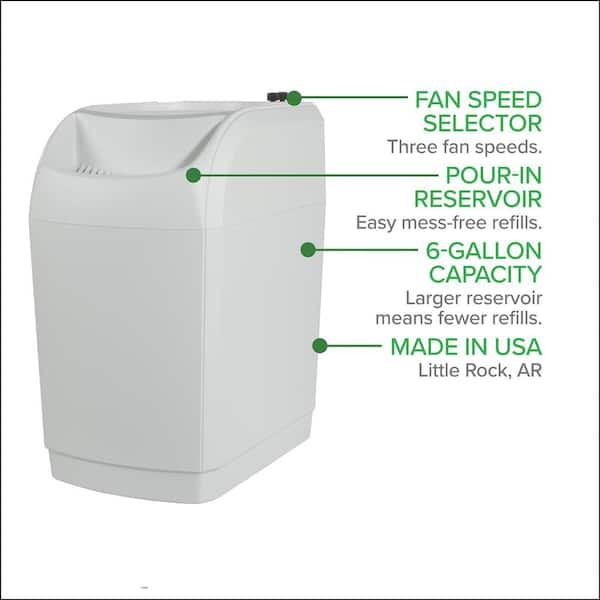
Finding your specific model number is the critical first step in successfully resetting your humidifier. Don’t assume all Aircare units reset the same way—different models require distinct procedures. Flip your unit over and examine the bottom panel or check the back near the power cord entry point for a white or silver label containing the model information.
Common Aircare models that require specific reset approaches include the MA1201, 831000, 696400HB, 831000HB, MA0800, and EP9 series. Analog models like the MA0800 with manual dials typically respond best to power cycling, while digital display models such as the 831000 require precise button combinations. Console models including the EP9 series need additional steps due to their larger water reservoirs and advanced sensor systems.
Why Model-Specific Reset Matters
Using the wrong reset method for your model could actually worsen the problem or trigger new error codes. Digital models with electronic controls need different handling than analog units with mechanical components. For instance, holding buttons too long on analog models might damage the internal circuitry, while not holding them long enough on digital units won’t complete the reset sequence.
Where to Find Model-Specific Instructions
Once you’ve identified your model, check the owner’s manual for any variations to standard reset procedures. If you’ve misplaced your manual, Aircare’s official website maintains a searchable database of model-specific instructions. Bookmark this page now—you’ll want it for future reference during high-use winter months when your humidifier works hardest.
Power Cycle Reset: Universal Fix for Most Aircare Units
The power cycle reset works for virtually all Aircare humidifier models when they become unresponsive or display erratic behavior. This method clears the unit’s temporary memory and resets the control board to factory defaults without affecting long-term settings.
Complete Power Disconnection Process
Unplug the unit directly from the wall outlet—don’t just turn it off at the unit. For built-in models connected to dedicated circuits, flip the appropriate circuit breaker to ensure complete power disconnection. Wait precisely 30 seconds; this gives capacitors time to fully discharge and clears any residual electrical charge that might be causing malfunctions.
Water Reservoir Management During Reset
While the unit is powered off, completely drain the water tank. Stagnant water left sitting can cause false error codes related to water sensors. Refill with fresh, cool tap water (or distilled water for hard water areas) immediately after the reset process. This step prevents the “water level sensor” error that commonly appears after partial resets.
Power Restoration and Function Test
After the 30-second wait, plug the unit directly into a working wall outlet—avoid extension cords which can cause voltage fluctuations. Turn on the humidifier and observe the display. Digital models should show normal operation within 15 seconds. If your unit still doesn’t respond, check your GFCI outlet as it may have tripped during the reset process.
Digital Display Reset Procedures for Modern Aircare Models
Digital Aircare humidifiers like the popular 831000 series require specific button combinations to reset properly. These models feature electronic controls that need precise input to clear error states and restore functionality.
Button Combination Sequence Explained
For most digital Aircare models displaying error codes: Press and hold both the “Mode” and “Fan Speed” buttons simultaneously for exactly 5 seconds. Watch the display closely—you should see it flash “00” or “RS” before returning to normal operation. If you release the buttons too early, the reset won’t complete, so count slowly to five.
Filter Indicator Reset Protocol
When your display shows “CF” (meaning it’s time to check or replace the filter), perform a dedicated filter reset: Press and hold the “Filter Reset” button for 3 full seconds until the indicator disappears. This doesn’t actually reset the entire humidifier—only the filter replacement timer. Many users mistakenly think this fixes all issues, but it only acknowledges you’ve serviced the filter.
Decoding and Clearing Error Messages
Persistent “F” codes require specific attention:
– F1 codes: Indicate water level sensor problems—clean the sensor probes with a soft cloth
– F2 codes: Signal temperature sensor faults that often require professional service
– F3 codes: Relate to humidity sensor issues that typically resolve with a complete power cycle
Analog Dial Reset for Traditional Aircare Models

Older Aircare humidifiers with manual dials instead of digital displays need a different reset approach that works with their mechanical components.
Complete Dial Reset Technique
Turn the humidistat dial fully counterclockwise past the “Off” position. Leave it in this extreme position for 60 seconds to ensure all internal capacitors discharge completely. Many users fail at this step by not waiting the full minute or not turning the dial far enough past “Off.”
Humidity Setting Verification
After the waiting period, slowly rotate the dial to your desired humidity setting (typically 35-45% for comfortable indoor air). Listen for the distinctive click that indicates the unit is powering on. If you don’t hear this click, check that the water tank is properly seated and the float switch moves freely when you lift it.
Fan Operation Confirmation
Test all fan speed settings by cycling through low, medium, and high positions. If the fan sticks at certain speeds, this often indicates mineral buildup in the control mechanism that requires deeper cleaning beyond a simple reset.
Post-Cleaning Reset Requirements for Optimal Performance

After performing maintenance like descaling or filter replacement, your Aircare humidifier needs specific reset procedures to recognize the clean components.
Descaling Reset Protocol
Following vinegar cleaning or commercial descaling solution use, run two complete tank cycles with plain water before attempting to reset any filter indicators. This flushes residual cleaning solution that could trigger false “mineral buildup” error codes. Many users skip this step and wonder why their “CF” indicator returns immediately after reset.
Wick Filter Replacement Reset
After installing a new wick filter, press and hold the “Filter Reset” button for 5 seconds regardless of whether the indicator is currently displayed. This critical step recalibrates the airflow resistance sensors to match your new filter’s characteristics. Skipping this often causes the unit to run inefficiently or display false error messages.
Troubleshooting Failed Reset Attempts
When your Aircare humidifier still won’t function properly after following reset procedures, these advanced troubleshooting steps can help identify the root cause.
Non-Responsive Unit Diagnosis
If your humidifier shows no signs of life after resetting, first check if the GFCI outlet has tripped—press the reset button on the outlet itself. Examine the power cord for damage, especially near the plug and where it enters the unit. For console models, ensure the water bottle is fully seated in its compartment, as improper placement often triggers safety shutoffs.
Persistent Error Code Resolution
When “F” codes return immediately after resetting, clean the relevant sensors with cotton swabs lightly dampened with distilled water. For F1 codes related to water sensors, focus on the metal probes inside the water tank compartment. If codes persist after two cleaning attempts, the sensor board likely needs professional replacement.
Prevent Future Reset Needs with Proper Maintenance
The best way to handle humidifier problems is to prevent them through regular care and appropriate usage practices.
Weekly Maintenance Checklist
- Empty and rinse the water tank every 2-3 days to prevent bacterial growth
- Wipe sensor probes weekly with a damp microfiber cloth
- Inspect the wick filter for visible mineral buildup
- Ensure the float switch moves freely by lifting it manually
Water Quality Impact on Reset Frequency
Using distilled or demineralized water significantly reduces mineral deposits that trigger error codes. If you have hard water, replace filters every 30 days instead of the standard 60-90 days. This simple change can eliminate up to 70% of the resets you’d otherwise need to perform.
Advanced Reset Options for Stubborn Issues
When standard procedures fail, these advanced techniques can resolve persistent problems with your Aircare humidifier.
Factory Reset Sequence
For units that remain unresponsive after standard resets: Unplug the unit, then hold the “Power” button while reconnecting power. Continue holding for 10 seconds to restore factory defaults. Note that this will erase all custom settings, so you’ll need to reconfigure humidity levels and other preferences afterward.
Remote Control Reset Procedure
If your Aircare model uses a remote: Remove the batteries for 30 seconds, press any button five times while batteries are out, then reinstall fresh batteries. To re-synchronize, hold the “Power” button on both the remote and main unit simultaneously for 3 seconds until you hear a confirmation beep.
Most Aircare humidifier issues resolve with these precise reset procedures. Keep your model-specific instructions handy and perform regular maintenance to prevent 90% of problems that trigger the need for resetting. When performed correctly, a proper reset restores full functionality to your humidifier, ensuring comfortable, healthy indoor air throughout the dry winter months. Bookmark this guide for quick reference—you’ll appreciate having these expert reset techniques at your fingertips when your humidifier needs attention.



