
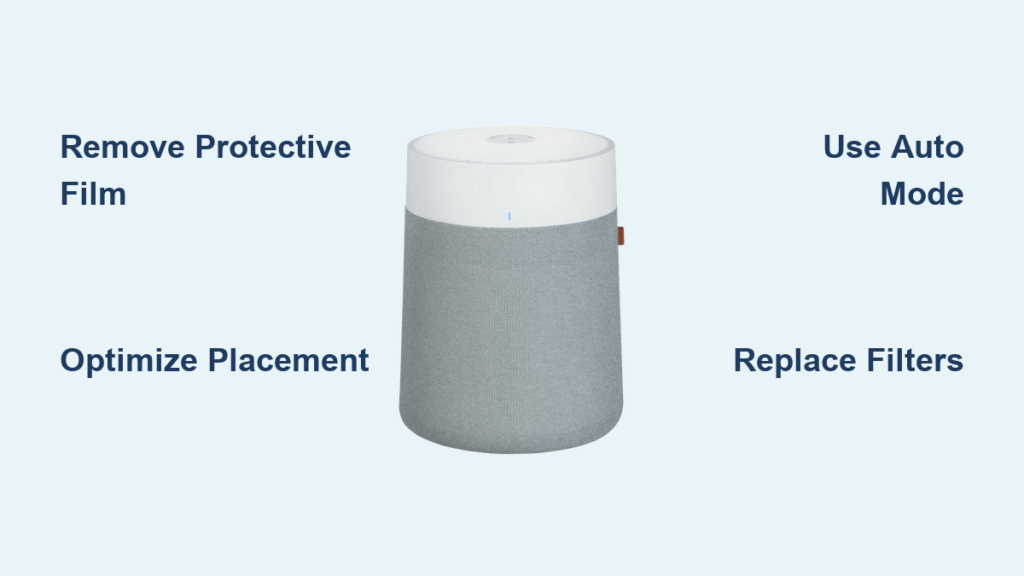
Did you know indoor air can be 2-5 times more polluted than outdoor air? When you invest in a BlueAir air purifier, proper setup and operation make the difference between mediocre air quality and transformative results for your home environment. These Swedish-designed purification units combine medical-grade HEPA filtration with activated carbon technology to remove 99.97% of airborne particles, addressing everything from dust and pollen to pet dander and volatile organic compounds. Whether you’ve just unboxed your first unit or want to optimize an existing setup, this guide walks you through everything from initial unboxing to long-term maintenance, helping you achieve cleaner, healthier indoor air within minutes of first use.
Remove Protective Film Before Powering On
The most common setup mistake that drastically reduces your BlueAir’s effectiveness is leaving protective film on the unit. When you unbox your BlueAir—whether it’s the compact 411 model for small bedrooms or a larger unit for open living spaces—you’ll find this nearly invisible plastic film covering the front panel. Take 30 seconds to carefully peel this off before plugging in your unit, as leaving it in place restricts air intake by up to 40%, significantly diminishing purification efficiency.
After film removal, place your purifier on a flat surface with at least 6 inches of clearance on all sides. Avoid positioning near heat sources or in direct sunlight, which can interfere with sensor accuracy. Models like the BlueAir 411 work best in rooms up to 270 square feet, while larger units cover spaces up to 500 square feet. Plug in the power cord and press the touch control to activate your unit—the LED indicators will cycle through colors during the self-diagnostic check that confirms proper sensor and fan operation.
Why Proper Initial Setup Matters
Skipping these critical first steps creates immediate performance issues. One study showed that units with protective film left on took 45% longer to achieve clean air status in a controlled test environment. The diagnostic cycle (typically 30-60 seconds) isn’t just for show—it verifies all components function correctly before you begin regular operation. If your unit displays red lights persistently after startup, unplug it for 10 seconds and restart; this often resolves temporary sensor glitches.
Position Your Unit for Optimal Airflow

Placing your BlueAir in a corner or against a wall creates dead zones where polluted air circulates without being processed—this single mistake negates up to 60% of your unit’s potential effectiveness. Instead, position your purifier in a central location within the room, or at least in an area where air can circulate freely to all spaces. For bedrooms, place it 3-5 feet from your bed (not directly beside your pillow) to ensure clean air reaches you without creating uncomfortable airflow during sleep.
Strategic Placement for Specific Rooms
- Bedrooms: Place near the bed but not directly facing it; run on low speed overnight
- Kitchens: Position away from cooking areas but in the path of smoke/odor flow
- Living rooms: Central placement works best for open floor plans
- Home offices: Place within 6 feet of your workspace for maximum personal benefit
Avoid enclosing your unit in cabinets or behind furniture—this restriction forces the motor to work harder while processing less air. If you have pets, position the purifier away from litter boxes or pet bedding areas where dander concentration is highest.
Activate and Customize Automatic Mode
The Smart Sensor Technology in your BlueAir continuously monitors air quality and automatically adjusts fan speed—this feature transforms your unit from a basic appliance into an intelligent air quality management system. Press the “Auto” button on your control panel to activate this mode, then watch the color-coded LED display: green for good air quality, yellow for moderate concerns, and red for poor conditions requiring maximum purification.
Fine-Tune Automatic Mode for Your Home
During the first 48 hours of automatic operation, your BlueAir learns your home’s typical pollution patterns. If you find the unit responds too aggressively to temporary pollution spikes (like cooking smoke), temporarily switch to manual mode during those activities. Some models allow you to adjust sensitivity through the control panel—look for the “Sensitivity” setting in the menu options.
For allergy sufferers, keep the unit running on automatic mode 24/7 in bedrooms—the consistent filtration significantly reduces airborne allergens that trigger symptoms during sleep. You’ll notice the unit ramps up during high-pollen morning hours and settles to quieter operation overnight when allergen counts naturally decrease.
Replace Filters Based on Actual Usage
The filter replacement indicator light illuminates when your BlueAir’s filter reaches end-of-life, but don’t wait for this signal if you notice reduced performance. Under average conditions, replace filters every 12 months, but households with pets, smokers, or high dust levels may need replacements every 6-8 months. Genuine BlueAir filters are essential—aftermarket alternatives often fail to meet the H13-grade True HEPA standards required for medical-grade filtration.
Complete Filter Replacement in 3 Minutes
- Power off your BlueAir and unplug it from the wall
- Open the filter compartment (location varies by model—consult your manual)
- Remove the old filter and dispose of it properly
- Insert the new filter with arrows pointing in the direction of airflow
- Close the compartment securely and reset the filter indicator
After replacement, run your unit on high speed for 15 minutes to clear any residual manufacturing dust from the new filter. Set a calendar reminder for your next replacement based on your specific usage patterns, not just the manufacturer’s recommendation.
Troubleshoot Common Operational Issues

When your BlueAir makes unusual noises, first check for visible obstructions in the intake vents—pet hair, dust bunnies, or small objects can create rattling sounds. Turn off the unit and use your vacuum’s brush attachment to gently clean exterior vents. If noise persists after clearing obstructions, the fan assembly may require professional service.
Immediate Fixes for Key Problems
- Unit won’t power on: Check outlet functionality with another device and ensure the power cord is fully inserted at both ends
- Inaccurate air quality readings: Gently clean sensor area with a dry cotton swab (consult manual for location)
- Persistent red indicator: Run on high speed for 30 minutes to address severe pollution; if red remains, contact support
- Excessive dust on surfaces: Your unit may be undersized for the space—consider upgrading to a larger model
Avoid using cleaning sprays near your unit—they can damage sensors and leave chemical residues on filters. Instead, wipe exterior surfaces with a slightly damp microfiber cloth when performing weekly maintenance.
Maximize Performance for Specific Household Needs

Allergy sufferers achieve the best results by running BlueAir units continuously in bedrooms—the HEPA filtration captures 99.97% of pollen, dust mites, and pet dander that trigger symptoms. Position the unit near your bed (but not directly facing it) and keep doors closed to create a purified sleep sanctuary. Medical studies show consistent nighttime HEPA filtration reduces allergy symptoms by up to 40% within two weeks of regular use.
Targeted Solutions for Common Household Challenges
- Pet owners: Place units near pet bedding areas and run on medium-high speed during peak dander periods
- Smokers: Position purifiers between smoking areas and living spaces; run on high immediately after smoking
- New construction: Run units continuously for 3-6 months to address VOC off-gassing from new materials
- Cooking odors: Place units in kitchen airflow paths and run on high during and after cooking sessions
For asthma management, maintain continuous operation in main living areas—the rapid particle removal prevents triggers from accumulating in your breathing space. Many users report reduced medication reliance within one month of consistent purification.
Establish a Maintenance Routine for Longevity
Wipe down your BlueAir’s exterior with a dry microfiber cloth weekly to prevent dust buildup on sensors and vents. Monthly, use your vacuum’s brush attachment to clean intake and output vents—this simple step maintains optimal airflow and prevents motor strain. Never spray liquids directly on the unit; instead, lightly dampen your cloth for stubborn residues.
Keep your unit running 24/7 for consistent air quality—BlueAir’s Energy Star certification means continuous operation costs less than $5 monthly in electricity. Document your filter replacements and register your product with BlueAir to ensure full warranty coverage. When not in use for extended periods, store your unit in its original box with all vents covered to prevent dust accumulation.
Final Note: Your BlueAir air purifier delivers maximum benefits when properly positioned, regularly maintained, and operated according to your specific household needs. By following these guidelines—removing protective film, optimizing placement, mastering automatic mode, replacing filters on schedule, and troubleshooting common issues—you’ll transform your indoor air quality and create a healthier environment for your family. For ongoing support, refer to BlueAir’s official resources for model-specific guidance and filter replacement reminders.



