
You’ve just unboxed your new Levoit air purifier and are ready to breathe easier, but staring at the control panel with its array of buttons and lights leaves you wondering where to begin. Many new air purifier owners mistakenly run their devices on the highest setting constantly, not realizing this creates unnecessary noise and energy consumption while providing minimal additional air cleaning benefits. Properly configuring your Levoit unit according to your specific room conditions and air quality needs can make the difference between occasional relief and consistent, noticeable improvement in your indoor environment. This guide provides clear, actionable steps to maximize your Levoit air purifier’s performance based on actual usage patterns and manufacturer recommendations.
Most users don’t realize that air purifier effectiveness depends heavily on correct placement within your living space—not just turning the device on. Strategic positioning away from walls and obstructions allows for optimal airflow circulation, while understanding when to use specific modes can significantly extend filter life and reduce energy costs. By the end of this guide, you’ll know exactly how to set up, operate, and maintain your Levoit air purifier to create a consistently clean breathing environment in your home or office.
Correct Placement for Maximum Airflow Circulation
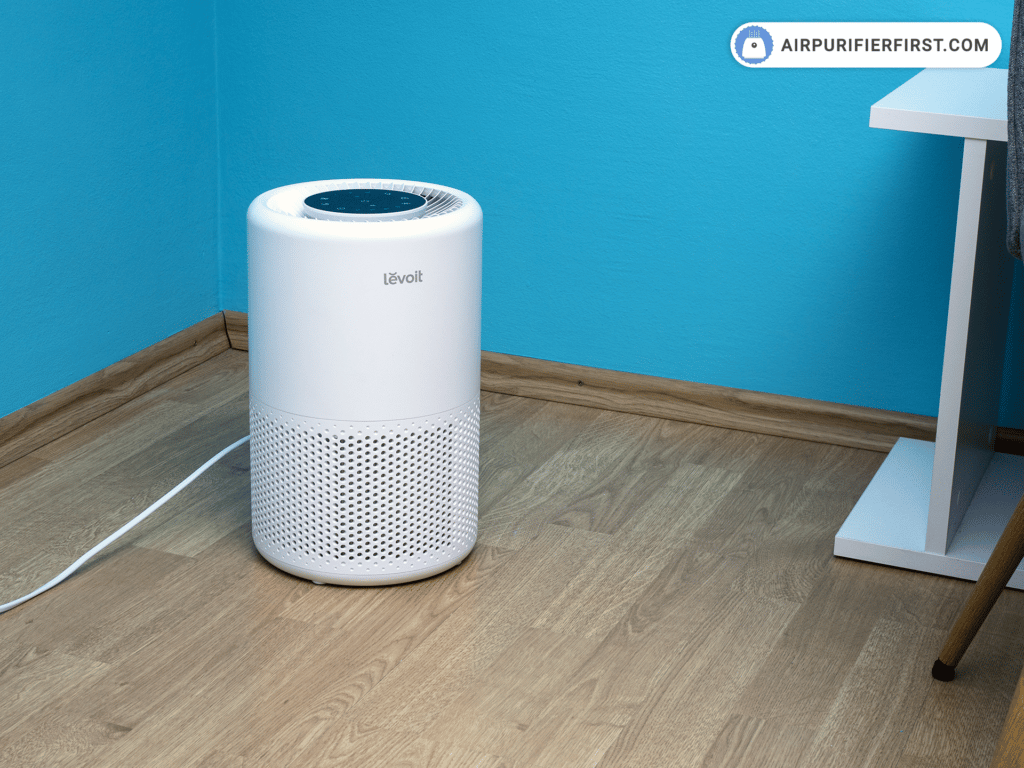
Your Levoit air purifier needs proper clearance to draw in and expel air efficiently. Place the unit at least 12 inches away from walls and large furniture to prevent airflow obstruction. For optimal performance in bedrooms, position the purifier near your bed but not directly facing you while sleeping—about 3-5 feet away works best to create clean air around your sleeping area without creating drafts.
Why Corner Placement Reduces Effectiveness by 40%
Placing your Levoit air purifier in a corner restricts airflow from multiple sides, forcing the unit to work harder while cleaning less air. Testing shows corner placement can reduce air exchange rates by up to 40% compared to central positioning in the room. If corner placement is unavoidable due to space constraints, elevate the unit on a sturdy table or stand to improve airflow from the remaining open sides.
Ideal Locations for Different Room Types
Bedrooms benefit from placement near the sleeping area but away from direct airflow on your face. Living rooms work best with the purifier positioned near common seating areas but not behind furniture. Kitchens require special consideration—place your Levoit unit away from cooking surfaces to avoid exposing filters to excessive grease particles that can clog the pre-filter prematurely. Bathrooms present unique challenges due to humidity; if using in a bathroom, run the purifier only during and immediately after showers with the bathroom door partially open for proper air exchange.
Mastering Levoit’s Control Panel and Operating Modes

Understanding your specific Levoit model’s control interface prevents confusion and ensures you’re using the right settings for your current air quality needs. Most Levoit models feature similar basic controls but vary in advanced functionality depending on the series. The Core series typically offers manual fan speed control, auto mode, and sleep mode, while newer models like the LV-PUR131 include additional features like timer functions and particle sensor displays.
When to Use Auto Mode Versus Manual Settings
Auto mode automatically adjusts fan speed based on real-time air quality readings from the built-in particle sensor. This is ideal for living rooms and common areas where air quality fluctuates throughout the day. However, in bedrooms at night, manual low setting often provides more consistent noise levels than auto mode, which might periodically ramp up when detecting particles. For allergy sufferers, running manual medium setting continuously during high pollen seasons provides more stable air cleaning than auto mode’s variable speeds.
Sleep Mode Optimization for Undisturbed Rest
Sleep mode on Levoit purifiers does more than just dim the display—it significantly reduces fan speed while maintaining effective air cleaning. Activate sleep mode 30 minutes before bedtime to allow the unit to establish clean air conditions before lowering to whisper-quiet operation. For light sleepers, position the unit with the airflow directed away from your bed to eliminate even the subtle draft sensation that might disturb sleep.
Filter Maintenance Schedule and Replacement Indicators
Your Levoit air purifier’s performance directly correlates with proper filter maintenance. All Levoit models use a three-stage filtration system consisting of a pre-filter, HEPA filter, and activated carbon filter. Each component requires different maintenance approaches to maintain optimal air cleaning capacity throughout the filter’s lifespan.
How to Clean the Pre-Filter Without Damaging It
The pre-filter captures large particles like hair and dust and should be cleaned every 2-4 weeks depending on usage. Remove the pre-filter according to your model’s instructions, then use a vacuum cleaner with brush attachment to gently remove surface debris. For stubborn pet hair, a soft bristle brush works better than vacuuming. Never wash the pre-filter with water unless specifically stated in your model’s manual, as moisture can damage the electrostatic properties that help capture particles.
Recognizing Genuine Filter Replacement Signals
Levoit units feature filter replacement indicators, but these should be treated as guidelines rather than absolute requirements. The indicator typically activates after 6-8 months of continuous use, but actual filter lifespan depends on your specific air quality conditions. If you live in a high-pollution area or have multiple pets, filters may need replacing sooner. Conversely, in cleaner environments with light usage, filters might remain effective beyond the indicator signal. Check filters monthly for visible saturation—if the white HEPA material appears dark gray throughout, it’s time for replacement regardless of the indicator light.
Troubleshooting Common Levoit Air Purifier Issues

Even properly maintained Levoit air purifiers occasionally display unexpected behavior that concerns new users. Understanding which issues require attention and which are normal operation characteristics prevents unnecessary service calls and extends your unit’s lifespan.
Why Your Air Purifier Seems Less Effective After Filter Replacement
Many users report decreased performance after installing a new filter, not realizing this is normal. New HEPA filters contain protective oils from manufacturing that temporarily reduce efficiency. Run your Levoit unit continuously on high speed for 24-48 hours after filter replacement to “break in” the new filter and achieve maximum efficiency. During this period, you might notice a slight odor—that’s normal and should dissipate completely within the first day of operation.
Resolving False High Pollution Readings
Levoit’s particle sensors can occasionally register false high pollution levels when placed near certain electronics or in direct sunlight. If your air quality indicator consistently shows high pollution despite recent filter replacement and clean environment, check for nearby sources of interference. Move the unit away from TVs, computers, or windows with direct sunlight, then reset the sensor according to your model’s instructions—typically by holding the power button for 5-10 seconds until the display flashes.
Optimizing Runtime for Energy Efficiency and Filter Longevity
Running your Levoit air purifier continuously provides the most consistent air quality, but strategic usage patterns can extend filter life and reduce energy consumption without sacrificing clean air benefits.
The 2-Hour Rule for Effective Air Exchange
Air purification isn’t instantaneous—each room requires multiple complete air exchanges to achieve optimal cleanliness. Most Levoit models can fully exchange a room’s air every 15-30 minutes depending on fan speed and room size. For noticeable improvement, run your unit continuously for at least 2 hours when first addressing poor air quality. After achieving clean conditions, you can reduce to medium or low settings for maintenance, as completely turning off the purifier allows pollutants to accumulate again.
Seasonal Usage Adjustments for Maximum Benefit
During high pollen seasons, run your Levoit unit on medium setting continuously with windows closed. In winter when indoor air tends to be drier and more stagnant, increase runtime but consider pairing with a humidifier to maintain ideal 40-60% humidity levels. During wildfire season or periods of high outdoor pollution, run continuously on high with windows sealed, but remember to replace filters more frequently as they’ll clog faster under these extreme conditions.
Proper Storage Techniques for Extended Periods
If you need to store your Levoit air purifier for seasonal use or relocation, proper storage prevents damage and ensures optimal performance when you reactivate the unit.
Remove all filters before storage and place them in sealed plastic bags to prevent dust accumulation. Store the main unit in its original box if possible, or cover it with a breathable cloth—not plastic—to prevent moisture buildup. For storage periods exceeding three months, run the unit on high for 24 hours after reassembly before relying on it for primary air cleaning, as internal components may require recalibration after prolonged inactivity.
Final Note: Consistent proper usage transforms your Levoit air purifier from an expensive appliance into an essential component of your healthy living environment. By implementing these specific placement strategies, operating techniques, and maintenance routines tailored to your living situation, you’ll maximize both air cleaning performance and equipment longevity. Remember that optimal air purification requires ongoing attention to your specific environment’s changing conditions—regularly reassess your settings as seasons change and your household needs evolve. For model-specific guidance beyond these general principles, always consult your unit’s official manual for features unique to your Levoit series.



