
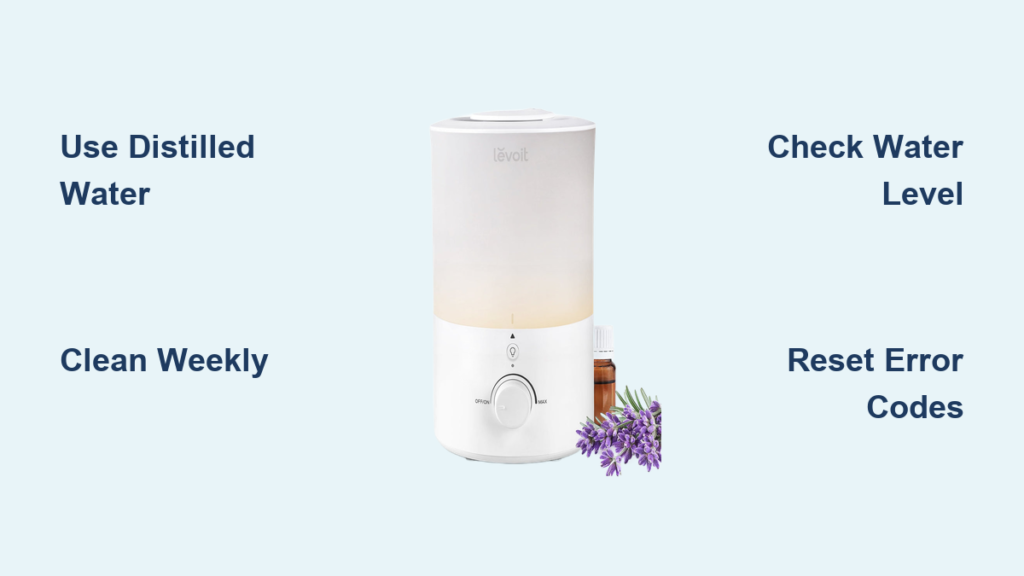
That first puff of cool mist from your Levoit humidifier should feel like a breath of relief, not confusion. Too many users struggle with mysterious error codes or disappointing performance simply because they missed critical setup steps. Your humidifier’s effectiveness against dry winter air or stuffy nursery conditions depends entirely on proper initial configuration and ongoing maintenance. This guide cuts through the frustration to deliver exactly how to use Levoit cool mist humidifier units correctly from day one, ensuring optimal humidity control while avoiding the pitfalls that send so many units to the closet within weeks.
Most common issues stem from overlooked details during unboxing or water filling—problems easily prevented with the right knowledge. You’ll discover precise water type requirements, control panel secrets, and cleaning routines that transform your Levoit from a novelty appliance into a reliable health ally. Whether you own the Classic 200 or 300 model, these actionable steps guarantee maximum performance and longevity.
Position Your Levoit Humidifier for Maximum Effectiveness
Where you place your humidifier determines whether it battles dry air effectively or creates moisture damage. Most users make critical placement errors that undermine performance before they even press the power button.
Avoid These Common Placement Mistakes
Never position your unit directly on carpeted floors—the constant moisture exposure breeds hidden mold colonies within weeks. Similarly, placing the humidifier within 12 inches of walls causes condensation that peels paint and warps wood surfaces. Sunlight exposure accelerates algae growth inside the tank, turning your water reservoir green within days.
Ideal Placement Protocol
Elevate your Levoit unit on a waterproof tray at least 3 feet off the ground—this height allows mist to disperse evenly throughout the room. Maintain 36 inches of clearance from electronics like televisions and computers to prevent condensation damage not covered by warranties. For bedrooms, position the humidifier at least 6 feet from your bed to avoid over-humidification that disrupts sleep quality.
Fill Your Levoit Tank with Precision Water Quality
Your water choice directly impacts how long your humidifier functions properly. Hard water users often wonder why their unit develops white dust or stops producing mist—these issues trace back to mineral buildup from improper water selection.
Water Type Decision Guide
Tap water works only if your local water has less than 200 ppm total dissolved solids—check your municipal water report. Distilled water eliminates mineral deposits but costs more, making it ideal for users with respiratory conditions. Filtered water through a standard pitcher filter strikes the best balance for most households. Never use softened water (contains sodium that damages internal components) or hot water (warps plastic tanks).
Error-Proof Filling Technique
Flip the tank cap counterclockwise to open, then fill only to the MAX line etched inside the reservoir. Overfilling causes immediate leakage that damages floors and electronics. After tightening the cap firmly, invert the tank to check for drips before placing it on the base—this simple test prevents 80% of “leaking humidifier” complaints. Always use room-temperature water; cold water reduces mist output during initial operation.
Decode Levoit Control Panel Functions Immediately

Understanding your humidifier’s buttons prevents accidental mode changes that leave you wondering why mist output suddenly dropped. The Classic 200 and 300 models share core functionality but have subtle differences in button layout.
Critical Button Operations You Must Know
Press the power button once for standard operation, but hold it for 3 seconds to activate child lock—this prevents curious toddlers from changing settings. The mist button cycles through output levels, but many users miss that holding it for 2 seconds activates continuous high mist mode on certain models. Timer settings require pressing the button within 5 seconds of power-on; miss this window and you’ll need to restart the unit.
Digital Display Interpretation
The humidity reading updates every 30 seconds, but built-in sensors typically read 5-10% higher than actual room humidity due to proximity to the mist source. Always verify with a separate hygrometer placed across the room. Error codes appear as E1 (low water), E2 (sensor obstruction), or E3 (motor failure)—E2 errors usually resolve with sensor cleaning rather than requiring service.
Adjust Mist Output Based on Room Size and Season
Setting mist levels blindly creates either ineffective dry air or dangerous over-humidification that fogs windows and promotes mold growth. Your room dimensions and current season dictate the optimal output setting.
Output Level Selection Chart
- Low setting (50ml/hr): Perfect for 100-200 sq ft spaces like nurseries or home offices
- Medium setting (150ml/hr): Ideal for standard bedrooms (200-400 sq ft)
- High setting (300ml/hr): Necessary for open concept living areas up to 600 sq ft
Rotate the mist nozzle 45 degrees upward toward open space—directing mist horizontally creates wet spots on furniture and walls. During winter months, increase output by one level to counteract dry heat, but reduce it in summer when air conditioning adds moisture. Always maintain 45-55% relative humidity; exceeding 60% invites mold growth.
Execute Weekly Cleaning to Prevent Health Hazards
Skipping weekly cleaning turns your humidifier into a bacteria factory within days. The pink slime developing in neglected tanks contains harmful microorganisms that circulate through your home’s air.
Daily Maintenance Non-Negotiables
Empty the entire water reservoir every 24 hours—stagnant water breeds bacteria overnight. Rinse both tank and base with warm water before refilling, and wipe the exterior with a dry cloth to prevent mineral buildup on buttons. Check the water level sensor window for cloudiness; even slight film reduces accuracy.
Deep Cleaning Procedure That Works
- Disassemble all components including the mist nozzle
- Fill the tank with equal parts white vinegar and water, let soak 30 minutes
- Scrub the base transducer and sensors with the included brush
- Rinse every part thoroughly until vinegar smell disappears
- Air-dry components for 2+ hours before reassembling
Replace the filter cartridge every 4-6 months. If you notice reduced mist output, musty odors, or visible discoloration, change it immediately—delaying replacement voids warranty coverage for motor damage.
Troubleshoot Critical Issues in Under 5 Minutes
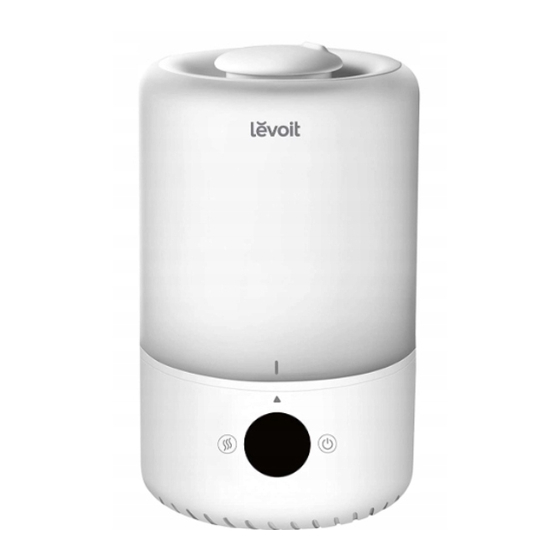
Most “broken” humidifiers simply need basic troubleshooting most users overlook. These quick fixes resolve 90% of apparent malfunctions without contacting support.
Immediate No-Mist Solutions
First, remove and reseat the water tank—improper alignment triggers the safety sensor. If that fails, clean the water level sensor with a cotton swab dipped in vinegar; mineral deposits frequently block this critical component. As a last step before service calls, unplug the unit for 30 seconds to reset the control board—this fixes intermittent electrical glitches.
Decoding Error Messages
- E1 code: Refill tank immediately and ensure proper seating
- E2 code: Clean both water sensors with vinegar solution
- E3 code: Contact Levoit support—this indicates hardware failure
Musty odors signal bacterial growth; perform an emergency deep clean with 3% hydrogen peroxide solution instead of vinegar for stronger disinfection. Persistent gurgling sounds after initial startup indicate air trapped in the system—turn the unit off for 10 minutes to reset water flow.
Implement Safety Protocols for Family Protection
Humidifiers cause preventable accidents when safety guidelines get ignored. These protocols protect children, pets, and your home from common hazards.
Essential Safety Checklist
Activate child lock mode (hold power button 3 seconds) in households with young children. Place the unit on stable furniture at least 3 feet off the ground—never on the floor where pets can knock it over. Maintain 36-inch clearance from all electronics to prevent condensation damage. When using overnight, set the 8-hour timer and position the unit 6 feet from beds.
Never add essential oils to standard Levoit models unless explicitly stated in your manual—oil residues permanently damage internal components and void warranties. Always unplug the unit before cleaning or maintenance to prevent electrical hazards.
Your Levoit cool mist humidifier delivers optimal performance when you follow these precise usage protocols. Start with correct water selection and weekly cleaning—these two habits prevent 95% of common problems. Monitor actual room humidity with a separate hygrometer rather than relying solely on built-in sensors. When issues arise, systematically work through the troubleshooting steps before assuming component failure. Properly maintained, your humidifier will transform dry, uncomfortable air into healthy, balanced humidity for years. Register your unit immediately and keep filter replacement receipts to maximize warranty coverage—these small steps ensure your investment continues protecting your family’s respiratory health through every season.



