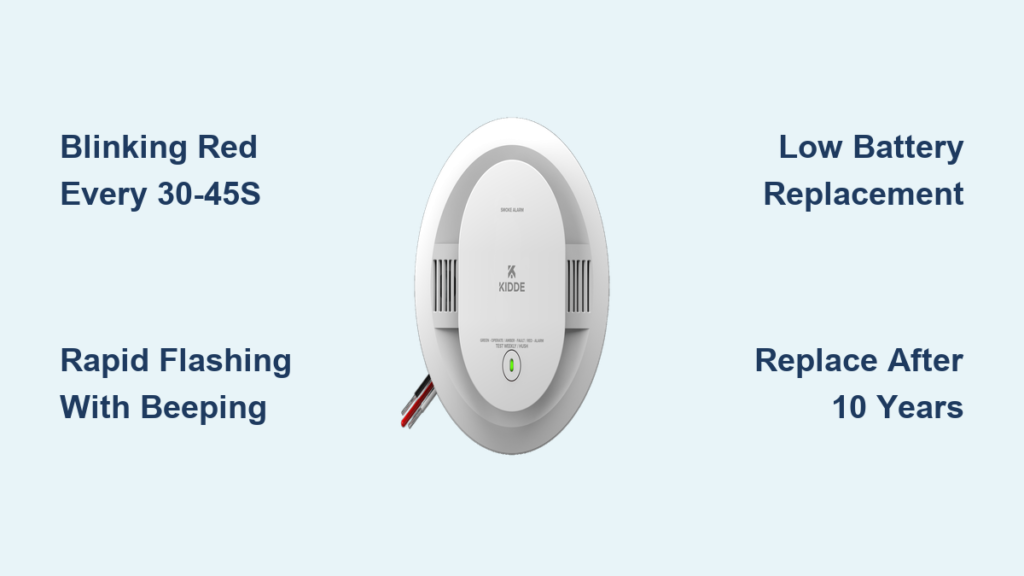
If your Kidde smoke detector is blinking red, you’re likely wondering whether it’s a normal function or a warning sign. A flashing red light, especially when paired with beeping, can feel alarming. In most cases, the blink is part of regular operation, but certain patterns indicate a real issue that needs your attention. Whether you own a basic smoke alarm or a combination smoke and carbon monoxide unit, understanding what each blink means can save you time and protect your home.
This guide breaks down exactly what a blinking red light means on your Kidde smoke detector. You’ll learn how to distinguish normal behavior from warning signals, how to troubleshoot beeping, and when to replace the unit. Everything is based on Kidde product behavior and common user experiences shared in community forums.
Normal Red Light Behavior on Kidde Detectors
Standard Blink Every 30–45 Seconds
A red LED that flashes once every 30 to 45 seconds is completely normal for most Kidde smoke and carbon monoxide detectors. This periodic blink confirms the unit is powered and functioning correctly. Think of it as a visual heartbeat that lets you know the alarm is active and monitoring your home.
This behavior applies to battery-powered units, hardwired models, and combination smoke and CO detectors.
Why the Light Blinks Instead of Staying On
Modern Kidde detectors use intermittent flashing instead of a steady light to conserve battery life. The brief pulse still provides visual confirmation that the unit is working. If you see this regular, slow blink with no sound, your detector is operating as designed.
Pro Tip: If the light blinks more frequently than every 30 seconds, or if beeping accompanies the flashes, something needs attention.
Abnormal Red Light Patterns to Watch For
Rapid Flashing Paired With Beeping
When the red light blinks rapidly (more than once per second) and the unit beeps, this usually points to a specific issue. Community members have reported this pattern when dealing with low batteries or end-of-life warnings.
Common causes include:
– Low or failing battery
– End-of-life signal after 10 years
– Sensor malfunction
– Temporary fault after a power interruption
Three rapid beeps followed by a pause typically means low battery. Two beeps every 30 seconds often signals that the unit has reached the end of its lifespan.
No Blink at All
If the red light doesn’t blink and the unit appears completely dark, check whether it’s receiving power. Battery-powered units may have a dead battery, while hardwired models could have a tripped breaker or disconnected wiring. A unit with no light at all cannot alert you in an emergency.
How to Reset a Kidde Smoke Detector
Basic Reset Procedure
A reset can clear temporary faults and stop nuisance beeping. Follow these steps:
- Press and hold the test/hush button for 15–20 seconds
- Wait for the unit to chirp or flash rapidly, then release
- The red light should return to its normal slow blink
- Listen for any recurring beeps over the next few minutes
This often resolves issues after a battery change or power surge.
Using Hush Mode for Nuisance Alarms
If cooking smoke or steam triggered the alarm, press the test/hush button to activate hush mode. This silences the unit for about 8 to 10 minutes. During this period, the red light may blink more frequently, which is normal. The detector will automatically return to standard operation once hush mode ends.
Warning: Do not use hush mode to ignore persistent beeping. If the alarm reactivates, investigate the underlying cause.
Battery Problems and Replacement Steps
Signs Your Battery Is Low
A blinking red light combined with periodic chirping (usually once per minute) is the most common sign of a low battery. Other indicators include dim flashes, irregular blinking, or delayed response when you press the test button.
Kidde battery-powered units typically run on 9V or AA batteries, depending on the model. Combination smoke and CO detectors follow the same battery requirements.
How to Replace the Battery
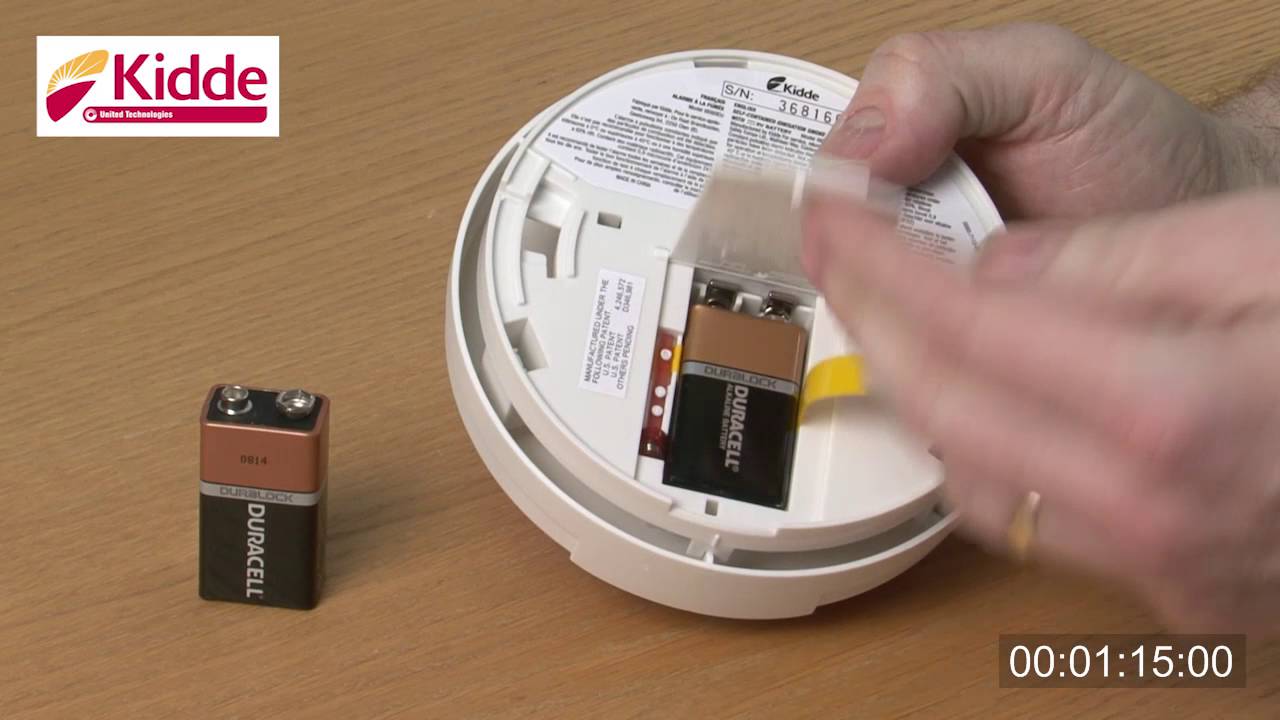
Follow these steps for a smooth battery swap:
- Turn off power at the breaker if the unit is hardwired
- Twist the detector counterclockwise to remove it from the mount
- Open the battery compartment
- Insert a fresh battery, matching the polarity markings
- Reattach the unit and restore power
- Press the test button to confirm proper operation
After replacement, the unit may chirp briefly as it resets. This is normal and should stop within 30 seconds.
Pro Tip: Use high-quality alkaline batteries and avoid rechargeable types, which can deliver inconsistent power.
End-of-Life Warning Signs
The 10-Year Replacement Rule
Every Kidde smoke and combination detector has a 10-year service life. After this period, the entire unit must be replaced, even if it appears to function normally. As the detector approaches the end of its life, watch for these signals:
- Two beeps every 30 seconds
- Irregular red light blinking
- No response to the test button
- A “replace” or “end” message on digital models
You can find the manufacture date printed on the back of the unit. Add 10 years to determine your replacement deadline.
Why Replacement Is the Only Safe Option
Smoke sensors degrade over time, becoming less responsive to actual fires. Dust accumulation, weakened circuitry, and aging components make old units unreliable. Kidde does not support repairing detectors past their service life.
Expert Note: A normally blinking light does not guarantee reliability. Replace any detector over 10 years old immediately.
Common Causes of False Alarms
Dust and Debris Inside the Unit
Dust buildup in the sensing chamber is a leading cause of false alarms and erratic light behavior. Clean your detector every six months using compressed air to blow out the vents and a dry cloth to wipe the exterior. Never use water, sprays, or cleaners on the unit.
Steam, Humidity, and Cooking Smoke
Bathrooms, kitchens, and laundry rooms often trigger false alarms due to steam or cooking particles. Install detectors at least 10 feet away from these areas. If placement near a kitchen is unavoidable, consider a photoelectric model, which responds less to steam than ionization types.
Insects and Cobwebs
Small bugs or spider webs inside the unit can disrupt sensors. A quick visual inspection during routine cleaning prevents this issue.
Hardwired vs. Battery-Only Models

Identifying Which Type You Have
Check the back of your unit to determine the power source:
– Battery-only units use 9V or AA batteries with no wiring
– Hardwired units connect to your home electrical system and include a backup battery
– Interconnected models link multiple units so all alarms sound together
Hardwired Kidde detectors often display a green LED for power and a red LED for status.
Troubleshooting Hardwired Power Issues
If a hardwired unit blinks erratically, check the circuit breaker first. A tripped breaker can interrupt power and cause temporary faults. Inspect the wiring connections and test the backup battery, replacing it if it’s more than 6 to 12 months old.
Testing Your Detector Monthly
Quick Test Procedure
Test your Kidde detector once a month to confirm it works properly:
- Press and hold the test button for 5–10 seconds
- Listen for a loud, clear alarm
- Watch the red light flash rapidly during the test
- Confirm that interconnected units sound simultaneously
If the alarm sounds weak, delayed, or silent, replace the battery first. If the issue persists, replace the entire unit.
Optional Aerosol Test
For a more thorough check, use a smoke detector test aerosol. Spray briefly into the vents from a safe distance. The alarm should trigger within 20 seconds.
Safety Note: Never use real smoke, candles, or open flames to test your detector.
When to Replace Your Kidde Detector
Immediate Replacement Scenarios
Replace your detector right away if any of the following apply:
– The unit is more than 10 years old
– It fails the test even after a fresh battery
– The red light is solid (not blinking) and the unit is unresponsive
– It chirps continuously despite troubleshooting
– The casing is cracked, yellowed, or damaged
Recommended Replacement Options
Consider upgrading to one of these reliable models:
– Kidde i12040: Sealed 10-year battery with no replacements needed
– Kidde PI2010: Combination smoke and carbon monoxide detector
– Kidde KN-COSM-IBA: Interconnected dual-sensor alarm
Sealed lithium battery models eliminate low-battery chirps and provide a full decade of maintenance-free protection.
Preventive Maintenance Schedule
Routine Tasks to Stay On Track
Set calendar reminders for these essential tasks:
– Test alarms: Once per month
– Replace batteries: Every year (unless sealed)
– Clean units: Every six months
– Replace the entire detector: Every 10 years
Mistakes to Avoid
Never disable an alarm by removing the battery. Don’t paint over the unit, as this can block sensors. Avoid installing detectors near HVAC vents, windows, or bathrooms where drafts or humidity cause false alarms. And never ignore beeping, even if it seems minor.
Pro Tip: Write the installation date on the back of the unit with a permanent marker so you always know when to replace it.
Frequently Asked Questions About Kidde Smoke Detector Blinking Red
Why is my Kidde smoke detector blinking red but not beeping?
A slow blink every 30 to 45 seconds with no sound is normal. It confirms the unit is powered and working correctly. No action is needed unless the blink becomes faster or beeping starts.
What does a red flash every 30 seconds mean?
This is the standard heartbeat indicator on most Kidde detectors. It means the unit is receiving power and monitoring for smoke or carbon monoxide.
How do I stop the red light from blinking?
You cannot disable the status LED without removing power, which is not recommended. The slow blink is by design and confirms proper operation. If the light blinks rapidly or with beeping, troubleshoot the issue or replace the unit.
What does it mean when my Kidde detector blinks red and beeps?
This combination usually signals a low battery, end-of-life warning, or sensor fault. Replace the battery first. If beeping continues, check the manufacture date on the back of the unit to see if it’s time for a full replacement.
Why does my Kidde smoke detector keep beeping after I changed the battery?
Residual charge or a reset issue can cause brief chirping after a battery swap. Hold the test button for 15 to 20 seconds to fully reset the unit. If beeping persists beyond a few minutes, inspect the battery compartment for proper polarity or replace the unit.
How long do Kidde smoke detectors last?
Kidde detectors have a 10-year service life. After this period, sensors lose sensitivity and the unit must be replaced, even if it still appears to function normally.
Final Thoughts on Fixing a Kidde Smoke Detector Blinking Red
A slow red blink every 30 to 45 seconds is your Kidde detector’s way of confirming it’s powered and operational. No action is needed in that case. However, rapid flashing, especially with beeping, signals a real issue that deserves attention. Start by replacing the battery, then reset the unit and clean the vents. Check the manufacture date on the back of the detector, and replace the entire unit if it’s more than 10 years old.
Your next step is simple: test your detector today. Press and hold the test button, listen for the alarm, and watch the red light behavior. If anything seems off, swap the battery or order a replacement model. Staying proactive keeps your home and family protected year-round.