
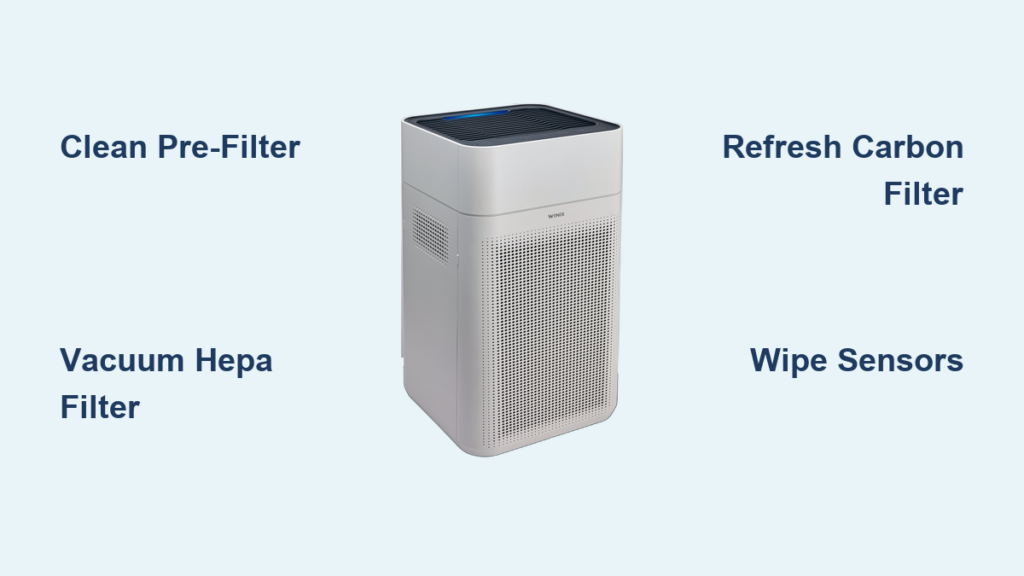
Your Winix air purifier works tirelessly to remove dust, allergens, and odors from your home’s air, but it can’t do its job effectively when clogged with accumulated debris. Regular cleaning not only maintains your unit’s performance but also extends its lifespan and ensures cleaner, healthier air for your family. Over time, the pre-filter captures large particles, the true HEPA filter traps microscopic allergens, and the activated carbon filter absorbs odors—all of which require periodic attention to function optimally.
Neglecting your air purifier’s maintenance leads to reduced airflow, increased energy consumption, and a unit that struggles to capture pollutants. Many owners notice their purifier running louder or less effectively without realizing that a simple cleaning could restore peak performance. This guide walks you through every component that requires attention, from quick weekly maintenance to deeper monthly and quarterly procedures that keep your Winix running like new.
Gather Your Cleaning Supplies Before Starting
Before you begin cleaning your Winix air purifier, assemble the tools needed to avoid interruptions during the process. A soft, lint-free cloth or microfiber towel works best for wiping down exterior surfaces without scratching. You’ll also need a vacuum cleaner with a brush attachment to remove loose debris from filters and internal components.
For deeper cleaning, prepare a mild dish soap solution in warm water—never use harsh chemicals that could damage filter materials. Keep a small, soft-bristled brush like an old toothbrush handy for cleaning tight spaces around sensor openings and filter frames. Finally, have a bowl large enough for soaking washable components and several dry towels ready for drying.
Critical warning: Never use bleach, abrasive cleaners, or high-pressure water sprays on your Winix filters. These can permanently damage the delicate filtration media and void your warranty. Stick to gentle cleaning methods to preserve your unit’s performance.
Turn Off and Unplug Your Winix Unit for Safety
Safety must come first when performing maintenance on any electrical appliance. Before cleaning your Winix air purifier, switch it off using the control panel, then unplug the power cord from the wall outlet. This prevents accidental activation during cleaning and protects both you and the unit from electrical hazards.
Place your purifier on a stable, flat surface over a towel to catch falling debris. Allow the unit to sit unplugged for several minutes before handling internal components—this gives any residual charge time to dissipate and ensures moving parts have completely stopped. Attempting to clean while the unit still has power could result in injury or damage to internal components.
Remove and Deep Clean the Pre-Filter

The pre-filter is your Winix’s first line of defense against large particles like dust bunnies and pet hair. This washable mesh filter requires cleaning every two to three weeks for optimal performance. Locate the pre-filter panel, which typically slides or clicks off the front or bottom of your Winix model.
Gently remove the filter and take it outside to shake loose accumulated debris. Use your vacuum’s brush attachment to remove embedded particles with gentle strokes to avoid damaging the mesh. For stubborn dirt, rinse the pre-filter under lukewarm running water while gently agitating it—never use hot water as it can warp the material.
If needed, soak the filter for 10-15 minutes in mild dish soap solution, then rinse thoroughly. Squeeze out excess water gently—never wring or twist the filter—and allow it to air dry completely for at least 24 hours before reinstalling. A damp filter promotes mold growth and reduces your purifier’s effectiveness.
How to Tell When Your Pre-Filter Needs Cleaning
Your Winix pre-filter needs attention when you notice:
– Visible dust and hair accumulation on the surface
– Reduced airflow from your purifier
– Increased noise during operation
– More frequent activation of the filter replacement indicator
Properly Maintain Your HEPA Filter
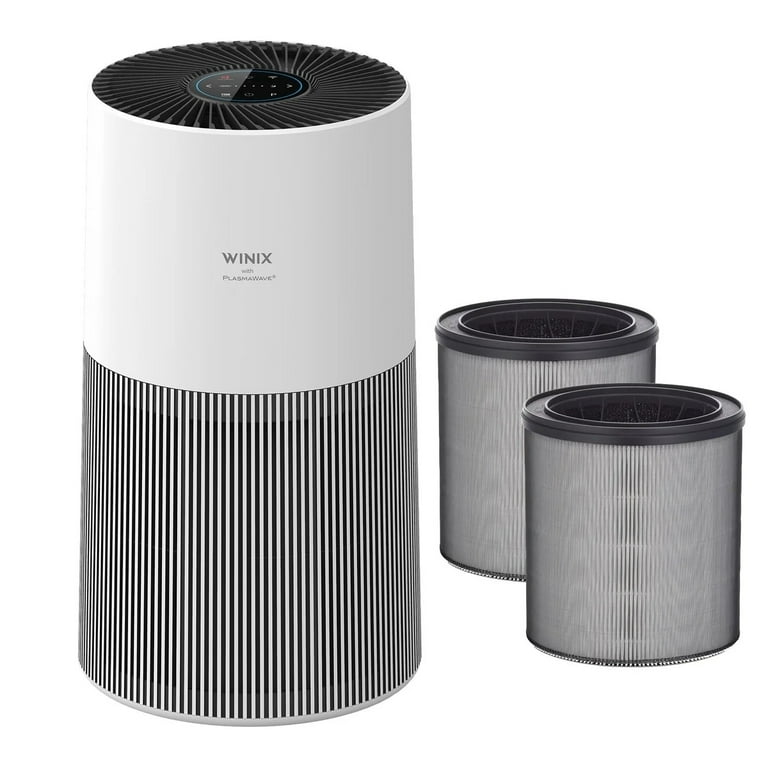
The true HEPA filter in your Winix captures 99.97% of airborne particles as small as 0.3 microns, including pollen and pet dander. Unlike the pre-filter, the HEPA filter is not washable—water exposure damages the delicate fibers and compromises filtration.
Instead, extend your HEPA filter’s life by gently vacuuming its exterior surface every month. Hold your vacuum’s brush attachment just above the filter without direct contact, using low suction to draw away debris without forcing it deeper into the fibers. This maintenance should be performed monthly for homes with average air quality.
Most Winix HEPA filters require replacement every 6-12 months depending on usage. Replace it immediately if you notice visible discoloration, compression, or reduced airflow despite a clean pre-filter. When installing a new HEPA filter, pay attention to the airflow direction arrow—installing it backward significantly reduces efficiency.
Refresh and Replace Your Carbon Filter
The activated carbon filter absorbs household odors and chemical fumes through adsorption. While carbon filters aren’t washable, you can extend their life by placing them in direct sunlight for 2-3 hours every few months. The heat helps release trapped moisture and odor molecules, partially refreshing the filter’s effectiveness.
Most Winix carbon filters need replacement every 3-6 months, though homes with pets, smokers, or heavy cooking may require more frequent changes. You’ll know it’s time for replacement when you notice persistent odors despite other filters being clean. Some Winix models feature combination filters where carbon and HEPA elements are integrated—follow manufacturer guidelines for these hybrid filters.
Clean Air Quality Sensors for Accurate Readings

Dirty sensors cause inaccurate pollution readings, making your Winix run too slow when air quality is poor or too fast when air is clean. Locate the sensor openings—typically small vents on the side or back of your unit.
Use a dry cotton swab to gently clean sensor lenses, removing dust that obstructs airflow to the sensing element. For stubborn buildup, slightly dampen a cotton swab with distilled water (never tap water) and gently wipe the surface. Allow sensors to dry completely before powering on the unit. Winix recommends cleaning sensors every 2-4 weeks, especially in dusty environments.
Wipe Down Exterior Surfaces Properly
Dust accumulation on your Winix’s exterior can interfere with controls and reduce aesthetic appeal. Use a soft, slightly damp microfiber cloth to wipe all external surfaces, including the control panel. For stubborn marks, add a drop of mild dish soap to your cloth, but avoid excess moisture that could seep into internal components.
Pay special attention to air intake and output vents where dust accumulates most heavily. Use your vacuum’s brush attachment or a soft brush to clean vent slats, and compressed air (held upright) for tight spaces. Dry all surfaces immediately with a clean cloth to prevent water spots.
Reassemble and Test Your Winix After Cleaning
Once all components are completely dry, reassemble your Winix in reverse order of disassembly. Ensure filters are installed with correct orientation, panels click securely into place, and no cleaning materials remain inside.
Plug in your purifier and power it on, testing each fan speed setting to verify normal operation. Listen for unusual sounds that might indicate improper filter installation. Check that indicator lights function correctly and airflow feels strong across all settings.
Allow the unit to run for several minutes while monitoring performance. If airflow seems restricted or you hear abnormal noises, turn it off and double-check filter installation—most post-cleaning issues stem from incorrectly seated filters or residual moisture.
Establish a Winix Cleaning Schedule That Works
Create a simple maintenance schedule to prevent performance degradation:
- Weekly: Quick pre-filter inspection and exterior wipe-down
- Monthly: Thorough pre-filter cleaning, HEPA surface vacuuming, sensor cleaning
- Quarterly: Deep vent cleaning, filter condition inspection, carbon filter sun refresh
- Every 6-12 months: HEPA filter replacement
- Every 3-6 months: Carbon filter replacement
Set calendar reminders for filter replacements or maintain a log of service dates. While Winix models feature filter change indicators, don’t rely on them exclusively as sensor accuracy degrades over time.
Troubleshoot Common Winix Cleaning Issues
Even with regular maintenance, you may encounter problems requiring additional attention. Weak airflow despite clean filters usually indicates vent obstructions—ensure your purifier has at least 12-18 inches of clearance on all sides.
Unusual odors typically signal a saturated carbon filter, mold from damp filters, or accumulated debris in drainage systems. Replace carbon filters promptly and ensure all components are completely dry before reassembly.
Erratic sensor behavior usually stems from dirty sensors—perform a thorough cleaning and allow the unit to recalibrate. If problems persist after cleaning, the sensor itself may require professional service.
Maximize Your Winix Purifier’s Long-Term Performance
Strategic placement enhances your Winix’s effectiveness—position it in a central location with good airflow circulation, away from corners and heat sources. Run your purifier continuously on lower speeds for steady air quality management, increasing to higher speeds during cooking or allergy seasons.
Close windows during high-pollen seasons to reduce the filter load. In extremely polluted environments, consider running multiple units rather than overworking a single purifier.
Regular cleaning transforms maintenance from a chore into a quick routine task that takes less than 15 minutes weekly but delivers lasting benefits in air quality and equipment longevity. Your Winix air purifier is an investment in your family’s health—protect that investment with consistent, proper care.



