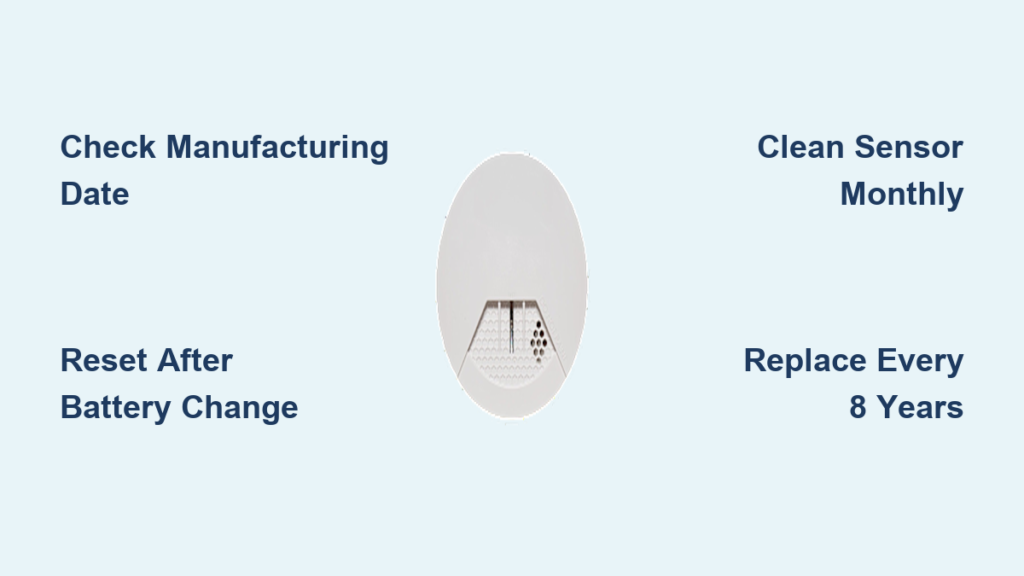
That relentless chirp from your Simplisafe smoke detector at 3 a.m. is more than an annoyance. It’s a warning your smart home system is trying to communicate. Unlike traditional alarms, Simplisafe detectors integrate with your security system, sending instant alerts to your phone and syncing with other sensors throughout your home. When the beeping starts, the cause can range from simple dust buildup to end-of-life failure.
Most causes of Simplisafe smoke detector beeping are fixable without buying a new unit, unless the detector has passed its 8-year operational lifespan. In this guide, you’ll learn exactly why your detector is chirping and how to silence it fast using basic tools and proven methods. You’ll also discover a simple maintenance routine to prevent future beeping and keep your home protected.
Decode the Beeping Pattern
Identify the Chirp Type
The first step to silencing your Simplisafe smoke detector beeping is understanding what the chirp means. Not all beeps signal the same problem.
A chirp every 30 to 60 seconds after installing a fresh battery is a critical warning. This pattern means your detector has reached the end of its 8-year lifespan. The alarm is communicating that it can no longer function reliably. No amount of battery replacement will fix this. You must replace the entire unit to restore safety.
On the other hand, random or intermittent chirping usually points to a correctable issue. Common culprits include dust inside the sensor chamber, poor battery contact, or moisture interference. If the chirping started right after a battery change, it could be due to residual electrical charge or a missed manual reset. These causes are fixable with simple troubleshooting steps.
Check for Visual Cues
Simplisafe detectors use light indicators to help you diagnose problems quickly. When you reattach the unit to its mounting bracket, watch for a roll-up light that confirms a secure connection. If you instead see a steady orange or yellowish light, the detector isn’t seated properly.
Remove it and snap it back in until the correct light appears. This simple fix resolves many false chirps caused by loose connections. Also, listen for the base station’s verbal alert: “Warning: smoke detector is detached from its bracket.” If you hear this announcement, the unit is partially dislodged. Even a slight gap can trigger beeping, so always ensure the detector clicks firmly into place.
Reset After Battery Replacement
Discharge Residual Power
Even with a brand-new battery, your Simplisafe detector may keep chirping due to leftover electrical charge in the system. This is a common issue after battery changes and often mistaken for a defect.
To perform this fix:
1. Take out the battery completely
2. Press and hold the test button for 30 seconds to drain residual power
3. Put the battery back in
This step resets the internal circuitry and usually stops the chirping immediately. It’s one of the most effective fixes for post-battery-change beeping.
Perform a Manual Reset
Many users skip this step, but it’s critical for stopping persistent chirping. After inserting the new battery, press and hold the test button for 15 to 30 seconds. This tells the alarm to recognize the new power source and clears any error states.
Without this reset, the system may continue chirping because it still thinks the battery is low or missing. Stick with Duracell or Energizer batteries for best results. Cheap generic brands can cause voltage instability, leading to false chirps. Label each battery with the replacement date using painter’s tape to track when it’s time to change again.
Clean Dust from the Sensor
Use the Right Cleaning Tools
Dust is one of the leading causes of false alarms and beeping in Simplisafe detectors. Over time, particles clog the sensor chamber, interfering with the unit’s ability to detect smoke accurately.
For best results, use a vacuum with a soft brush attachment. This method removes dust rather than just blowing it around. Gently suction around the sensor screen, edges, and recessed areas. If you don’t have a vacuum, use electronics-safe canned air to blow out debris instead. Never apply water, oils, or cleaning sprays to the sensor, as these can permanently damage the unit.
Follow the Monthly Cleaning Routine
Simplisafe recommends cleaning the detector once a month to prevent dust buildup. This is especially important in homes with pets, carpets, or high foot traffic. Dust accumulates quickly in corners and crevices, so focus on all openings during each cleaning.
A quick 60-second cleaning session can prevent weeks of annoying chirping. For all smoke alarms in your home, schedule a deeper clean every six months. Pair this task with seasonal maintenance like changing HVAC filters or testing carbon monoxide detectors.
Fix Poor Battery Contact
Inspect and Adjust Contacts
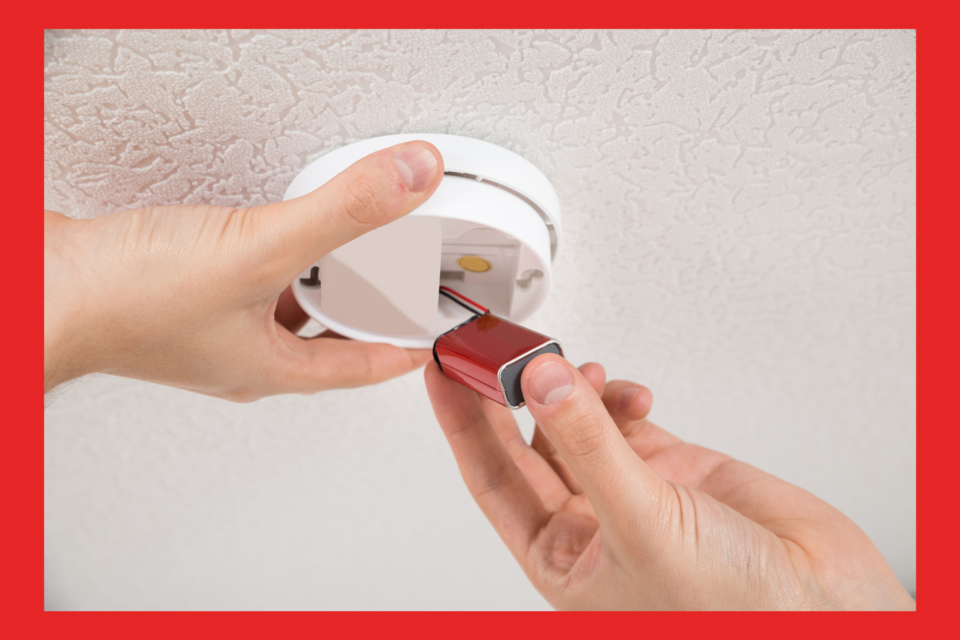
Even with a good battery installed, chirping can occur if the contacts aren’t making a solid connection. Open the battery compartment and examine the two contact points:
• One side has a spring mechanism
• The other side has a flat metal strip
Over time, these components can lose tension, causing the battery to sit loosely. Use a small screwdriver to gently bend both contacts outward slightly. This increases pressure on the battery for a tighter, more reliable fit.
Test the Battery Seat
After adjusting the contacts, reinstall the battery and turn the alarm upside down. Shake the unit gently. If the battery falls out, the contacts still need further adjustment. A properly seated battery should stay in place even when shaken. This simple test confirms whether your fix worked and resolves many cases of intermittent chirping caused by power fluctuations.
Relocate Away from Steam and Heat
Avoid Moisture Sources
Steam from showers, cooking activities, or HVAC vents can trigger false chirps in sensitive Simplisafe detectors. If your unit is installed near a bathroom, kitchen, or air vent, it may be reacting to humidity rather than actual smoke.
Install detectors at least 10 feet away from showers, stoves, and bathroom doors. Don’t place them near HVAC supply vents, where bursts of hot or dusty air can interfere with sensors. One homeowner reported chirping during every hot shower until they relocated the alarm to a different spot.
Prevent Pest Interference
Spiders, ants, and roaches can crawl into the sensor chamber and trigger false alarms. If you live in an area prone to pests, clean the unit regularly and consider relocating it from dark, undisturbed corners. Insect nests inside the sensor are rare but possible. Cleaning with canned air helps prevent these tiny intruders from causing problems.
Replace Aging Detectors
Check the Manufacturing Date
All smoke detectors have a limited operational lifespan, and Simplisafe units are designed to last 8 years. After this period, internal components degrade, and the alarm begins chirping every 30 to 60 seconds to signal failure.
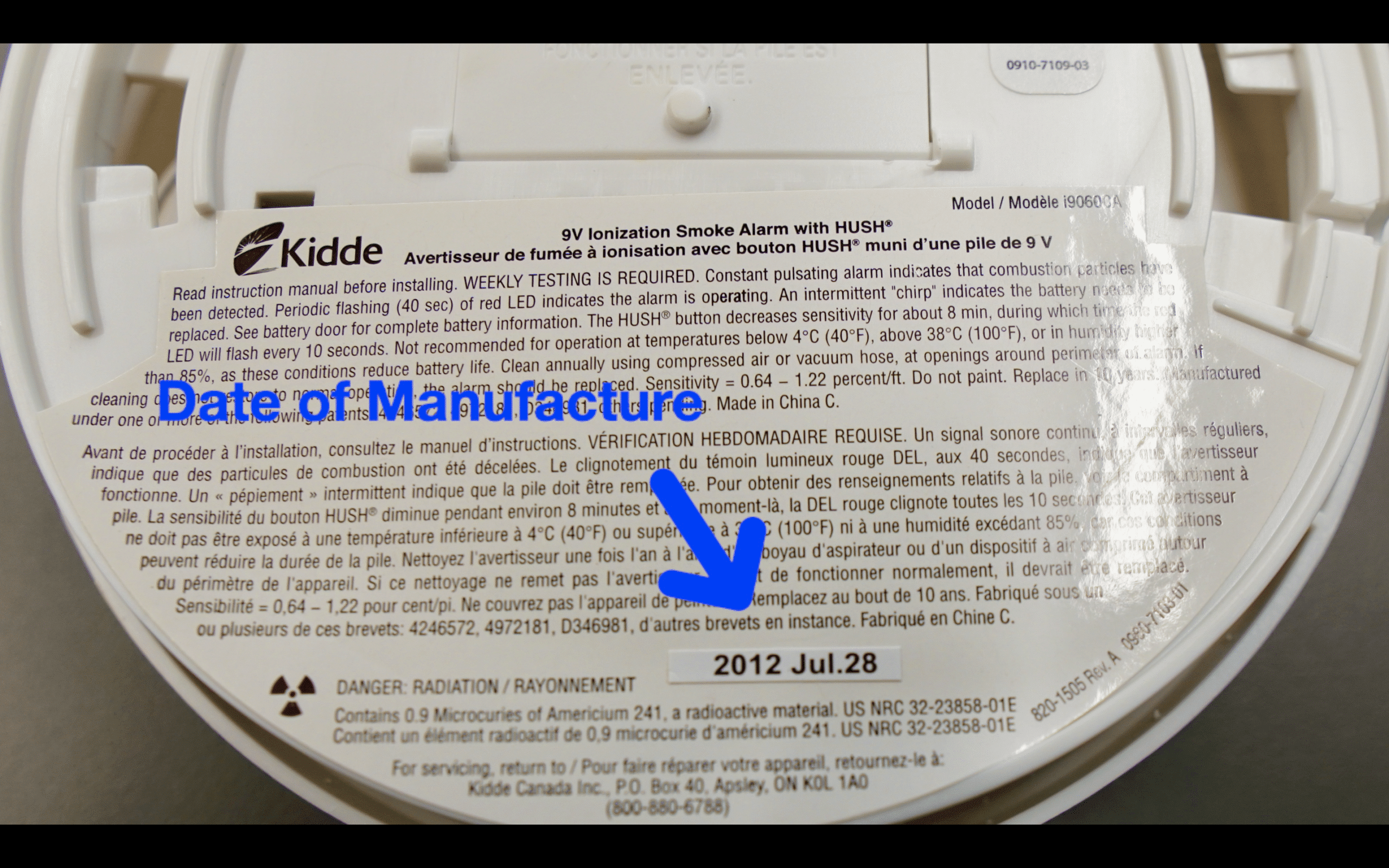
To check the age, flip the detector over and look for the manufacturing date stamped on the back. If the unit is older than 8 years, replace the entire device. This chirp pattern won’t stop, even with a fresh battery. It’s a built-in safety feature, not a malfunction.
Replace Interconnected Units as Needed
If you have multiple interconnected alarms, a single failing unit can cause the whole system to chirp. This is especially common with hard-to-reach detectors in basements or closets that rarely get checked. Test each unit individually. If one is chirping, replace it even if the others seem fine. After replacement, test the entire system to ensure all units sync properly.
Clean Corroded Battery Terminals

Remove Moisture Damage
In humid climates, moisture can cause corrosion on battery terminals and metal contacts. This buildup disrupts power flow and triggers persistent chirping. To address this issue:
- Remove the battery from the unit
- Inspect for white or greenish residue on the terminals
- Use fine-grit sandpaper or a small wire brush to gently scrub the contacts
- Wipe everything clean and reinstall the battery
This restores proper conductivity and often stops the chirping immediately.
Prevent Future Corrosion
If you live in a humid area like the deep south, consider using a dehumidifier in rooms with detectors. You can also place alarms in drier areas of the home when possible. Avoid installing them in damp basements or laundry rooms unless absolutely necessary.
Follow a Smart Maintenance Plan
Stick to a Cleaning Schedule
Prevention beats repair every time. Follow this simple maintenance plan to keep your detectors quiet and functional:
• Monthly: Clean your Simplisafe detector with a vacuum or canned air
• Every 6 months: Deep clean all smoke alarms in your home
• Annually: Replace all batteries at once, even if some seem fine
• Every 8 years: Replace the entire unit
Label each detector with the battery change date using painter’s tape. This makes tracking easy and ensures no unit gets overlooked.
Optimize Placement and Integration
Simplisafe detectors do more than detect smoke. They integrate with glass break sensors, flood sensors, and your smartphone for comprehensive protection. For best performance, place detectors on the ceiling away from corners where air doesn’t circulate well. Avoid insect-prone or excessively dusty areas. Ensure all units are within wireless range of the base station.
One user reported receiving an alert about a carbon monoxide leak from a lawn mower in their garage while they were away. The system identified the problem instantly, proving the value of real-time monitoring.
Frequently Asked Questions About Simplisafe Smoke Detector Beeping
Why is my Simplisafe smoke detector beeping after a battery change?
A chirp every 30 to 60 seconds after a battery change usually means the detector has reached its 8-year end of life. Check the manufacturing date on the back. If it’s older than 8 years, replace the entire unit. If the unit is newer, perform a manual reset by holding the test button for 30 seconds with the battery removed.
How do I stop my Simplisafe smoke detector from chirping randomly?
Random chirping is typically caused by dust buildup, poor battery contact, or moisture. Clean the sensor with a vacuum and soft brush, adjust the battery contacts for a tighter fit, and make sure the unit is at least 10 feet from showers or kitchen steam.
Can dust really make a smoke detector beep?
Yes. Dust particles interfere with the sensor chamber and trigger false alarms or chirping. Simplisafe recommends cleaning the detector once a month using a vacuum with a brush attachment or electronics-safe canned air. Never use liquids or sprays.
How long do Simplisafe smoke detectors last?
Simplisafe smoke detectors have an operational lifespan of 8 years. After that, internal components degrade and the unit chirps every 30 to 60 seconds to signal failure. Always check the manufacturing date on the back and replace the entire unit when it expires.
Will a new battery stop the beeping?
Sometimes. If the unit is under 8 years old and the chirping started after a battery change, try a full reset: remove the battery, press the test button for 30 seconds, then reinstall. If the chirp continues every 30 to 60 seconds, the detector is likely at end of life and needs replacement.
Can humidity cause my Simplisafe detector to beep?
Yes. High humidity can cause corrosion on battery terminals and trigger chirping. Clean the contacts with fine-grit sandpaper, consider using a dehumidifier, and relocate the detector to a drier area if possible.
Key Takeaways for Fixing Your Simplisafe Smoke Detector Beeping
A beeping Simplisafe smoke detector is more than an inconvenience. It’s a warning that demands attention. The most common causes include residual charge after battery changes, dust buildup, poor battery contact, moisture exposure, and end-of-life failure after 8 years.
Start by identifying the chirp pattern. A chirp every 30 to 60 seconds after a battery swap means the unit needs replacement. Random chirping usually resolves with cleaning, a manual reset, or better placement. Use only Duracell or Energizer batteries, clean the sensor monthly, and check the manufacturing date regularly.
Your next step: Grab a screwdriver and check the manufacturing date on the back of your detector today. If it’s under 8 years old, perform the 30-second reset and give the sensor a thorough cleaning. If it’s older, replace the unit immediately to keep your home and family protected.