Replacing a hardwired smoke or carbon monoxide alarm should be simple, but smoke detector connector types often make the job confusing. Each brand, from Kidde to Firex to First Alert, uses its own wiring harness. Without the right adapter, you can face extra rewiring, drywall repair, or even an incompatible unit. Knowing how these connectors work saves time and keeps your fire safety system code-compliant.
This guide breaks down the four most common smoke detector connector types: Kidde Quick Connect, KA-B2, KA-F2, and the bare-wire harness 21027590. You will learn how to identify your current plug, choose the correct adapter, and complete a safe, code-ready installation.
Identify Your Detector’s Connector Type
Before buying a replacement alarm, inspect the wiring at the ceiling. The connector determines whether you can do a simple swap or need an adapter. Most modern detectors use a plug-in harness rather than direct wire connections, but harnesses are not universal.
Check the Brand and Model
Start by identifying the existing detector brand. Kidde, Firex, First Alert, and BRK each use proprietary plugs. Firex units, now owned by Kidde, often have unique connectors that do not fit standard Kidde alarms. First Alert and BRK models built before 2003 also use a different pin layout than newer units.
Look at the Wiring Harness Shape
The physical plug is the fastest identifier:
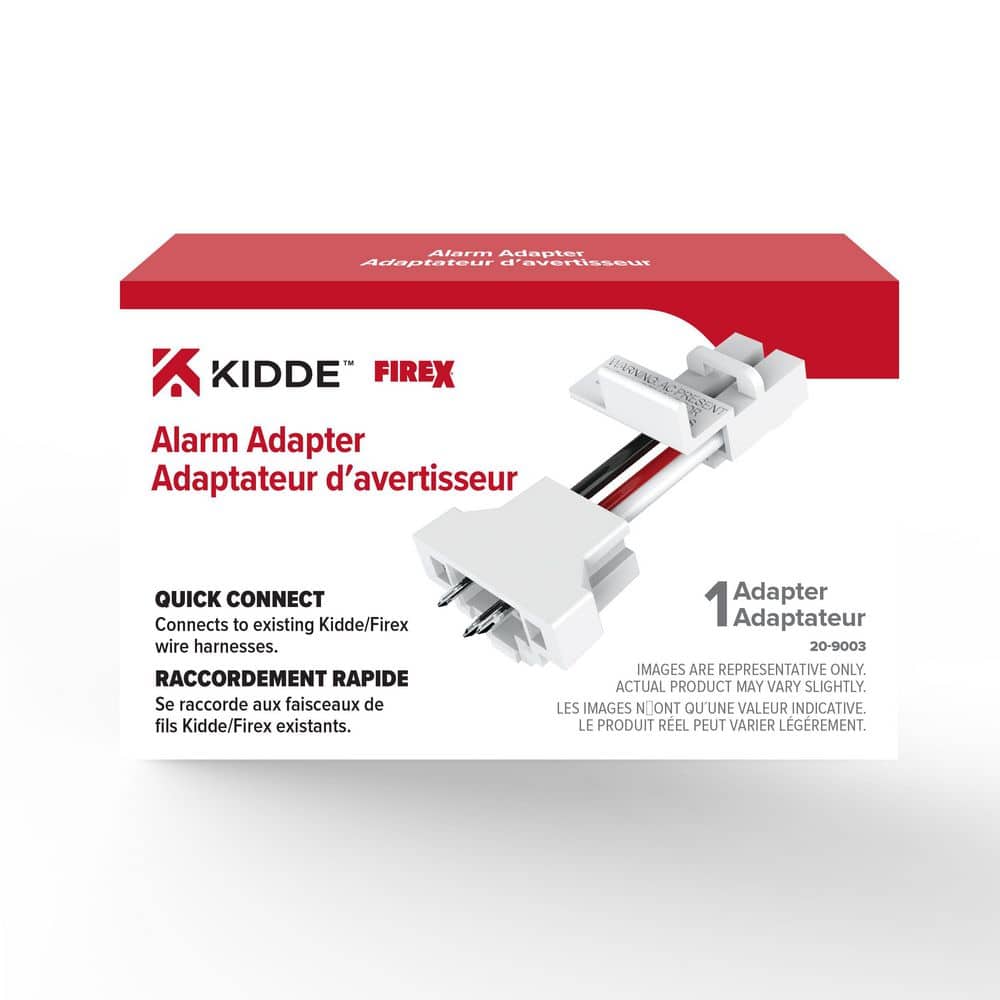
- Kidde Quick Connect (20-9003): Rectangular plug with three pins for hot, neutral, and interconnect.
- KA-B2 Adapter: Converts BRK and First Alert pre-2003 plugs to a Kidde-compatible interface.
- KA-F2 Adapter: Converts Firex FADC, ADC, or AD plugs to Kidde systems.
- Harness 21027590: Bare-wire connector used in custom or new installations.
If the plug does not match your new detector, you need an adapter. Never force a connector into the wrong socket.
Verify the Manufacturing Date
For First Alert and BRK alarms, the June 1, 2003 cutoff matters. Models made before that date use a different interconnect signal. The KA-B2 adapter only works with these older units. BRK alarms made after 2003 use standard connectors that fit current Kidde detectors without an adapter.
Kidde Quick Connect Adapter (20-9003)
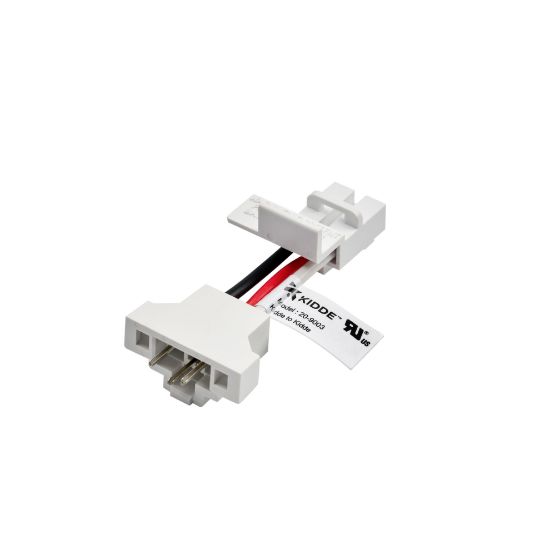
The Kidde 20-9003 Quick Connect adapter is built for fast installation of modern hardwired alarms. It serves as the standard interface for newer Kidde and Nighthawk detectors, enabling a plug-and-play replacement when the existing wiring harness matches.
Why Use the 20-9003 Adapter
This adapter removes the need to rewire. If your home already has a compatible Kidde or Firex harness, the 20-9003 connects models like the 900-CUAR or 900-CUAR-V directly. It supports AC/DC power, battery backup, and interconnection with other Kidde alarms. No rewiring means faster installation and lower risk of wiring errors.
Installation Steps for the 20-9003
- Turn off power at the circuit breaker.
- Twist the old detector off its mounting bracket.
- Unplug the existing harness from the ceiling.
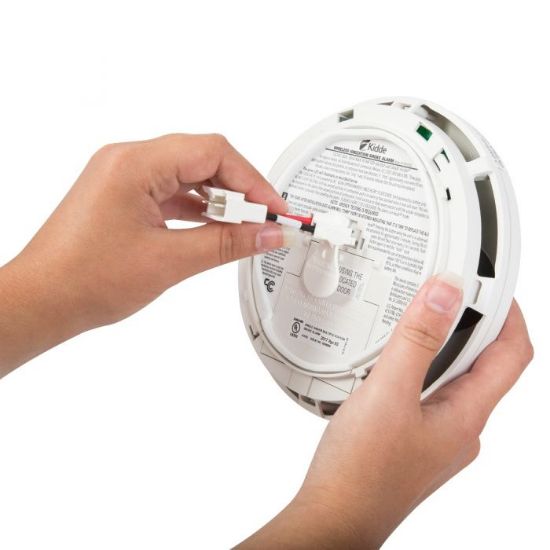
- Plug the 20-9003 adapter into the harness.
- Attach the new detector to the adapter.
- Restore power and press the test button.
Make sure the adapter clicks firmly into place. A loose connection can cause intermittent power or failed interconnect signals.
Common Mistakes to Avoid
- Forcing mismatched connectors: Do not bend pins to force a fit.
- Skipping the test: Always confirm interconnect function after install.
- Ignoring compatibility: Verify that your existing harness supports Kidde Quick Connect.
This adapter works best in homes with modern Kidde systems and will not help with older BRK or Firex units.
Replace BRK or First Alert Alarms with KA-B2
If you are upgrading a First Alert SA4121B or a BRK 4120, 4919, 5919, or 86RAC, the Kidde KA-B2 Quick Convert Adapter is your solution, but only for units made before June 1, 2003.
When to Use the KA-B2
The KA-B2 bridges the gap between legacy BRK/First Alert connectors and modern Kidde detectors. These older alarms use a unique plug shape and signaling that current Kidde units do not accept. The KA-B2 converts the connector so you can install a new Kidde alarm without rewiring the ceiling.
Supported replacements include:
– First Alert SA4121B
– BRK 4120, 4919, 5919, 86RAC (pre-June 2003)
Installation Steps
- Shut off power to the circuit.
- Remove the old alarm from its base.
- Disconnect the original harness.
- Plug the KA-B2 into the ceiling harness.
- Connect your new Kidde alarm to the KA-B2.
- Restore power and test interconnect.
The KA-B2 works with all AC/DC Kidde smoke and combination alarms, giving you flexibility in choosing your replacement.
Limitations to Know
- Not for post-2003 BRK alarms: Newer models use standard connectors.
- No retrofitting to non-compatible brands: Only works with the listed models.
- Check for wear: Older harnesses may have brittle wires, so inspect them before reuse.
At $3.99, the KA-B2 is a low-cost way to avoid drywall repair and electrician fees.
Upgrade Firex Alarms Using the KA-F2 Adapter
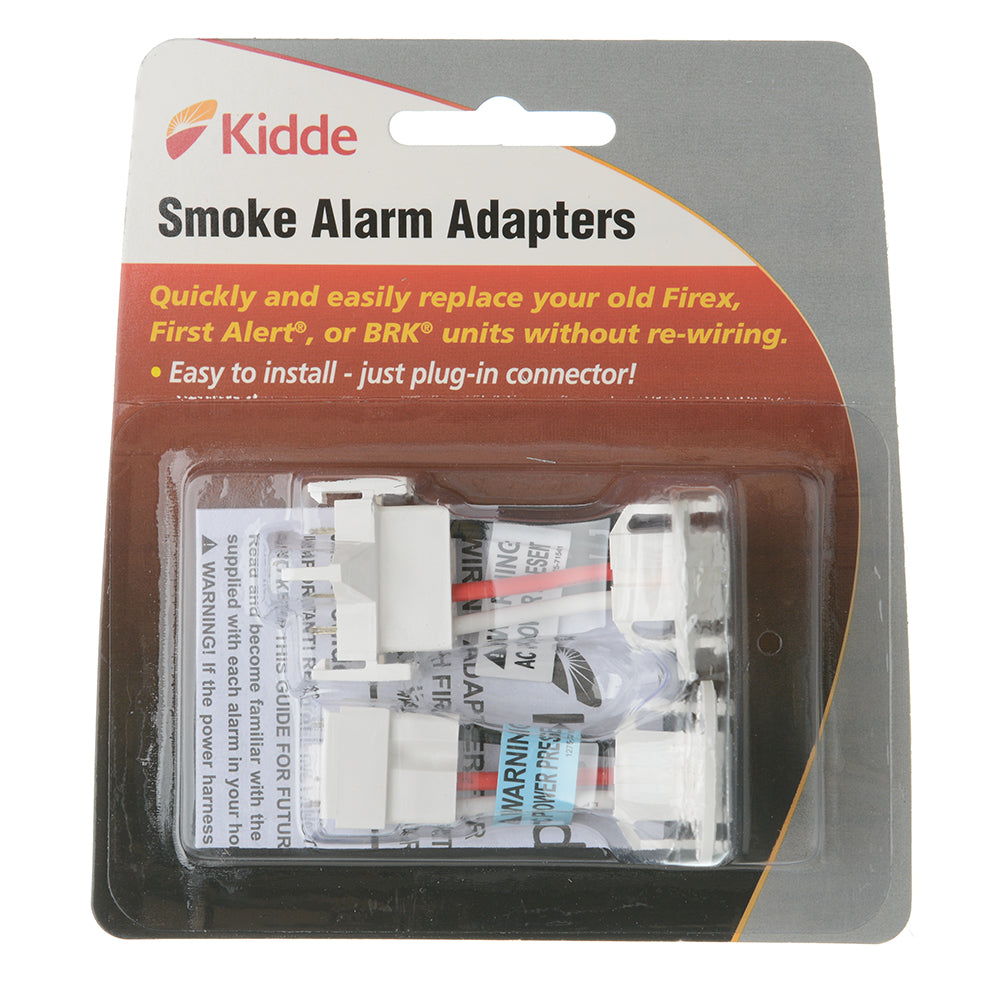
Replacing Firex FADC, ADC, or AD series alarms requires the Kidde KA-F2 Quick Convert Adapter. These detectors were common in homes built in the 1990s and early 2000s and use a distinct connector that does not fit modern Kidde units.
Why Firex Connectors Are Different
Firex was acquired by Kidde, but legacy models kept their original wiring design. The KA-F2 allows homeowners to move to current Kidde technology without rewiring. It converts the Firex plug to a standard Kidde interface and is compatible with Firex FADC, Firex ADC, and Firex AD units. These older models often lack digital displays or smart features, so upgrading improves reliability and safety.
How to Install the KA-F2
- Turn off electricity at the breaker panel.
- Detach the old Firex alarm from its mounting bracket.
- Unplug the Firex harness from the ceiling.
- Insert the KA-F2 adapter into the harness.
- Plug your new Kidde detector into the KA-F2.
- Restore power and test the system.
The KA-F2 supports all AC/DC Kidde smoke and CO detectors, making it versatile for future upgrades.
Availability Warning
The KA-F2 is currently out of stock. If you are planning a Firex replacement, check supplier availability or buy one while you can if you manage multiple units. Third-party sellers may list it at inflated prices, so verify authenticity before purchasing.
Pro Tip: Label the Adapter
After installation, write “Converted from Firex” on the junction box or bracket with a permanent marker. This helps future homeowners or electricians understand the system history and avoid confusion during inspections.
Use Quick Connect Harness 21027590 for Custom Wiring
The Quick Connect Harness 21027590 is a bare-wire connector used when standard adapters do not apply. It fits new installations, rewiring projects, and damaged harness replacements.
What This Harness Does
Unlike plug-in adapters, this harness has exposed wires that connect with wire nuts. The black wire carries hot (120V), the white wire is neutral, and the red wire handles the interconnect signal. You attach these to your home wiring, then plug a compatible Kidde detector into the female end.
When to Use It
- No existing harness: New construction or remodels.
- Damaged wiring: Old harness is frayed or broken.
- Custom setups: Interconnecting mixed-brand systems, with caution.
This is the most flexible option but requires basic electrical knowledge.
Installation Safety Steps
- Cut power and confirm with a voltage tester.
- Strip 1/2 inch of insulation from house wires.
- Match colors: black to black, white to white, red to red.
- Secure with UL-listed wire nuts.
- Tuck wires into the electrical box.
- Snap the harness base into the mounting bracket.
- Attach the detector.
This harness costs only $0.99, making it an affordable solution for permanent installations.
Common Mistake: Skipping the Interconnect Wire
Never omit the red interconnect wire. Without it, alarms cannot communicate during a fire event, which defeats the purpose of a hardwired system. Even if you install one unit now, leave the red wire capped and ready for future expansion.
Compare Adapter Compatibility at a Glance

Choosing the right smoke detector connector type depends on your existing system. Use this quick reference to match your situation.
| Adapter | Replaces | Works With | Key Limitation |
|---|---|---|---|
| 20-9003 | Kidde/Firex existing harnesses | 900-CUAR, 900-CUAR-V | Requires compatible harness |
| KA-B2 | BRK/First Alert pre-2003 | All AC/DC Kidde alarms | Only for models before June 2003 |
| KA-F2 | Firex FADC, ADC, AD | All AC/DC Kidde alarms | Currently out of stock |
| 21027590 | N/A (new install) | Any Kidde plug-in model | Requires manual wiring |
This table helps you avoid buying the wrong part and ensures a smooth replacement.
Troubleshoot Common Connector Issues
Even with the right adapter, problems can arise. Here is how to fix the most frequent issues.
No Power After Installation
- Check the breaker to confirm the circuit is on.
- Inspect connections, since loose wires in the harness cause power loss.
- Test voltage with a multimeter to confirm 120V at the black wire.
If you are using an adapter, verify it is fully seated. A partial connection may allow power but not interconnect.
Interconnect Failure
If alarms are not triggering together, the red interconnect wire is likely the issue. Verify continuity across all units, check adapter compatibility since some older systems do not support modern signaling, and avoid mixing technologies because photoelectric and ionization alarms may not sync properly. After installing an adapter, test by pressing the test button on one unit. Others should sound within seconds.
Flickering Lights or Beeping
This often points to a poor neutral connection. Tighten the wire nuts, since a loose neutral causes erratic behavior. Replace damaged harnesses, because brittle insulation increases resistance. Ensure grounding, as proper grounding stabilizes performance even when not always required. If beeping persists, the issue may be the alarm itself, not the connector.
Prevent Future Compatibility Problems
When upgrading smoke alarms, plan ahead to avoid repeat issues.
Standardize on One Brand
Stick with Kidde or another single manufacturer across your home. Mixing brands increases the need for adapters and raises failure risks. Kidde’s ecosystem supports long-term upgrades with consistent connectors.
Keep Spare Adapters
Store one KA-B2 and one KA-F2 in your home maintenance kit. Future repairs go faster when you do not need to wait for shipping.
Label Converted Systems
Use tape or a marker to note where adapters were used. For example, write “KA-B2 used, replaced BRK 4120.” This helps inspectors, electricians, and future owners.
Follow the 10-Year Replacement Rule
All smoke detectors expire after 10 years. Mark replacement dates on the unit or in your calendar. Older connectors degrade over time, so replace harnesses that show wear.
Frequently Asked Questions About Smoke Detector Connector Types
What is the most common smoke detector connector type?
The Kidde Quick Connect (20-9003) is the most widely used connector for modern hardwired Kidde and Nighthawk detectors. It allows plug-and-play replacement when the existing harness is compatible.
Can I replace a First Alert detector with a Kidde alarm?
Yes, but only if you use the KA-B2 Quick Convert Adapter and the First Alert or BRK unit was manufactured before June 1, 2003. The adapter converts the old plug to a Kidde-compatible interface.
How do I know if my Firex alarm needs a KA-F2 adapter?
If your Firex model is an FADC, ADC, or AD series, you need the KA-F2 adapter to connect it to a new Kidde detector. These models use a unique plug that does not fit standard Kidde units.
What is the difference between the 20-9003 and the KA-B2?
The 20-9003 is a standard Quick Connect adapter for Kidde and Firex harnesses. The KA-B2 is a conversion adapter specifically for older BRK and First Alert plugs made before June 2003.
Are smoke detector wiring adapters universal?
No. Each adapter is designed for a specific brand and model range. Using the wrong adapter can cause power failure or prevent interconnect signals from working.
Key Takeaways for Choosing the Right Smoke Detector Connector
Understanding smoke detector connector types is essential for safe, efficient alarm replacement. Use the 20-9003 for modern Kidde detectors with compatible harnesses, the KA-B2 for pre-2003 First Alert and BRK models, and the KA-F2 for Firex FADC, ADC, and AD units. For new wiring, the 21027590 harness offers a low-cost, permanent solution at just $0.99.
Always turn off power before working, confirm compatibility before buying, and test interconnect functionality after installation. The right adapter saves you from rewiring, drywall repair, and electrician fees. Check your ceiling harness today, identify your connector type, and order the correct adapter to keep your home’s fire safety system fully operational.